
Quick answer: SMEs should consider Veeam when server or VM data is important enough to require clear RPO/RTO, immutable copies, offsite backup, alerting and periodic restore testing. If the company only copies files to NAS and has never tested recovery, it does not yet have a reliable backup strategy.
Need to assess your current backup?
IT Systems can review servers, VMs, NAS, cloud, RPO/RTO and recommend Veeam or a suitable backup design before quoting. The goal is to identify which systems must recover first, which data is exposed and which backup investment creates real operating value.
What is Veeam Backup for small businesses?
Veeam Backup for small businesses usually means using the Veeam ecosystem to protect and recover servers, virtual machines, cloud workloads, applications and important business data. For SMEs, the question is not whether some copy exists; it is whether the company can recover when a server fails, files are deleted, ransomware encrypts data or a virtual machine breaks. Veeam fits businesses with clear server or VM infrastructure, growing data, centralized backup needs, restore testing requirements and concern about backups being deleted or encrypted.
In real deployment, this section should become an operating decision: which systems are in scope, who owns backup, how fast data grows, which copy is outside the main site, which copy is immutable, who receives alerts and where the latest restore evidence is stored. IT Systems connects this decision with licensed backup software for businesses, business data backup management, software license management and Veeam products in the Store so the article does not stop at theory but leads to deployment. A practical recommendation should also explain what to check monthly, how failed jobs are escalated, which restore scenario is tested first and how the business accepts the backup design as operational evidence. For management, the useful output is not just a license name; it is a recoverability record that finance, operations and IT can understand when deciding renewal, storage expansion or disaster-recovery improvement. This keeps budget decisions tied to measurable resilience.
When does an SME need Veeam instead of manual backup?
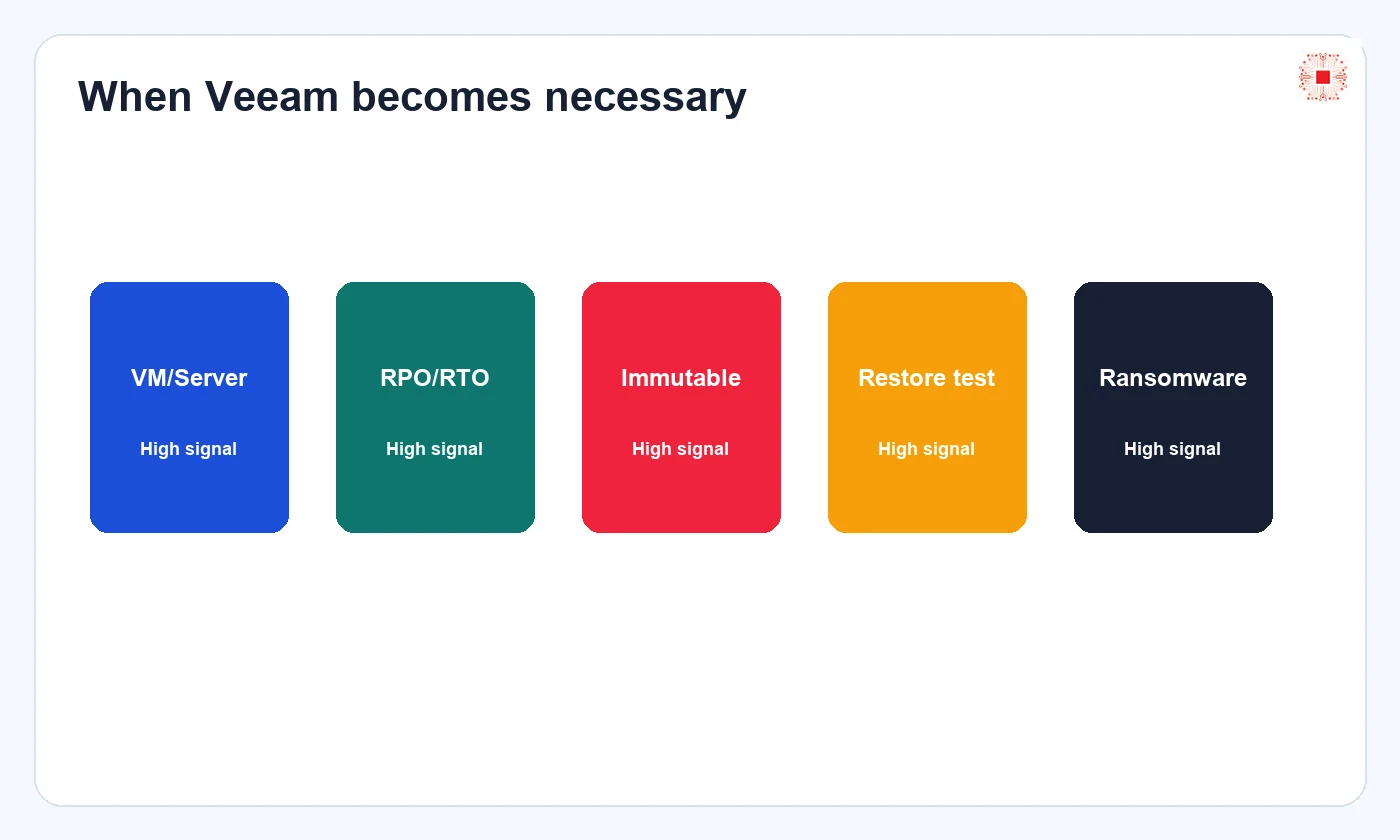
A business starts needing Veeam when manual copy jobs, NAS sync or isolated scripts are no longer reliable enough. Common signs include accounting, ERP or CRM servers, Hyper-V or VMware virtual machines, department file servers, daily data changes, previous file loss, backup logs that no one reviews and management asking how long it would take to run again after a server failure. When backup becomes a recovery-time and evidence question, the business should move from simple tools to a dedicated backup platform.
In real deployment, this section should become an operating decision: which systems are in scope, who owns backup, how fast data grows, which copy is outside the main site, which copy is immutable, who receives alerts and where the latest restore evidence is stored. IT Systems connects this decision with licensed backup software for businesses, business data backup management, software license management and Veeam products in the Store so the article does not stop at theory but leads to deployment. A practical recommendation should also explain what to check monthly, how failed jobs are escalated, which restore scenario is tested first and how the business accepts the backup design as operational evidence. For management, the useful output is not just a license name; it is a recoverability record that finance, operations and IT can understand when deciding renewal, storage expansion or disaster-recovery improvement. This keeps budget decisions tied to measurable resilience.
Signs that Veeam Backup should be evaluated
Not every small company must buy Veeam immediately. But when several signals appear together, the risk has moved beyond casual backup. The table below helps business owners, finance and internal IT recognize the right time to evaluate. Veeam cost should be compared with downtime, data recreation, interrupted delivery, accounting rework and failure to recover after ransomware, not only with the price of an external drive or NAS.
In real deployment, this section should become an operating decision: which systems are in scope, who owns backup, how fast data grows, which copy is outside the main site, which copy is immutable, who receives alerts and where the latest restore evidence is stored. IT Systems connects this decision with licensed backup software for businesses, business data backup management, software license management and Veeam products in the Store so the article does not stop at theory but leads to deployment. A practical recommendation should also explain what to check monthly, how failed jobs are escalated, which restore scenario is tested first and how the business accepts the backup design as operational evidence. For management, the useful output is not just a license name; it is a recoverability record that finance, operations and IT can understand when deciding renewal, storage expansion or disaster-recovery improvement. This keeps budget decisions tied to measurable resilience.
| Situation | Recommendation | Reason |
|---|---|---|
| Servers/VMs | Evaluate Veeam | Downtime affects operations |
| Only laptops/cloud | May not need Veeam yet | Prioritize SaaS/endpoint backup |
| Ransomware concern | Need immutability/offsite | Separate rights and test restore |
| No backup logs | Need managed platform | Alerts and reporting |
Which workloads fit Veeam in a small business?
Veeam often fits physical servers, virtual machines, file servers, internal applications, cloud workloads and some Microsoft 365 scenarios depending on product scope. If the company only has a few laptops and most data lives in cloud apps, the choice should be reviewed carefully. But if the company has servers running accounting, ERP, shared files, SQL databases, manufacturing software or sales systems, Veeam turns backup into policies with schedules, repositories, retention, alerts, encryption, testing and reporting.
In real deployment, this section should become an operating decision: which systems are in scope, who owns backup, how fast data grows, which copy is outside the main site, which copy is immutable, who receives alerts and where the latest restore evidence is stored. IT Systems connects this decision with licensed backup software for businesses, business data backup management, software license management and Veeam products in the Store so the article does not stop at theory but leads to deployment. A practical recommendation should also explain what to check monthly, how failed jobs are escalated, which restore scenario is tested first and how the business accepts the backup design as operational evidence. For management, the useful output is not just a license name; it is a recoverability record that finance, operations and IT can understand when deciding renewal, storage expansion or disaster-recovery improvement. This keeps budget decisions tied to measurable resilience.
How should RPO/RTO be set before buying Veeam?
Before asking for Veeam pricing, the business should define RPO and RTO for each data group. Accounting data may need a recovery point within hours, design files may need daily versioning, sales systems may need to return within a few hours and personal devices may tolerate longer recovery. Without RPO/RTO, quotes become inaccurate because the provider does not know backup frequency, retention, local versus offsite repository needs, or whether instant recovery is required.
In real deployment, this section should become an operating decision: which systems are in scope, who owns backup, how fast data grows, which copy is outside the main site, which copy is immutable, who receives alerts and where the latest restore evidence is stored. IT Systems connects this decision with licensed backup software for businesses, business data backup management, software license management and Veeam products in the Store so the article does not stop at theory but leads to deployment. A practical recommendation should also explain what to check monthly, how failed jobs are escalated, which restore scenario is tested first and how the business accepts the backup design as operational evidence. For management, the useful output is not just a license name; it is a recoverability record that finance, operations and IT can understand when deciding renewal, storage expansion or disaster-recovery improvement. This keeps budget decisions tied to measurable resilience.
Why immutable backup matters against ransomware
According to Veeam documentation, immutability prevents backups from being deleted or modified during a configured period, reducing risk from malware or harmful actions. This is critical for SMEs because older backup designs often use the same admin accounts, same LAN and same NAS share as production. If an attacker gains privileged access, backup copies may be deleted before production data is encrypted. Veeam delivers value only when repository design, accounts, MFA, retention and deletion rights are configured carefully.
In real deployment, this section should become an operating decision: which systems are in scope, who owns backup, how fast data grows, which copy is outside the main site, which copy is immutable, who receives alerts and where the latest restore evidence is stored. IT Systems connects this decision with licensed backup software for businesses, business data backup management, software license management and Veeam products in the Store so the article does not stop at theory but leads to deployment. A practical recommendation should also explain what to check monthly, how failed jobs are escalated, which restore scenario is tested first and how the business accepts the backup design as operational evidence. For management, the useful output is not just a license name; it is a recoverability record that finance, operations and IT can understand when deciding renewal, storage expansion or disaster-recovery improvement. This keeps budget decisions tied to measurable resilience.
What do SureBackup, Secure Restore and restore testing mean?
Veeam emphasizes recovery testing and clean recovery. SureBackup can automatically verify backups in an isolated environment, while Secure Restore scans restore points before data returns to production to reduce reinfection risk. A small business may not need every advanced feature on day one, but the mindset matters: a backup is not successful only because the job is green. Success means the right data can be restored, within the committed time and without bringing malware back.
In real deployment, this section should become an operating decision: which systems are in scope, who owns backup, how fast data grows, which copy is outside the main site, which copy is immutable, who receives alerts and where the latest restore evidence is stored. IT Systems connects this decision with licensed backup software for businesses, business data backup management, software license management and Veeam products in the Store so the article does not stop at theory but leads to deployment. A practical recommendation should also explain what to check monthly, how failed jobs are escalated, which restore scenario is tested first and how the business accepts the backup design as operational evidence. For management, the useful output is not just a license name; it is a recoverability record that finance, operations and IT can understand when deciding renewal, storage expansion or disaster-recovery improvement. This keeps budget decisions tied to measurable resilience.
Comparison: Veeam, NAS sync and cloud drive
NAS sync and cloud drive remain useful, but they do not fully replace a dedicated backup platform when systems become critical. Sync can replicate deleted or encrypted files. A same-network NAS can be reached by ransomware. Cloud drive does not always give the business clear RPO/RTO, retention control or full VM restore. Veeam should be viewed as the backup and recovery orchestration layer: jobs, repositories, policy, alerts, copies, testing and recovery workflow. Other storage layers can still be destinations in the design.
In real deployment, this section should become an operating decision: which systems are in scope, who owns backup, how fast data grows, which copy is outside the main site, which copy is immutable, who receives alerts and where the latest restore evidence is stored. IT Systems connects this decision with licensed backup software for businesses, business data backup management, software license management and Veeam products in the Store so the article does not stop at theory but leads to deployment. A practical recommendation should also explain what to check monthly, how failed jobs are escalated, which restore scenario is tested first and how the business accepts the backup design as operational evidence. For management, the useful output is not just a license name; it is a recoverability record that finance, operations and IT can understand when deciding renewal, storage expansion or disaster-recovery improvement. This keeps budget decisions tied to measurable resilience.
| Solution | Strength | Limit |
|---|---|---|
| NAS sync | Simple and low cost | Can sync mistakes, weak VM restore |
| Cloud drive | Easy to use | Not enough for server RPO/RTO |
| Veeam | Recovery governance | Needs repository/access design |
| Managed backup | Operational owner | Fits SMEs with limited IT |
What information is needed for a Veeam quote?
To quote Veeam correctly, the business should prepare server count, VM count, hypervisor, data size, growth rate, number of sites, retention requirements, current storage, offsite or cloud needs, RPO/RTO goals and current backup status. If NAS or scripts are being used today, list the schedule, capacity, recent errors and latest restore test. Review software license quote preparation to collect the required information faster.
In real deployment, this section should become an operating decision: which systems are in scope, who owns backup, how fast data grows, which copy is outside the main site, which copy is immutable, who receives alerts and where the latest restore evidence is stored. IT Systems connects this decision with licensed backup software for businesses, business data backup management, software license management and Veeam products in the Store so the article does not stop at theory but leads to deployment. A practical recommendation should also explain what to check monthly, how failed jobs are escalated, which restore scenario is tested first and how the business accepts the backup design as operational evidence. For management, the useful output is not just a license name; it is a recoverability record that finance, operations and IT can understand when deciding renewal, storage expansion or disaster-recovery improvement. This keeps budget decisions tied to measurable resilience.
How should Veeam be deployed?
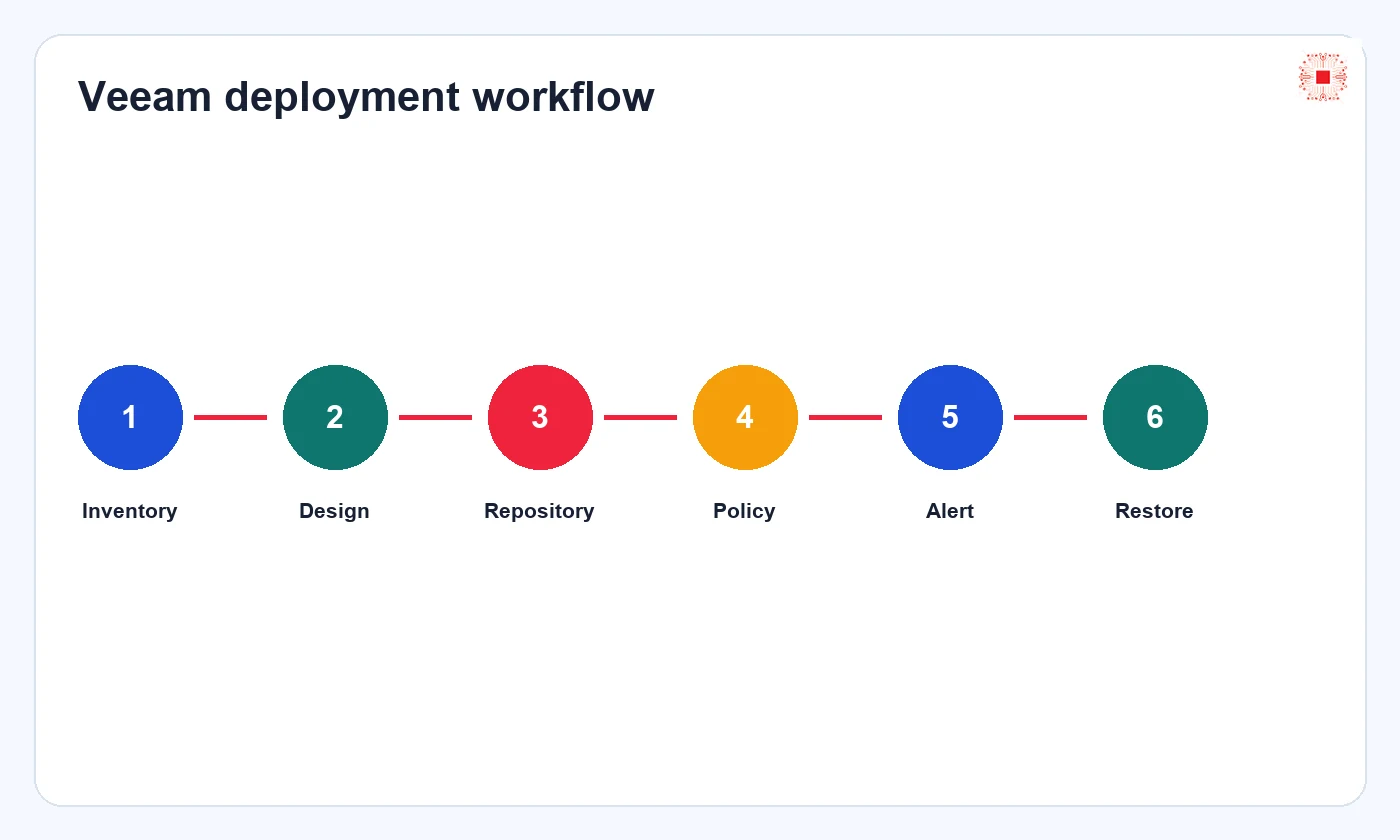
A good deployment starts with workload inventory and criticality classification. Then design repository, backup schedule, retention, encryption, immutability, offsite copy, alerts and restore-test calendar. After deployment, the business should receive admin handover, data-flow diagram, review schedule, report template and recovery scenarios. IT Systems does not recommend installing Veeam and leaving it unattended for months. Backup needs an owner and periodic evidence.
In real deployment, this section should become an operating decision: which systems are in scope, who owns backup, how fast data grows, which copy is outside the main site, which copy is immutable, who receives alerts and where the latest restore evidence is stored. IT Systems connects this decision with licensed backup software for businesses, business data backup management, software license management and Veeam products in the Store so the article does not stop at theory but leads to deployment. A practical recommendation should also explain what to check monthly, how failed jobs are escalated, which restore scenario is tested first and how the business accepts the backup design as operational evidence. For management, the useful output is not just a license name; it is a recoverability record that finance, operations and IT can understand when deciding renewal, storage expansion or disaster-recovery improvement. This keeps budget decisions tied to measurable resilience.
How Veeam connects with IT management and security
Veeam should not stand apart from IT operations. It connects with IT system management, admin permissions, endpoint security, domain accounts, VPN, firewall, monitoring and incident response. If backup uses a compromised account, a compromised network or no alerting, good software can still be operated badly. IT Systems places backup inside the broader system-management, security and licensed-software cluster so tooling and process work together.
In real deployment, this section should become an operating decision: which systems are in scope, who owns backup, how fast data grows, which copy is outside the main site, which copy is immutable, who receives alerts and where the latest restore evidence is stored. IT Systems connects this decision with licensed backup software for businesses, business data backup management, software license management and Veeam products in the Store so the article does not stop at theory but leads to deployment. A practical recommendation should also explain what to check monthly, how failed jobs are escalated, which restore scenario is tested first and how the business accepts the backup design as operational evidence. For management, the useful output is not just a license name; it is a recoverability record that finance, operations and IT can understand when deciding renewal, storage expansion or disaster-recovery improvement. This keeps budget decisions tied to measurable resilience.
Managing Veeam licenses and renewals after purchase
After purchase, the business needs to track Veeam licenses by workload, term, invoice, administrator, repository, job and storage cost. If IT staff changes or infrastructure grows, both licensing and backup configuration must be updated. ITS Manager software license management stores purchase, renewal, related systems and owner information. This governance layer helps prevent missed renewals, underlicensed workloads or lost configuration knowledge after several years.
In real deployment, this section should become an operating decision: which systems are in scope, who owns backup, how fast data grows, which copy is outside the main site, which copy is immutable, who receives alerts and where the latest restore evidence is stored. IT Systems connects this decision with licensed backup software for businesses, business data backup management, software license management and Veeam products in the Store so the article does not stop at theory but leads to deployment. A practical recommendation should also explain what to check monthly, how failed jobs are escalated, which restore scenario is tested first and how the business accepts the backup design as operational evidence. For management, the useful output is not just a license name; it is a recoverability record that finance, operations and IT can understand when deciding renewal, storage expansion or disaster-recovery improvement. This keeps budget decisions tied to measurable resilience.
FAQ Veeam Backup for small businesses
Should a small business use Veeam? Yes, if it has servers, VMs or important data and needs evidence-backed recovery. Does Veeam replace NAS? Not completely; NAS can be storage, while Veeam manages jobs and recovery. Is immutable backup needed? It is recommended when ransomware risk or admin separation is a concern. How often should restore be tested? At least quarterly for critical systems and after major changes. If scope is unclear, start with data assessment and RPO/RTO before quoting.
In real deployment, this section should become an operating decision: which systems are in scope, who owns backup, how fast data grows, which copy is outside the main site, which copy is immutable, who receives alerts and where the latest restore evidence is stored. IT Systems connects this decision with licensed backup software for businesses, business data backup management, software license management and Veeam products in the Store so the article does not stop at theory but leads to deployment. A practical recommendation should also explain what to check monthly, how failed jobs are escalated, which restore scenario is tested first and how the business accepts the backup design as operational evidence. For management, the useful output is not just a license name; it is a recoverability record that finance, operations and IT can understand when deciding renewal, storage expansion or disaster-recovery improvement. This keeps budget decisions tied to measurable resilience.
Want a correctly scoped Veeam quote?
Send IT Systems server count, VM count, data size, retention, current backup location and target RPO/RTO. IT Systems will recommend licensing, storage architecture, backup schedule, restore-test calendar and ITS Manager governance. A useful quote should clarify what the business receives after deployment: which jobs run, who receives alerts, how long backups are retained, where the immutable copy lives and how recovery evidence is accepted. The discussion should also cover support responsibility after go-live, because backup value depends on monitoring, fixing failed jobs and proving recovery before an outage happens. If the environment is small, IT Systems can still scale the design sensibly: protect the most critical workload first, add offsite or immutable storage where risk justifies it, and expand only when data value, compliance needs or downtime exposure increase.