


AI Agent services for businesses
IT Systems helps businesses choose the right workflow for AI Agents: reporting automation, customer response drafts, ticket classification, data checking, knowledge lookup and cross-system coordination with permissions, logs and human approval.

What is an AI Agent in business operations?
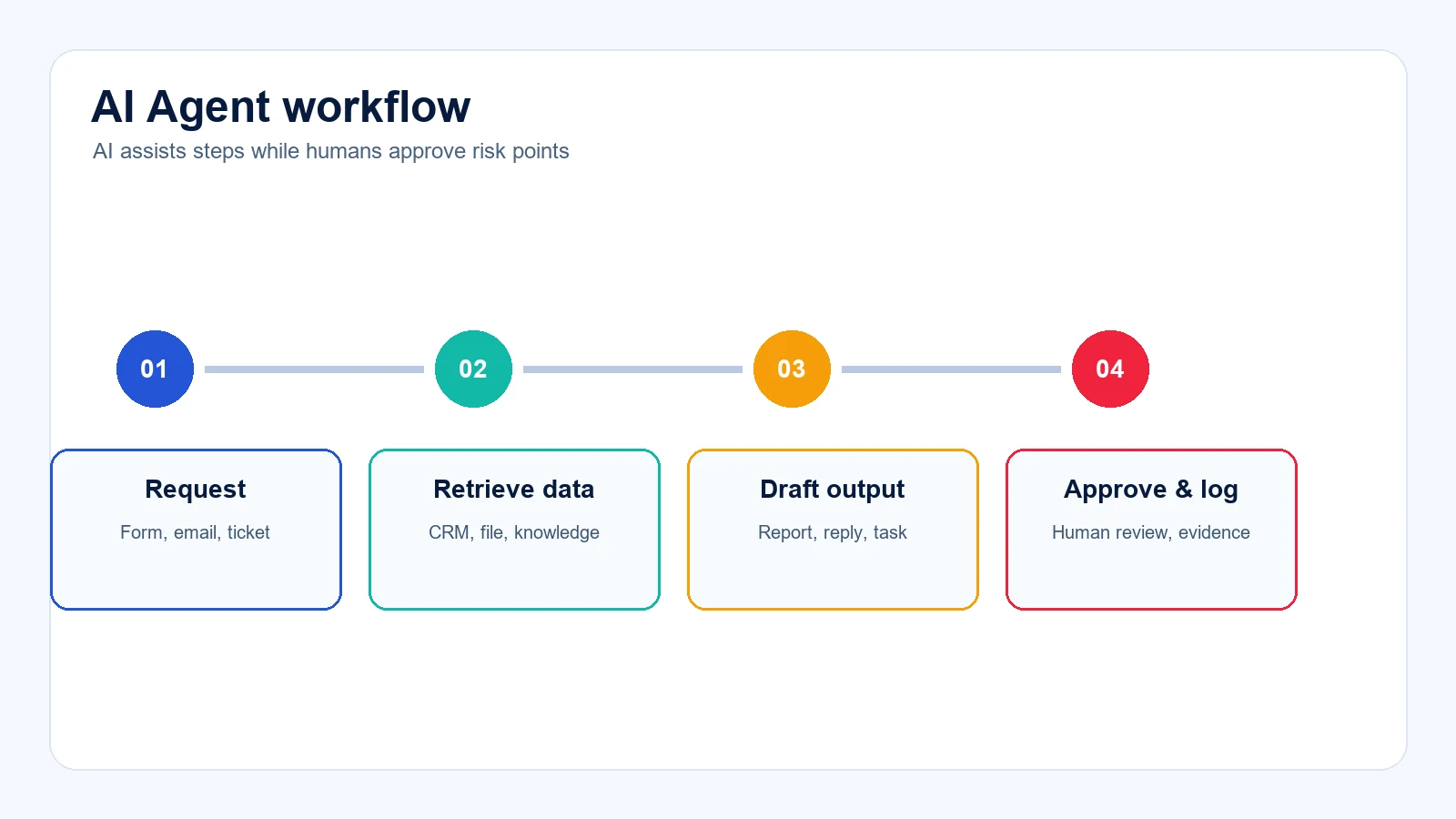
More than a chatbot
An AI Agent can read approved data, choose the next step, call tools and produce workflow outputs.
Humans still approve risk
Risky steps such as customer emails, CRM updates or data exports should require human approval.
Start by use case
Begin with one measurable process with clean enough data before expanding across departments.
AI Agent use cases to start with
Reporting Agent
Summarize data from files, CRM, forms or internal systems into draft daily, weekly or monthly reports.
Customer service Agent
Classify requests, draft replies, remind SLA and route tasks to the right owner.
IT Helpdesk Agent
Read tickets, classify issues, suggest troubleshooting steps and report recurring problems.
Knowledge Agent
Answer from approved procedures, documents, policies and technical instructions.
IT Systems AI Agent rollout process
Workflow assessment
Select a use case with clear ROI, clean enough data and manageable risk.
Data and access design
Define what the Agent can read, write, which tools it can use and when approval is required.
Pilot and testing
Run limited real or sample data, measure errors, time saved and exceptions.
Operational handover
Finalize documentation, logs, dashboard, owners and improvement plan after go-live.
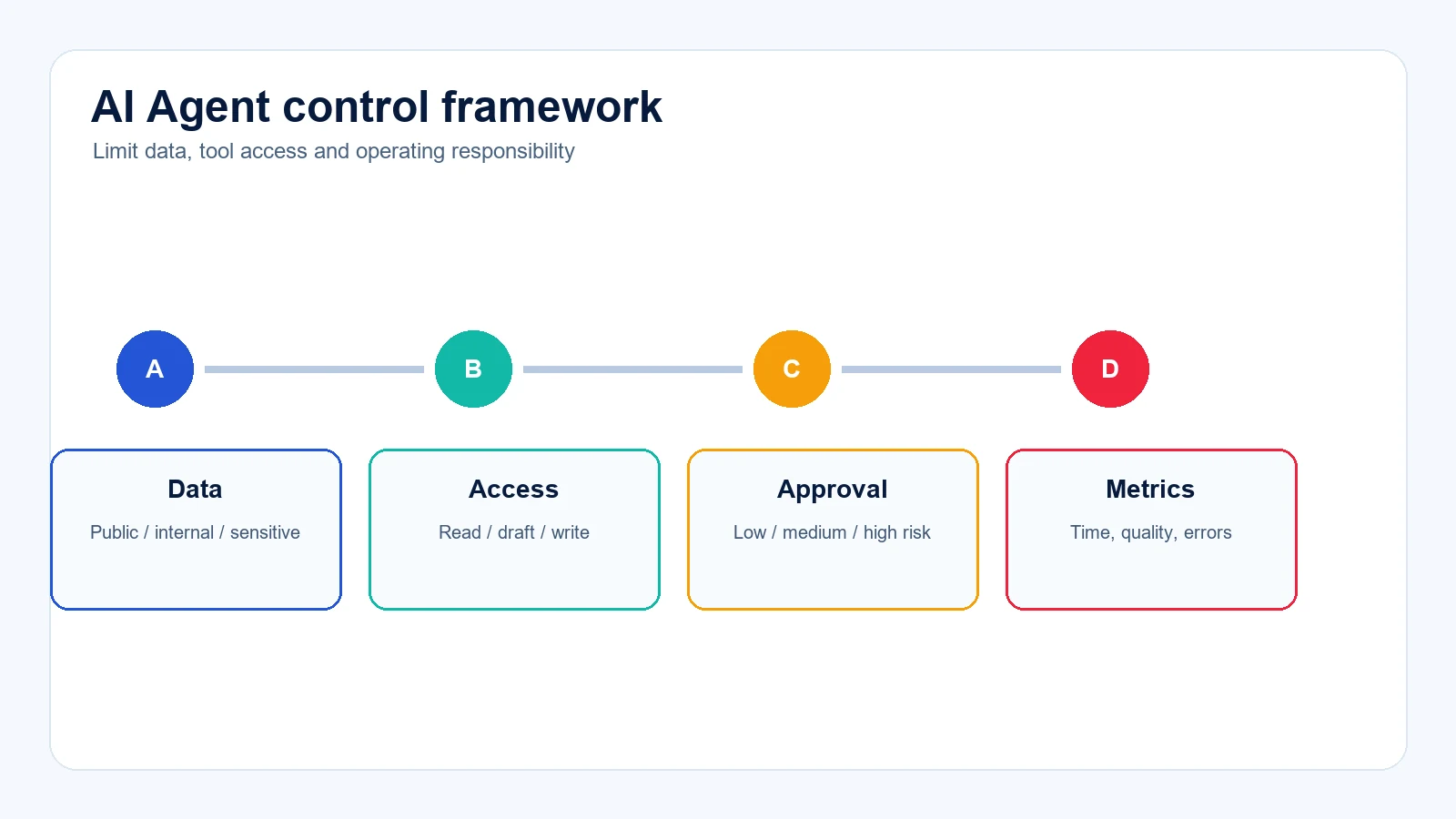
Security, data and human approval
Classify data
Separate public, internal, sensitive, customer and financial data before granting access.
Limit tool permissions
Start with read or draft permissions. Direct writes should come after logging and testing.
Log and measure
Track inputs, outputs, approvals, errors, time saved and rollback cases.
AI Agent scope selection table
AI Agent services FAQ
Do AI Agents replace employees?
They should not be deployed as full replacements. Agents reduce repetitive work, draft outputs and support decisions.
Can small businesses use AI Agents?
Yes, if the first use case is narrow, data is clear and someone owns operations after rollout.
Are AI Agents safe for internal data?
Safety depends on permissions, tool limits, logging, testing and human approval.
How long does a pilot take?
A focused use case can be piloted in phases after workflow, data and integration scope are reviewed.
Related guides and solutions
Need to find the right AI Agent use case?
Share the workflow that takes time, systems in use, related data and expected savings. IT Systems will recommend a controlled AI Agent pilot scope.
Plan an AI Agent use case