


ADOBE BUSINESS LICENSING
Adobe licensing for businesses: Creative Cloud, Photoshop, Acrobat and user governance
IT Systems helps businesses choose, purchase, deploy and govern Adobe licenses for real work roles: design, marketing, communications, ecommerce, PDF workflows and content collaboration. This page explains how to select Adobe Creative Cloud, Photoshop, Illustrator, Acrobat, Firefly or Stock, keep evidence clear, control users after purchase and reduce crack-software risk.
What is Adobe licensing for businesses?
Adobe licensing for businesses means purchasing and assigning Adobe software under proper commercial terms, usually by user, team or application bundle. The important question is not only where to buy Photoshop or Acrobat. A company should know who truly needs the software, which application is required, how long the license is needed, where design assets are stored, who owns admin access and how the license is reclaimed when a user leaves. IT Systems connects Adobe procurement with invoice clarity, deployment handover and license governance through ITS Manager.
Why should businesses avoid cracked Adobe software?
Cracked Adobe software may look cheap at first, but the practical risk is high: unknown installers, keygens, malware, design-file loss, copyright exposure and no reliable evidence during an internal review or customer audit. Marketing, design, ecommerce and agency teams often keep brand assets, campaign files, product images, customer materials and contractual documents inside Adobe workflows. One cracked installation can become both a security weakness and a legal concern. If a company already has unclear Adobe installations, it should inventory first, prioritize devices with sensitive data, then replace the risk with suitable licenses.
Should a company choose Creative Cloud All Apps or Single App?
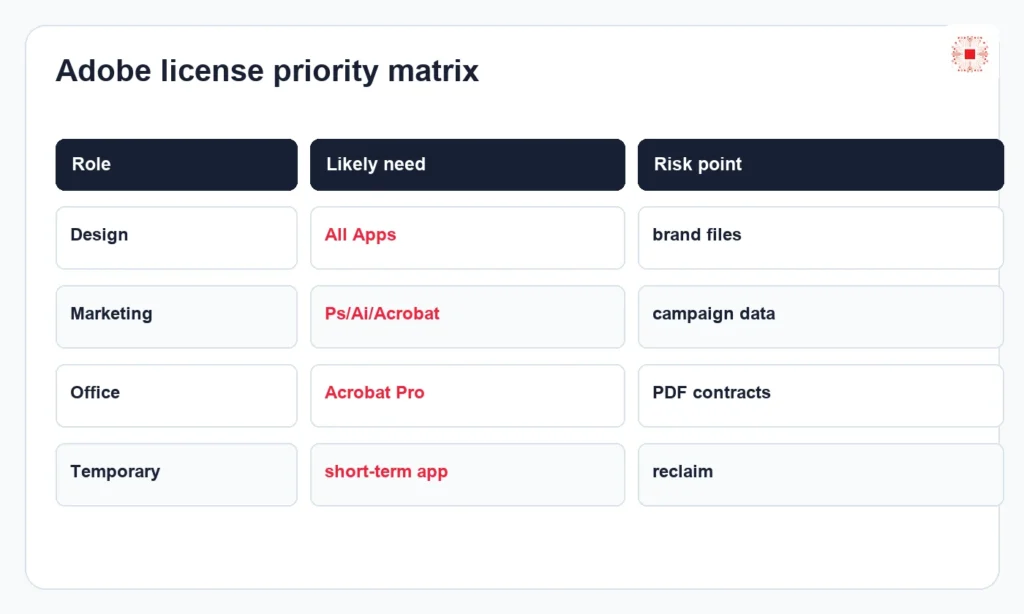
Creative Cloud All Apps suits users who work across many content types: Photoshop, Illustrator, InDesign, Premiere Pro, After Effects, Acrobat and supporting tools. Single App fits a clearly defined role, such as Photoshop for image editing, Illustrator for vector design, Acrobat Pro for PDF workflows or Premiere Pro for video editing. The common mistake is buying All Apps for everyone because the team is afraid of missing tools, or buying too narrowly so users need extra licenses later. Better selection starts by grouping users by role: core designers, content marketers, office PDF users, managers who approve documents and temporary collaborators.
Quick Adobe license selection table
The table below helps separate needs before the business asks for a quote. It is not a fixed price table because Adobe pricing depends on date, quantity, program and commercial terms. Its purpose is to help the customer know which user group needs which application, avoid overbuying large bundles for PDF-only users and avoid underbuying for creative teams that need several tools.
| Role | License to consider | Control point | Owner |
|---|---|---|---|
| Core designer | Creative Cloud All Apps | Many apps, shared brand files | Department owner |
| Photo editing | Photoshop Single App | Image workflow, device inventory | Marketing/design |
| Vector/design | Illustrator Single App | Brand asset control | Design lead |
| PDF contracts | Acrobat Pro | Sensitive document handling | Admin/finance |
| Temporary project | Short-term assigned seat | Reclaim date | Project owner |
Adobe product and Store linkage
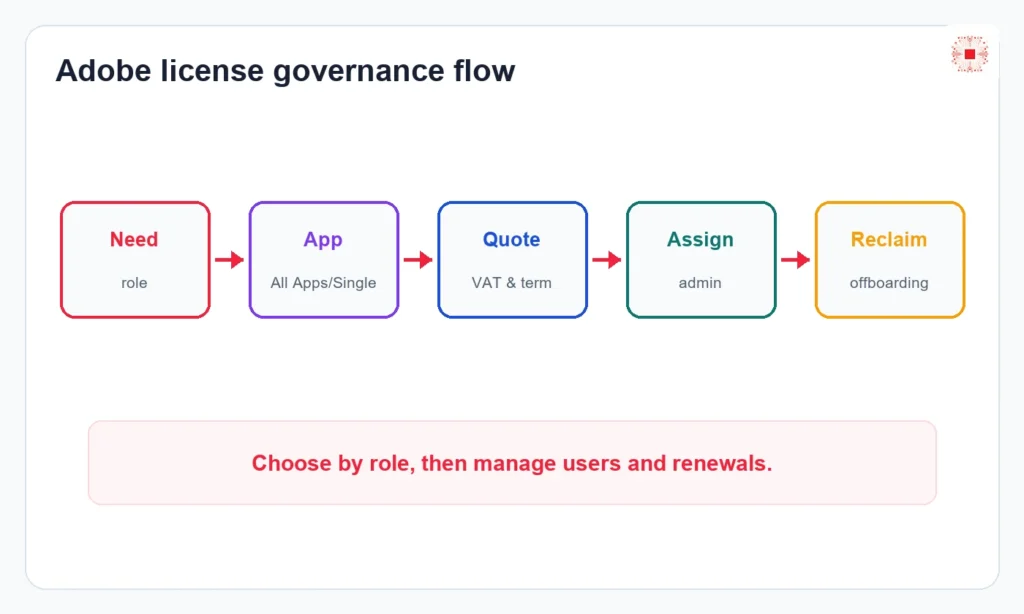
The Adobe money page should connect to Store paths so readers have a clear buying route. Businesses can start from the licensed software category and check the Adobe category in IT Systems Store when products are listed. For business purchases, a Store page should be treated as procurement reference rather than the final decision. A proper quote should confirm user count, application needs, Acrobat requirements, Stock or Firefly needs, company usage, VAT invoice requirements and who owns admin access.
IT Systems Adobe consulting process
A good process starts with a user and role list, not only a software name. IT Systems can review user groups, identify required applications, check devices with Adobe installed, compare current licenses, recommend suitable plans, prepare quotation, support purchase evidence, hand over admin access and create a renewal tracking list. For companies already using Adobe Teams, the review should include former users, wrongly assigned seats, company files tied to personal accounts, unclear admin rights and applications that are no longer needed but still billed.
Managing Adobe licenses after purchase with ITS Manager
After Adobe licenses are purchased, the company still needs lifecycle control. ITS Manager software and license management records licenses, users, departments, devices, purchase dates, renewal dates, assignment status and reclaim history. Combined with automated computer inventory by Agent, IT can see which endpoints have Adobe applications installed, which users hold licenses, which devices may have unclear software and which groups should be remediated first. This is the advantage of a supply plus governance model.
Priority matrix for unclear Adobe installations
Not every Adobe installation carries the same risk. Devices used by lead designers, marketing managers, ecommerce teams, finance, HR or customer-data handlers should be prioritized first. Test machines, older devices or unused endpoints can be reviewed later. The priority matrix should consider user role, file type, data access, business process and signals of unclear software sources. This helps reduce risk quickly without disrupting the whole creative team.
Comparison: standalone Adobe purchase vs governed licensing
A standalone Adobe purchase may solve an immediate request, but the business can lose control when every department buys separately, users use personal email, no one tracks assignments and renewals are not centralized. Governed licensing lets finance, IT and department owners use one shared view: who uses the license, which app is needed, which business purpose it supports, whether the seat is still required, when it renews and whether it can be reclaimed. For high-cost creative tools, this governance layer can reduce waste meaningfully.
| Criteria | Standalone purchase | Governed licensing |
|---|---|---|
| Buying path | Each team buys separately | Central quotation and assignment |
| Admin ownership | Often personal email | Business admin ownership |
| Renewal | Easy to miss | Tracked by user and date |
| Reclaim | Manual memory | Linked to offboarding |
| Risk | Crack/unclear source missed | Endpoint and license review |
Connecting Adobe with the licensed-software cluster
Adobe should not stand alone as an isolated product page. It should connect with the broader licensed software for businesses pillar, software-license management guidance, inventory checklists and cracked-software risk content. When these pages support each other, Google and AI answer engines can understand IT Systems as a provider that supplies Adobe and also helps businesses control software, users and operational risk.
When should a business contact IT Systems?
A business should contact IT Systems when it plans to buy Adobe for multiple users, is unsure whether to choose All Apps or Single App, wants to replace cracked software with valid licenses, needs VAT quotation, needs to check machines with Photoshop, Illustrator or Acrobat, or wants to govern licenses after purchase. Useful input includes user count, roles, current applications, admin email, desired term, invoice requirements and current software status. IT Systems can then recommend a practical option instead of forcing one generic plan onto every user.
FAQ about Adobe licensing for businesses
Should Adobe be licensed by user or device? Most modern Adobe business licensing is user/account based, but the exact terms should be checked by plan. Should every team member receive All Apps? No; users should be grouped by role and application need. Does ITS Manager replace Adobe Admin Console? No; ITS Manager adds internal inventory, license register, renewal and reclaim visibility. Can IT Systems inventory before quoting? Yes, this is the right approach when the current Adobe installation and license status is unclear.
Need Adobe quotation or license cleanup?
IT Systems can review current Adobe usage, recommend the right plan, prepare quotation and connect license governance with ITS Manager.