WordPress maintenance for business websites

WordPress maintenance service with backup, updates and testing

IT Systems backs up, updates WordPress core, themes and plugins, tests forms and layouts, and delivers clear reports so your website stays stable after each maintenance cycle.

Controlled WordPress maintenance

Backup before changes

Back up files and database, record versions and prepare a restore path.

Update and test

Update core, themes and plugins based on risk level; check layouts, forms and important functions.

Report and recommendations

Summarize changes, detected issues, test results and the next priorities.
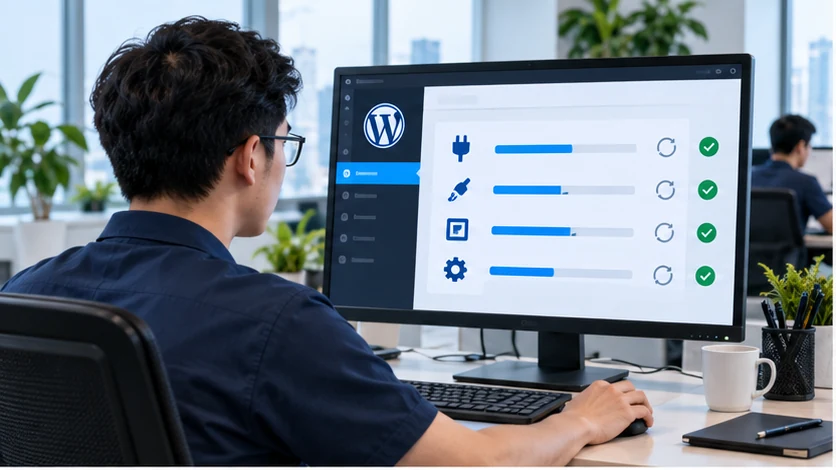
Technician reviewing a business WordPress dashboard and website status
Backup before changes, risk-based updates and retesting of important forms and website functions.

WordPress maintenance service scope

Team reviewing the operating status of a business WordPress website

Current-state review

Review WordPress, PHP, themes/plugins, backup, SSL, user accounts and existing issues.
Technician monitoring WordPress theme/plugin updates and website status

Safe updates

Classify updates, back up before changes and retest after rollout.
Safe WordPress website backup and recovery system

Backup and recovery

Set up or review file/database backups, retention and restore readiness.
Periodic WordPress security and risk review

Basic security

Check malware signals, admin accounts, SSL, file permissions and unusual access.
Testing WordPress layout on laptop, tablet and phone

Post-update performance

Check cache, JavaScript/CSS issues, mobile layout and speed on important pages.
Website operations team monitoring and reporting periodically

Recurring report

Record completed work, version changes, resolved issues, risks and next recommendations.

When does a website need a WordPress maintenance package?

WordPress maintenance fits businesses that need a stable website but do not have a dedicated person to review updates, backups and technical issues. This is WordPress technical maintenance; it does not automatically include content writing, redesign or new feature development.

Plugins and themes fall behind

Old versions increase conflict risk, security exposure and errors when hosting changes PHP or configuration.
Reviewing WordPress plugin and theme security before updates

The website often breaks after changes

Updating directly without backup or testing can break layout, forms, checkout and contact flows.
Testing forms, layout and important functions after WordPress updates

Backup cannot be verified

Having backup files is not enough; the business needs to know the schedule, storage location, retention period and actual restore readiness.
Checking hosting backup and WordPress restore readiness

Recurring WordPress maintenance workflow

Each cycle follows a clear order to reduce risk: review current state, create a restore point, apply selective updates, test functions and hand over results.
01

Review and classify risk

Review core, themes, plugins, PHP, hosting, system errors and important business functions.
02

Create a restore point

Back up files/database, record versions and define a rollback path if an update causes errors.
03

Update and test

Update in groups, then check desktop/mobile layout, forms, login, search and key flows.
04

Report and follow up

Record changes, resolved issues, postponed updates, reasons and recommendations for the next cycle.
WordPress maintenance workflow with backup, updates, testing and reporting

Handover after each maintenance cycle

The business receives checkable information instead of a vague note saying the website has been updated.
List of WordPress, theme and plugin versions reviewed or updated.
Backup result, form tests, layout checks and important function checks.
List of issues, risks, postponed updates and recommended actions.

What is included and not included in WordPress maintenance?

The maintenance package focuses on WordPress technical stability. If your team also needs content operations, landing pages, SEO/AIO and operating reports, see website management services. Pricing guidance is available on the website management pricing page.

Usually included

  • Check and update WordPress core, themes and plugins.
  • Backup before changes and check restore readiness.
  • Test layouts, forms and important website functions.
Technician checking WordPress theme and plugin updates

Quoted separately

  • Source-code fixes or new feature development.
  • Full redesign, content writing and overall SEO work.
  • Severe malware cleanup or recovery when no usable backup exists.
Reviewing WordPress website security risk before separate quoting

Requirements before starting

  • Valid WordPress admin and hosting access.
  • Confirm that themes and plugins have valid licenses.
  • Agree on the functions to test and the maintenance window.
Testing a WordPress website on multiple devices before handover

Recommended WordPress maintenance schedule

Frequency depends on update volume, plugin count, traffic, sales functions and business risk. Important websites should not wait for visible errors before being checked.

Continuous monitoring

Uptime, SSL, security alerts and important form/contact flows.

Weekly

Review critical updates, backup status, system errors and unusual changes.

Monthly

Update cycle with backup, desktop/mobile testing and version reporting.

Quarterly

Review PHP, hosting, abandoned plugins, admin permissions and major upgrade plans.

Maintenance cost depends on complexity and risk

Reference maintenance packages: Basic from VND 1,500,000/month, Standard from VND 3,000,000/month; IT Systems confirms the exact quote after reviewing the website. Plugin count, custom themes, sales functions, backup status, hosting, SLA and testing requirements directly affect scope. Use the existing management packages as guidance or send the website for a quote based on its current state.

WordPress maintenance FAQ

Does WordPress maintenance include fixing every issue?

Recurring maintenance handles issues within the agreed operating scope. Complex code errors, severe malware or custom features are reviewed and quoted separately.

Are plugins updated immediately when a new version appears?

Not every update should be deployed immediately. IT Systems reviews security impact, compatibility, license status and risk before updating.

Is backup restore tested?

The scope should define storage location, frequency, retention and restore-test method. An untested backup may still be unusable.

Does WordPress maintenance replace website management?

No. Maintenance focuses on WordPress technical stability; website management can extend into content, landing pages, SEO/AIO, reporting and hosting coordination.

Need a WordPress website review and maintenance plan?

Send the website URL, hosting details, plugin count, important functions and current issues. IT Systems will review the scope, risk level and suitable maintenance cycle.

What should be controlled before maintaining WordPress?

Safe WordPress maintenance needs clear ownership, backup location, form destination and the pages that generate leads.

Website handover checklist before maintenance

Use this when receiving a site from a previous agency, former staff member or a website that has not been controlled for a long time.

Xem checklist

Maintaining multi-branch websites

Use this when a website has multiple locations, hotlines, regional landing pages or several content approvers.

View guide

WordPress maintenance needs an incident response path

Good maintenance is not just plugin updates. When WordPress is infected, redirects unexpectedly or breaks forms/email, the response needs backup, root-cause checks and clean handover evidence.

View WordPress error/malware repair service

WordPress maintenance needs an incident path

Good maintenance is not just plugin updates. When WordPress is infected, redirects unexpectedly or breaks forms/email, the response needs backup, root-cause checks and clean handover evidence.

View WordPress malware/error repair

Follow IT Systems specialist channels

These channels share practical articles, operating checklists and implementation notes for each service group.
FACEBOOK

WordPress maintenance

Backup, updates, security, speed and WordPress website testing.
Open channel