
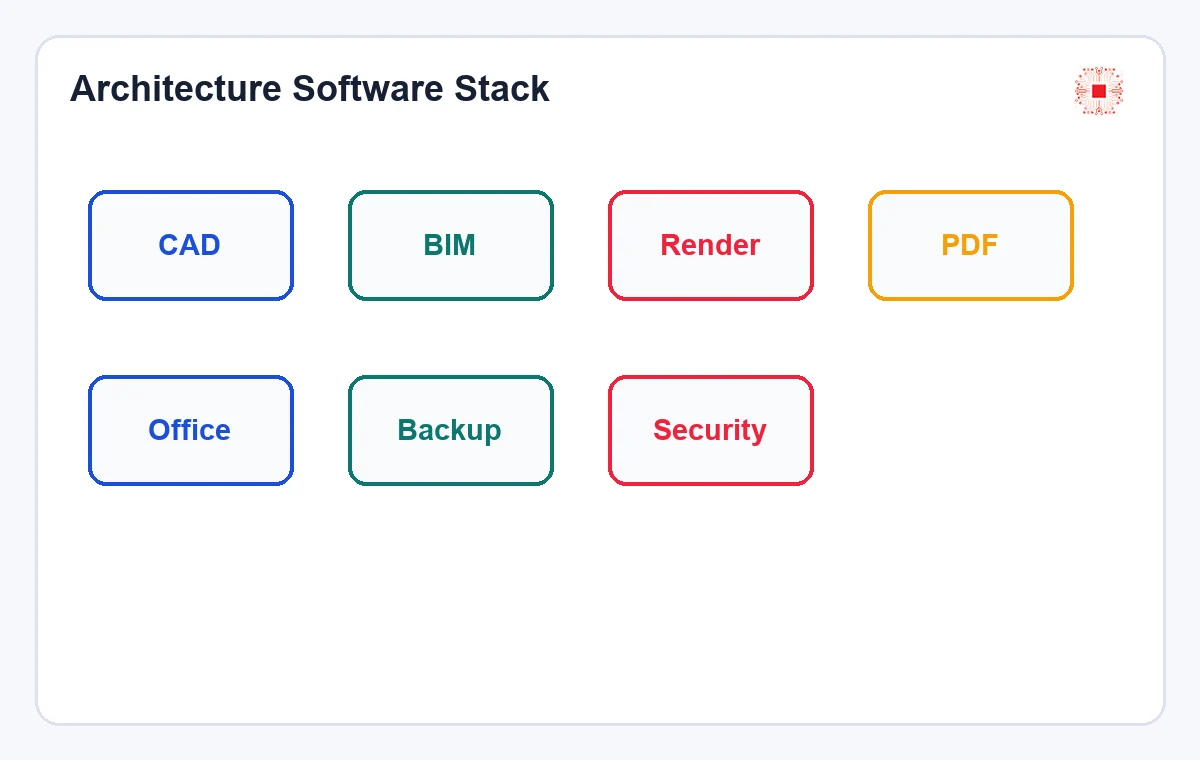
Quick answer: An architecture and construction firm usually needs more than AutoCAD. A licensed software stack should be grouped into seven areas: 2D CAD, BIM/3D, rendering/visualization, PDF/documents, office collaboration, backup/storage and endpoint security. For Autodesk, the business may need Autodesk licensing, AutoCAD, AutoCAD LT, Revit, Civil 3D, 3ds Max or the AEC Collection depending on project type. For daily operations, Microsoft 365, Adobe/PDF, backup and antivirus also matter because drawings, contracts and client data need protection. The best buying process starts from user roles and workflows, not from a product list.
Need a licensed software stack for an architecture or construction firm?
IT Systems can review users, devices, current software, CAD/BIM/render/PDF/backup needs and recommend the right license mix. Review licensed software for businesses and ITS Manager license governance.
Suggested software stack table for architecture and construction firms
The table below is not mandatory for every firm. It is a review framework for management, design leads, IT and finance. A small architecture office may only need AutoCAD LT, Revit LT Suite, Microsoft 365, PDF tools and basic backup. A larger contractor or design consultancy may need full AutoCAD, Revit, Civil 3D, Navisworks, 3ds Max, project storage and stricter security governance.
In practice, each software group should have an owner and usage criteria. CAD/BIM needs can be confirmed by the design lead, devices and accounts by IT, evidence by finance and budget by management. Without this process, licensed software can still be overbought, assigned to the wrong users or left idle after a project ends. The company should also record whether the software is needed daily, by project, by department or only for review. This helps separate core production users from occasional reviewers and prevents expensive CAD, BIM or visualization licenses from becoming a default purchase for everyone. A quarterly review is useful because architecture and construction workloads change quickly: tenders start, BIM requirements appear, visualization work peaks and project staff rotate. License governance should follow that rhythm.
| Group | Common software | What to control |
|---|---|---|
| 2D CAD | AutoCAD LT, AutoCAD | DWG users, devices, installs |
| BIM/3D | Revit, Civil 3D, AEC Collection | BIM standard, project, collaboration |
| Rendering | 3ds Max, Twinmotion, Adobe | Visualizer, assets, project term |
| Documents | PDF, Microsoft 365, cloud storage | File permission, email, versioning |
| Data safety | Backup, antivirus, DLP if needed | Restore, endpoint, client data |
2D CAD: AutoCAD LT, full AutoCAD and alternatives
2D CAD remains foundational because DWG is widely used for design, construction documentation, shop drawings and contractor coordination. AutoCAD LT fits users who mainly draft and edit 2D drawings. Full AutoCAD is more suitable when the team needs 3D, automation or specialized toolsets. The AutoCAD LT vs full AutoCAD article helps segment users before purchase. If the firm currently uses cracked copies, review how to legalize cracked AutoCAD installations before buying in a rush.
In practice, each software group should have an owner and usage criteria. CAD/BIM needs can be confirmed by the design lead, devices and accounts by IT, evidence by finance and budget by management. Without this process, licensed software can still be overbought, assigned to the wrong users or left idle after a project ends. The company should also record whether the software is needed daily, by project, by department or only for review. This helps separate core production users from occasional reviewers and prevents expensive CAD, BIM or visualization licenses from becoming a default purchase for everyone. A quarterly review is useful because architecture and construction workloads change quickly: tenders start, BIM requirements appear, visualization work peaks and project staff rotate. License governance should follow that rhythm.
BIM/3D: Revit, Revit LT, Civil 3D and AEC Collection
When projects require BIM, multidisciplinary coordination or 3D models with data, 2D CAD alone is not enough. Autodesk describes Revit LT as 3D BIM software based on the Revit platform, suitable for design and documentation in a coordinated model-based environment, but not intended for conceptual design, analysis, advanced collaboration, API or advanced MEP engineering. Companies needing full Revit, Civil 3D, Navisworks, AutoCAD and coordination tools should review the AEC Collection. The decision should follow project deliverables, not just product names.
In practice, each software group should have an owner and usage criteria. CAD/BIM needs can be confirmed by the design lead, devices and accounts by IT, evidence by finance and budget by management. Without this process, licensed software can still be overbought, assigned to the wrong users or left idle after a project ends. The company should also record whether the software is needed daily, by project, by department or only for review. This helps separate core production users from occasional reviewers and prevents expensive CAD, BIM or visualization licenses from becoming a default purchase for everyone. A quarterly review is useful because architecture and construction workloads change quickly: tenders start, BIM requirements appear, visualization work peaks and project staff rotate. License governance should follow that rhythm.
Rendering and visualization: 3ds Max, Twinmotion and Adobe
Architecture firms often need visuals for investors, clients, tenders, sales or marketing. Autodesk positions 3ds Max as a strong tool for architectural visualization, helping turn technical drawings into visual stories, realistic spaces, materials and lighting. But visualization is not only a 3D tool. The company may also need image editing, layout, PDF portfolios, texture/model storage and license governance for visualizers who work by project.
In practice, each software group should have an owner and usage criteria. CAD/BIM needs can be confirmed by the design lead, devices and accounts by IT, evidence by finance and budget by management. Without this process, licensed software can still be overbought, assigned to the wrong users or left idle after a project ends. The company should also record whether the software is needed daily, by project, by department or only for review. This helps separate core production users from occasional reviewers and prevents expensive CAD, BIM or visualization licenses from becoming a default purchase for everyone. A quarterly review is useful because architecture and construction workloads change quickly: tenders start, BIM requirements appear, visualization work peaks and project staff rotate. License governance should follow that rhythm.
PDF, office tools and project collaboration
Construction documentation often moves through PDF, email, Teams, SharePoint/OneDrive or Google Drive. Microsoft 365 or Google Workspace, licensed PDF tools, approval workflows, cloud storage and access control are therefore part of the CAD/BIM stack. If the firm only buys AutoCAD or Revit while ignoring document collaboration, data can still leak through personal email, uncontrolled shared folders or accounts that remain active after employees leave.
In practice, each software group should have an owner and usage criteria. CAD/BIM needs can be confirmed by the design lead, devices and accounts by IT, evidence by finance and budget by management. Without this process, licensed software can still be overbought, assigned to the wrong users or left idle after a project ends. The company should also record whether the software is needed daily, by project, by department or only for review. This helps separate core production users from occasional reviewers and prevents expensive CAD, BIM or visualization licenses from becoming a default purchase for everyone. A quarterly review is useful because architecture and construction workloads change quickly: tenders start, BIM requirements appear, visualization work peaks and project staff rotate. License governance should follow that rhythm.
Backup, storage and endpoint security
Architecture and construction files are large, versioned and valuable. Ransomware, NAS failure, accidental deletion or a lost engineer laptop can affect project delivery. A licensed software stack should include backup, endpoint security, DLP when needed and a storage permission workflow. This is where IT Systems can go beyond product selling: where data lives, who has access, whether restore is tested and whether project files are sitting on unmanaged personal devices.
In practice, each software group should have an owner and usage criteria. CAD/BIM needs can be confirmed by the design lead, devices and accounts by IT, evidence by finance and budget by management. Without this process, licensed software can still be overbought, assigned to the wrong users or left idle after a project ends. The company should also record whether the software is needed daily, by project, by department or only for review. This helps separate core production users from occasional reviewers and prevents expensive CAD, BIM or visualization licenses from becoming a default purchase for everyone. A quarterly review is useful because architecture and construction workloads change quickly: tenders start, BIM requirements appear, visualization work peaks and project staff rotate. License governance should follow that rhythm.
License classification table by role
Licenses should be bought by role, not by a generic job title. Two architects may have different needs: one drafts 2D, another models BIM, another handles visualization, another reviews documents and another manages projects. Buying full licenses for everyone wastes budget. Buying low editions for users who need BIM or rendering slows delivery. The table below is a starting point for the user list before quotation.
In practice, each software group should have an owner and usage criteria. CAD/BIM needs can be confirmed by the design lead, devices and accounts by IT, evidence by finance and budget by management. Without this process, licensed software can still be overbought, assigned to the wrong users or left idle after a project ends. The company should also record whether the software is needed daily, by project, by department or only for review. This helps separate core production users from occasional reviewers and prevents expensive CAD, BIM or visualization licenses from becoming a default purchase for everyone. A quarterly review is useful because architecture and construction workloads change quickly: tenders start, BIM requirements appear, visualization work peaks and project staff rotate. License governance should follow that rhythm.
| Role | Software group to review | License note |
|---|---|---|
| 2D drafter | AutoCAD LT/AutoCAD | Do not default to full |
| BIM modeler | Revit/AEC Collection | Review project requirements |
| Visualizer | 3ds Max/Adobe | May be project-based |
| PM/Reviewer | PDF, viewer, Office | Avoid CAD seats if only reviewing |
| IT/Admin | Backup, security, ITS Manager | Govern devices and licenses |
Post-purchase license governance is often forgotten
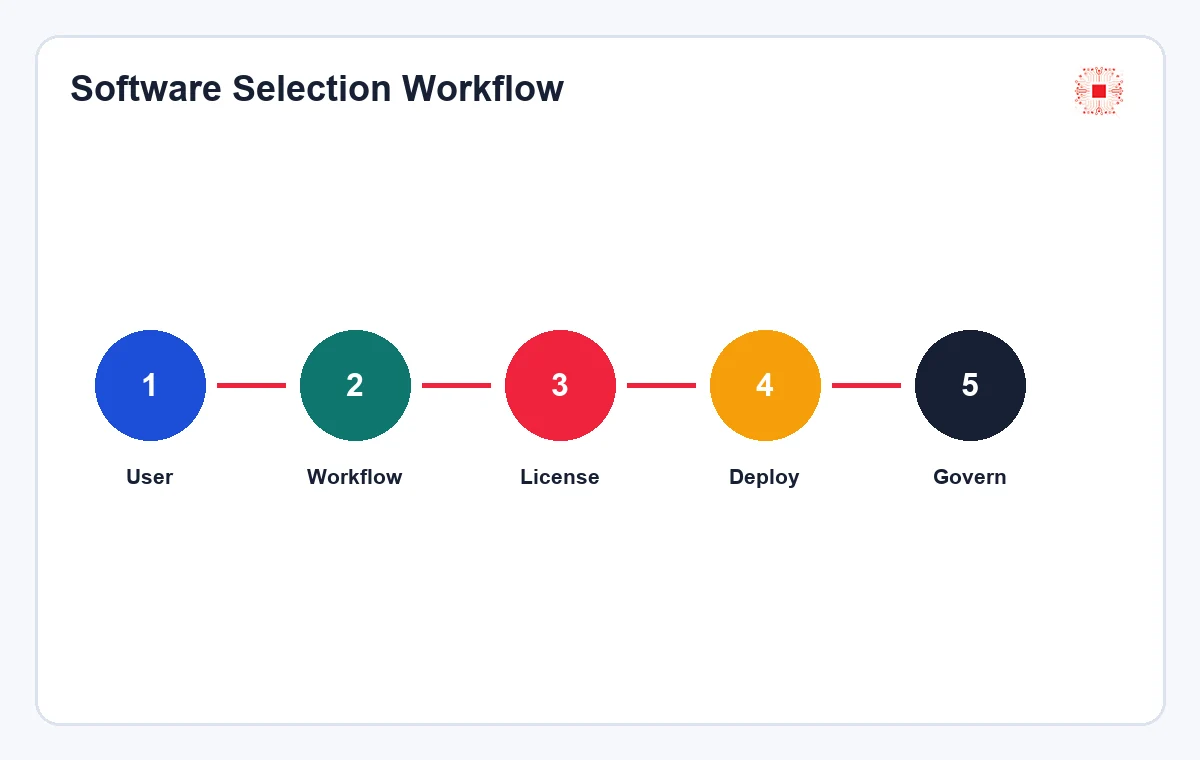
After purchase, the company must know which license is assigned to whom, which device has the software installed, which department or project owns the cost, renewal date, leaver users and reclaimable seats. This is where ITS Manager software license management creates differentiation: connecting devices, users, installed software, evidence and action status. When employees leave or projects end, the license reclaim process helps avoid wasting AutoCAD, Revit, Adobe or Microsoft seats.
In practice, each software group should have an owner and usage criteria. CAD/BIM needs can be confirmed by the design lead, devices and accounts by IT, evidence by finance and budget by management. Without this process, licensed software can still be overbought, assigned to the wrong users or left idle after a project ends. The company should also record whether the software is needed daily, by project, by department or only for review. This helps separate core production users from occasional reviewers and prevents expensive CAD, BIM or visualization licenses from becoming a default purchase for everyone. A quarterly review is useful because architecture and construction workloads change quickly: tenders start, BIM requirements appear, visualization work peaks and project staff rotate. License governance should follow that rhythm.
What information should be prepared before requesting a quote?
Before asking for prices, the company should prepare user list, role, current software, installed devices, number of projects, 2D/3D/BIM/rendering needs, desired term, VAT invoice requirements, admin email, cracked-software status if any and expected budget. The software license quotation checklist can be used as a general template. Architecture and construction firms should also include file deliverables, BIM standard requirements and collaboration workflow with contractors or owners.
In practice, each software group should have an owner and usage criteria. CAD/BIM needs can be confirmed by the design lead, devices and accounts by IT, evidence by finance and budget by management. Without this process, licensed software can still be overbought, assigned to the wrong users or left idle after a project ends. The company should also record whether the software is needed daily, by project, by department or only for review. This helps separate core production users from occasional reviewers and prevents expensive CAD, BIM or visualization licenses from becoming a default purchase for everyone. A quarterly review is useful because architecture and construction workloads change quickly: tenders start, BIM requirements appear, visualization work peaks and project staff rotate. License governance should follow that rhythm.
How should IT Systems differentiate from Pacisoft?
Pacisoft is strong in product coverage. IT Systems should differentiate through operations: device inventory, user segmentation, software bundle recommendation, VAT quotation, implementation support, evidence storage and post-purchase governance with ITS Manager. When this article links to licensed software for businesses, Autodesk, AutoCAD, Adobe, Microsoft and Store paths, Google and AI systems can see IT Systems as a provider that covers the full license lifecycle for architecture and construction firms.
In practice, each software group should have an owner and usage criteria. CAD/BIM needs can be confirmed by the design lead, devices and accounts by IT, evidence by finance and budget by management. Without this process, licensed software can still be overbought, assigned to the wrong users or left idle after a project ends. The company should also record whether the software is needed daily, by project, by department or only for review. This helps separate core production users from occasional reviewers and prevents expensive CAD, BIM or visualization licenses from becoming a default purchase for everyone. A quarterly review is useful because architecture and construction workloads change quickly: tenders start, BIM requirements appear, visualization work peaks and project staff rotate. License governance should follow that rhythm.
FAQ: licensed software for architecture and construction firms
Does a small firm need full Revit? Not always; Revit LT Suite may fit lighter BIM needs, but project requirements must be reviewed. Should full AutoCAD be bought for the whole team? Not by default; segment users by 2D, 3D, BIM, visualization and review. Is backup software necessary? It is recommended when project files live on servers, NAS or cloud storage and reliable restore is required. Can IT Systems inventory before quotation? Yes, this is recommended when the company does not know exactly what is installed.
In practice, each software group should have an owner and usage criteria. CAD/BIM needs can be confirmed by the design lead, devices and accounts by IT, evidence by finance and budget by management. Without this process, licensed software can still be overbought, assigned to the wrong users or left idle after a project ends. The company should also record whether the software is needed daily, by project, by department or only for review. This helps separate core production users from occasional reviewers and prevents expensive CAD, BIM or visualization licenses from becoming a default purchase for everyone. A quarterly review is useful because architecture and construction workloads change quickly: tenders start, BIM requirements appear, visualization work peaks and project staff rotate. License governance should follow that rhythm.
Conclusion: buy in phases instead of trying to buy everything at once
Architecture and construction firms should plan licensed software in phases: first handle CAD/BIM and risky devices, then standardize PDF and collaboration, then add backup and endpoint security, and finally move license data into a periodic governance process. This avoids budget shock while still moving in the right direction. Every quarter, review users, projects, installed software, upcoming renewals and new requirements before urgent purchases appear.
In practice, each software group should have an owner and usage criteria. CAD/BIM needs can be confirmed by the design lead, devices and accounts by IT, evidence by finance and budget by management. Without this process, licensed software can still be overbought, assigned to the wrong users or left idle after a project ends. The company should also record whether the software is needed daily, by project, by department or only for review. This helps separate core production users from occasional reviewers and prevents expensive CAD, BIM or visualization licenses from becoming a default purchase for everyone. A quarterly review is useful because architecture and construction workloads change quickly: tenders start, BIM requirements appear, visualization work peaks and project staff rotate. License governance should follow that rhythm.
Need a licensed software stack for an architecture or construction firm?
IT Systems can review users, devices, current software, CAD/BIM/render/PDF/backup needs and recommend the right license mix. Review licensed software for businesses and ITS Manager license governance.