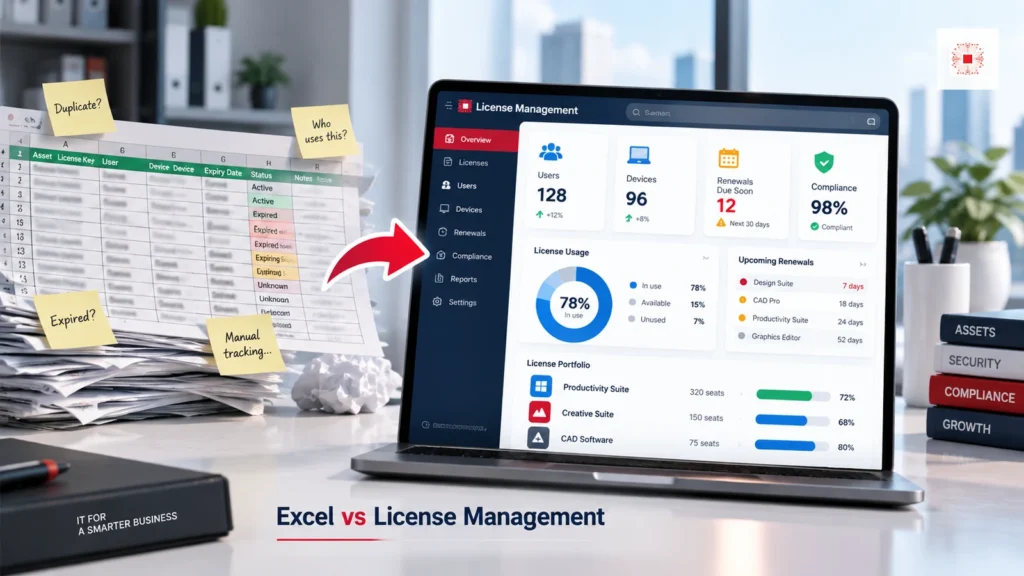
Quick answer: Excel can store license names, invoices, renewal dates and users, but it does not prove which software is installed on which endpoint, does not detect leaver seats automatically, does not warn about over-installation and does not create an owner-based remediation workflow. Software license management is different because it connects purchase data, devices, installed software, users, departments, renewal dates and action status into an operating system. For companies standardizing licensed software for businesses, Excel can be a starting point, but it becomes limited as devices, users and vendors increase.
Want to move from Excel to evidence-based license control?
IT Systems can inventory devices, compare licenses, review installed software and implement ITS Manager software license management so the business can control purchase, assignment, renewal and reclaim more effectively.
For many SMEs, Excel becomes the first software license register because it is familiar and easy to share. That is not a mistake. The problem begins when the spreadsheet becomes the only control point for something that changes every week: new hires, resignations, laptop replacements, subscription renewals, department purchases and software installed outside IT approval. At that stage, the business needs more than a list. It needs a workflow that connects evidence, ownership and action.
This comparison is useful for business owners, finance managers, IT managers and operations leaders who want to understand whether the current spreadsheet is still enough. The right answer is not always to deploy software immediately. The right answer is to assess the risk level: number of paid applications, number of endpoints, value of licenses, audit exposure, security concerns and how often the company struggles to answer license questions quickly.
When is Excel still acceptable?
Excel is still acceptable when the company is very small, license count is low, software is simple, employee changes are rare and one person updates the file consistently. A business with a few Microsoft 365 licenses, a few computers and no specialist software can start with a spreadsheet. The important point is to keep clear columns: software name, quantity, user, device, purchase date, expiry date, supplier, evidence and next action. Even then, the company still needs a review cycle because the file does not compare itself against real endpoints.
The operational difference is accountability. A spreadsheet can show a row, but it does not naturally enforce who must verify that row, when it was last checked and what evidence supports it. License management software should make ownership visible enough that the business can act instead of only storing information. This matters because software licenses are shared across IT, finance, department managers and leadership. If each team keeps a different version of the truth, purchasing and audit decisions become slower and less reliable.
When does Excel become a risk?
Excel becomes risky when license data changes faster than the person responsible can update it. Common signs include leaver accounts with active licenses, departments buying software separately, no clear view of which devices have AutoCAD or Photoshop installed, no renewal alerts, licenses stored in personal emails, multiple spreadsheet versions and seat counts that do not match vendor portals. At that point, the company does not only lack a tool. It lacks a software license governance workflow with evidence.
The spreadsheet phase should still be disciplined. If Excel is used, protect editing rights, define required columns, keep one master version and review the file on a fixed schedule. Without those habits, the company may believe it has a license register while actually keeping a stale document. Excel works best when the environment is stable and one person has enough time to maintain it; it becomes weaker when people, devices, vendors and software versions change frequently.
Comparison table: Excel vs software license management
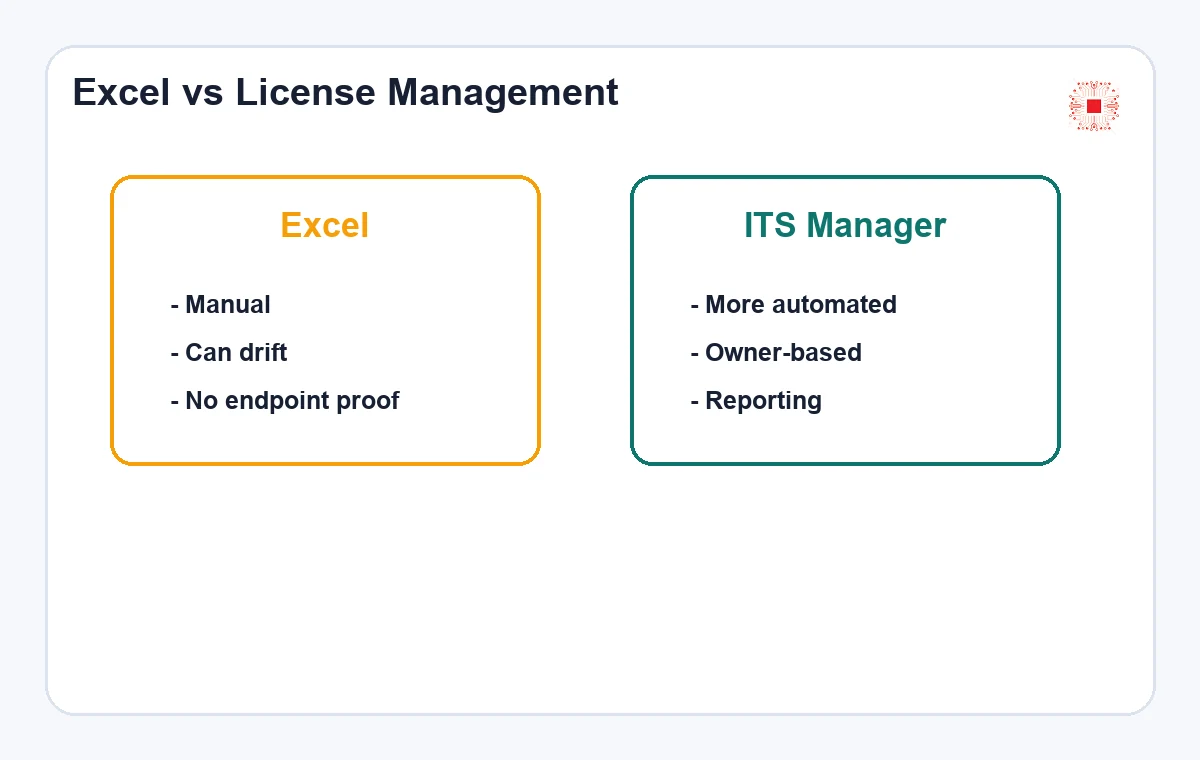
The table below shows the difference between static data tracking and managing licenses as an operational lifecycle. Excel is flexible, easy to start and low cost. Software license management is stronger for normalized data, device-user-license mapping, reminders, reporting and evidence for decision-making. For IT Systems, the point is not to reject Excel. The point is to help businesses know when to move from manual files to ITS Manager software license management.
Risk usually grows quietly. One missed leaver license may look small, but repeated across departments and vendors it becomes recurring waste. One unclear installer may look harmless, but on a finance or design workstation it can become a security and data problem. Excel rarely surfaces that context clearly. It may show a license count, but it does not naturally connect that count with device sensitivity, user status, department ownership or remediation deadlines.
| Factor | Excel | License management software |
|---|---|---|
| Endpoint data | Manual and often incomplete | Connected with inventory/Agent |
| Renewal | Someone must remember | Reminder and owner workflow |
| User reclaim | Often missed during leavers | Linked to user, department and status |
| Over-installation | Hard to detect | Compares installs and seats |
| Reporting | Depends on clean file | Summarizes by risk and cost |
Endpoint data: what Excel usually misses
Excel’s biggest weakness is that it does not know what software is actually installed on each device. A file may say the company owns 20 seats, while 24 machines have the software installed or five purchased seats are unused. With automated computer inventory by Agent, license management can collect installed software, versions, devices, users and endpoint status, then compare that data against purchased licenses. Excel only has this data if people enter it manually and continuously, which is exactly where errors usually appear.
The table is useful because it separates cost from control. A spreadsheet is cheap to start, but hidden labor and hidden errors can become expensive later. Software has a setup cost, but it can reduce repeated reconciliation work and make reporting easier during renewals. The business should compare the cost of the tool against the cost of repeated manual checks, late renewals, unused seats, audit preparation and time spent searching old emails for evidence.
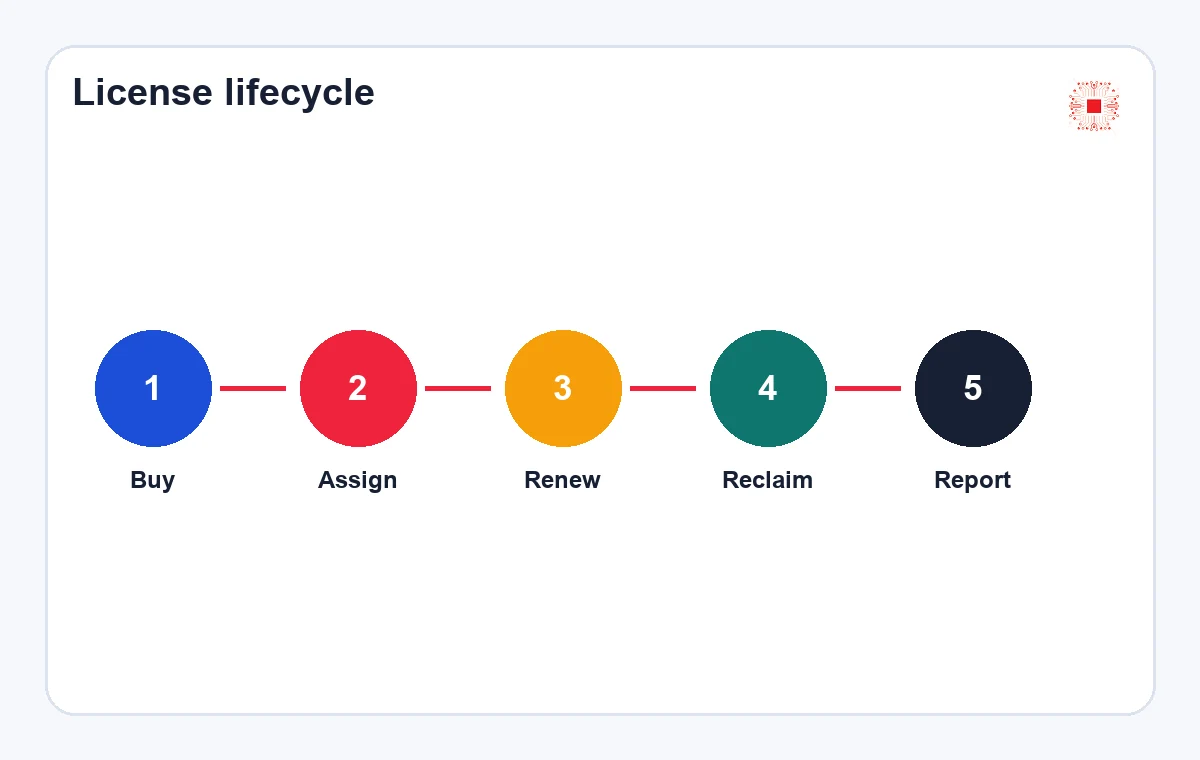
License lifecycle: buy, assign, renew and reclaim
A license does not end at purchase. It has a lifecycle: request, approval, purchase, assignment, use, renewal, transfer, reclaim and evidence storage. Excel often stores only part of this lifecycle, while actions live in email, chat or IT memory. License management software can attach owners, status, reminders, related devices, cost departments and change history. This is especially important for Microsoft 365, Adobe, AutoCAD, PDF tools, antivirus and high-value specialist software.
Endpoint evidence changes the conversation. Instead of debating what people remember installing, IT can compare actual installed software against approved licenses. This evidence makes budget discussions, cleanup projects and audit preparation more credible. It also helps separate confirmed issues from suspected issues, because a detected installation can be reviewed with the device owner, department manager and purchase record before the business decides whether to remove, buy, reclaim or monitor.
Offboarding: where Excel often leaks cost
When an employee leaves, licenses should be reclaimed together with accounts, devices, file permissions, email and data. In Excel, reclaim depends on someone remembering to update the file. If HR announces a resignation but IT has no workflow, Microsoft 365, Adobe, AutoCAD or SaaS licenses may remain active for months. License management should connect licenses to users and employment status so that reclaim tasks are visible. This is one of the clearest benefits because it reduces wasted cost and leftover access risk.
Lifecycle tracking is also important for renewals. If renewal dates, owners and usage status are connected, the business can decide earlier whether to renew, downgrade, reclaim or cancel. That prevents last-minute purchases and weak negotiation positions. It also allows IT to ask useful questions before spending money: Is the user still active? Is the project still running? Is a cheaper plan enough? Is the license assigned to the right department?
Over-installation and cracked software
Excel has difficulty detecting over-installation because it does not compare installed devices against allowed seats automatically. It also does not detect cracked software, keygens, unclear installers or commercial software outside procurement records. For a business that has faced cracked software risks, license management should be connected to endpoint inventory and remediation workflow. The goal is not only seat counting. It is knowing which devices need removal, which licenses need purchase, which seats can be reclaimed and which tools need legal replacement.
Offboarding is a strong business case because the value is visible. Reclaiming a few unused seats may offset part of the system cost, while also reducing access risk. It also makes HR and IT coordination more reliable. A license that remains active after resignation may be only a cost issue in one system, but in another system it can represent access to files, customer data, design assets, emails or cloud resources.
Table: signs that it is time to move beyond Excel
Not every company needs license management software immediately. But when the signs in the table below appear repeatedly, continuing with Excel may quietly increase cost and risk. A practical rule is this: if every quote, renewal or internal audit requires asking many people, opening several files, searching old emails and still leaves uncertainty, the company has reached the point where license governance should be systemized.
Over-installation should be treated carefully. A detected installation may require owner confirmation before it is marked as a confirmed issue. Good workflow separates suspected, verified, approved, remove, purchase and monitor statuses. That nuance matters because some software can be reassigned, some may be bundled, some may have trial rights and some may be installed but unused. The tool should help the business investigate, not jump to conclusions without context.
| Signal | Impact | Recommended Action |
|---|---|---|
| Multiple spreadsheets | No clear source of truth | Normalize data source |
| Leaver seats still active | Waste and access risk | Connect offboarding |
| Unknown installed software | Harder audits and quotes | Run endpoint inventory |
| Last-minute renewals | Rushed buying | Create renewal reminders |
| Cracked software appears | Security/legal risk | Review and replace legally |
License reporting: is Excel enough for management?
Management does not need to inspect every software row the way IT does. It needs clear answers: how many licenses exist, how many are used, how many are surplus, what is short, what renews soon, what risk needs approval and what budget is coming next. Excel can report if data is clean, but when manual updates are inconsistent, reports lose trust. License management software should report by software group, department, risk, cost and required action. This also supports software license quotation because required data is already organized.
These signs should trigger a discussion rather than panic. The company can start with the highest-value software groups first, such as Microsoft, Adobe, AutoCAD and security tools, before expanding to every utility in the environment. This staged approach is practical for SMEs because it focuses time where the cost and risk are highest. It also lets the company prove value early before investing effort in lower-priority software categories.
What gap does ITS Manager solve?
ITS Manager is positioned as an IT asset, endpoint inventory, software and license management platform. The gap it solves is data connection: which device, which user, which software, which license, which evidence, which renewal date and which action is still open. It does not replace legal decisions or internal policy, but it gives IT Systems and the business a better data source than isolated spreadsheets. Implemented correctly, ITS Manager turns licenses from a tracking file into evidence-based governance.
A good management report should include both cost and risk. Surplus seats, shortage, upcoming renewals, cracked or unknown software and open remediation actions should be summarized in language leadership can approve. The report should avoid overwhelming managers with raw application lists. A better format is an executive summary, a cost table, a risk table and a short action list with owners and deadlines.
Migration roadmap from Excel to license management software
The business does not need to abandon Excel immediately. A practical roadmap is to standardize the existing file, clean duplicates, collect evidence, inventory endpoints, compare licenses, define owners and import important records into the management system. Then set review cycles: monthly for leaver seats and renewals, quarterly for installed software and expensive licenses, annually for budget planning. A phased migration keeps IT from being overloaded while preserving historical data.
ITS Manager should complement procurement, IT support and security operations. It gives the organization a shared record that can be used when requesting quotes, assigning software, reviewing endpoints and preparing monthly reports. It also strengthens the message that IT Systems is not only supplying software; it is helping the business control software after purchase, reduce waste and keep evidence ready for internal review.
FAQ: software license management and Excel
Should Excel be removed completely? Not necessarily. Excel can still support import, export and side reporting, but it should not be the only source when license volume grows. Does license management software make legal compliance conclusions? No. It provides data and evidence for people to evaluate. When should ITS Manager be implemented? When the company has many devices, paid software, employee changes or cost-control needs. Is inventory required before implementation? It is recommended because clean starting data makes the system more valuable.
Migration quality matters more than speed. Importing dirty Excel data into a system only moves the mess. The best first step is to clean active devices, active users, purchased licenses and major software groups before going deeper. The company can keep Excel as an import/export tool while making the license management platform the main operational record. That way historical data is preserved without keeping the old file as the final authority.
Practical decision framework for SMEs
A practical decision framework is to start with three questions. First, can the company identify every paid software license, assigned user, device and renewal date within one business day? Second, can IT compare that record with installed software evidence from endpoints? Third, can management see cost, shortage, surplus, renewals and remediation actions without reading raw technical exports? If the answer is yes, Excel may still be acceptable for the current stage. If the answer is no, the business should consider moving license governance into a system such as ITS Manager.
The transition does not need to be disruptive. The company can keep Excel for export and finance review while using the license platform as the operational source of truth. Start with the most important software groups, clean the data, assign owners and create a monthly review rhythm. This gives the organization better control without forcing every department to change overnight.
This staged approach also makes adoption easier for employees, because each change is tied to a visible business reason: lower waste, cleaner renewals, safer endpoints and faster quote preparation.
It turns license control into normal operations instead of an occasional emergency cleanup.
That is the real maturity step for SMEs.
Want to move from Excel to evidence-based license control?
IT Systems can inventory devices, compare licenses, review installed software and implement ITS Manager software license management so the business can control purchase, assignment, renewal and reclaim more effectively.