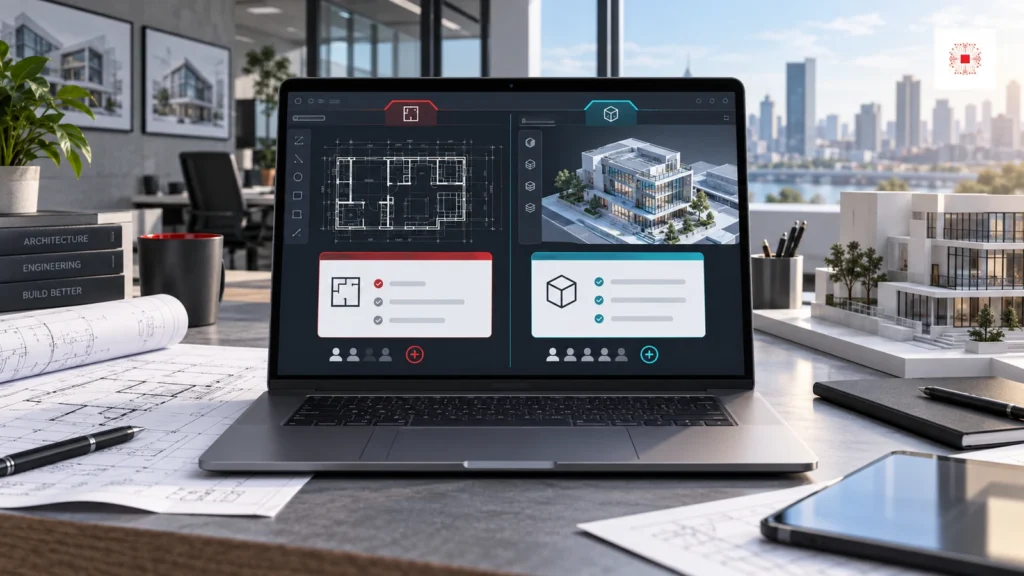
Quick answer: AutoCAD LT is best for businesses that mainly create, edit and document 2D drawings. Full AutoCAD is better when the engineering team needs 3D, specialized toolsets, deeper automation, more complex workflows and coordination across disciplines. Autodesk’s official comparison positions AutoCAD LT as cost-effective 2D drafting and documentation software, while AutoCAD subscription includes 2D and 3D CAD, specialized toolsets and apps. The practical question is not which product is stronger. The question is which users truly need which capability so the company does not underbuy or overspend.
Need to choose AutoCAD LT or full AutoCAD?
Send IT Systems your user list, departments, drawing types and current CAD installations. We can recommend the right license mix, prepare a VAT quote and advise post-purchase governance. You can also review AutoCAD licensing for businesses, our licensed software for businesses pillar and the Autodesk category on IT Systems Shop.
Comparison table: AutoCAD LT vs full AutoCAD
The table below gives businesses a fast first filter before requesting a quote. It should not be the only decision point if the company has several departments, project types or drawing workflows. IT Systems usually recommends reviewing real users: who only drafts in 2D, who creates 3D, who needs architecture/mechanical/electrical toolsets, who uses CAD only during projects and who needs a continuous seat.
From a buying perspective, this is a user-tiering problem. A daily 2D drafter may not need the full feature set. A user responsible for modeling, discipline-specific drafting or automation may be constrained by LT. Good tiering reduces cost without slowing the technical team.
For procurement, this section should be translated into a concrete user list before purchase: user name, department, main drawing task, need for 3D, need for specialized toolsets, expected project term and renewal owner. That simple worksheet prevents the company from treating every CAD user as identical, and it also gives IT enough evidence to assign, reclaim or downgrade a seat during the next review cycle.
| Factor | AutoCAD LT | Full AutoCAD |
|---|---|---|
| Primary use | 2D drafting, editing and documentation | 2D + 3D CAD and advanced workflows |
| 3D | Not the main focus | Better fit for 3D work |
| Specialized toolsets | Does not include the seven toolsets | Includes Architecture, Mechanical, Electrical, Map 3D, MEP, Raster Design, Plant 3D |
| Automation/API | More limited customization | Stronger automation and integration options |
| Best fit | 2D drafters, DWG editing, documentation users | CAD specialists needing 3D, toolsets or complex workflows |
Which teams should choose AutoCAD LT?
AutoCAD LT fits teams that work heavily with 2D: floor plans, shop drawings, construction documentation, DWG edits, annotation, measurement, printing and basic collaboration. For architecture, construction, MEP or interior companies, LT can be enough for users who produce 2D deliverables while 3D modeling is handled by another team or another tool. Its strength is cost control, easier standardization for a larger user base and lower risk of buying full AutoCAD for people who do not use full AutoCAD capabilities.
The comparison table should be used with engineering, finance and IT together. Engineering explains workflow, finance reviews budget and IT owns assignment and reclaim. If only one group decides, the company may buy from a narrow perspective.
For procurement, this section should be translated into a concrete user list before purchase: user name, department, main drawing task, need for 3D, need for specialized toolsets, expected project term and renewal owner. That simple worksheet prevents the company from treating every CAD user as identical, and it also gives IT enough evidence to assign, reclaim or downgrade a seat during the next review cycle.
When should a business choose full AutoCAD?
Full AutoCAD should be prioritized when the team needs 3D, specialized toolsets, CAD standards control, advanced automation, complex technical workflows or coordination between multiple design disciplines. Autodesk describes AutoCAD subscription as software for 2D and 3D CAD with specialized toolsets and apps. Toolsets such as Architecture, Mechanical, Electrical, Map 3D, MEP, Raster Design and Plant 3D can make a major difference when used in the right context. For mechanical engineers, electrical teams, plant design, BIM/CAD coordinators or teams that frequently build and review 3D models, full AutoCAD is usually more appropriate than LT.
For 2D users, frequency matters. Some use CAD every day; others open files only a few times per month. Low-frequency users may need a more flexible allocation model or project-based review instead of a fixed seat forever.
For procurement, this section should be translated into a concrete user list before purchase: user name, department, main drawing task, need for 3D, need for specialized toolsets, expected project term and renewal owner. That simple worksheet prevents the company from treating every CAD user as identical, and it also gives IT enough evidence to assign, reclaim or downgrade a seat during the next review cycle.
Common buying mistakes
The biggest mistake is buying based on feeling. Some companies buy full AutoCAD for everyone because it sounds more powerful. Others push everyone to LT because it is cheaper. Both approaches create risk. Buying full seats broadly can inflate the budget while many users do not use the capabilities. Buying LT for users who need 3D or specialized toolsets slows work, creates workarounds and may push employees toward uncontrolled installations. Another common mistake is not separating drawing creators, reviewers, light editors and file administrators.
Full AutoCAD should also be assigned intentionally. If a user needs a Mechanical or Electrical toolset, record the reason. During renewal, the company can ask whether the person still needs full AutoCAD or can move to LT.
For procurement, this section should be translated into a concrete user list before purchase: user name, department, main drawing task, need for 3D, need for specialized toolsets, expected project term and renewal owner. That simple worksheet prevents the company from treating every CAD user as identical, and it also gives IT enough evidence to assign, reclaim or downgrade a seat during the next review cycle.
How to calculate license demand by department
A company should segment users instead of asking one general question: how many AutoCAD licenses do we need? The core design team should be reviewed by project type, 2D/3D needs and toolsets. Drafting users should be reviewed by 2D edit volume, plotting, annotation and DWG coordination. Project managers may only need viewing or review access if the workflow supports it. Seasonal project users should be checked against project timelines to avoid idle seats. This segmentation also makes software license management with ITS Manager clearer after purchase.
A wrong purchase often does not appear immediately. It appears at renewal time, during headcount growth, when employees leave or when evidence is required. Every purchase decision should include user, purpose, project, term and reclaim criteria.
For procurement, this section should be translated into a concrete user list before purchase: user name, department, main drawing task, need for 3D, need for specialized toolsets, expected project term and renewal owner. That simple worksheet prevents the company from treating every CAD user as identical, and it also gives IT enough evidence to assign, reclaim or downgrade a seat during the next review cycle.
Recommendation table by business situation
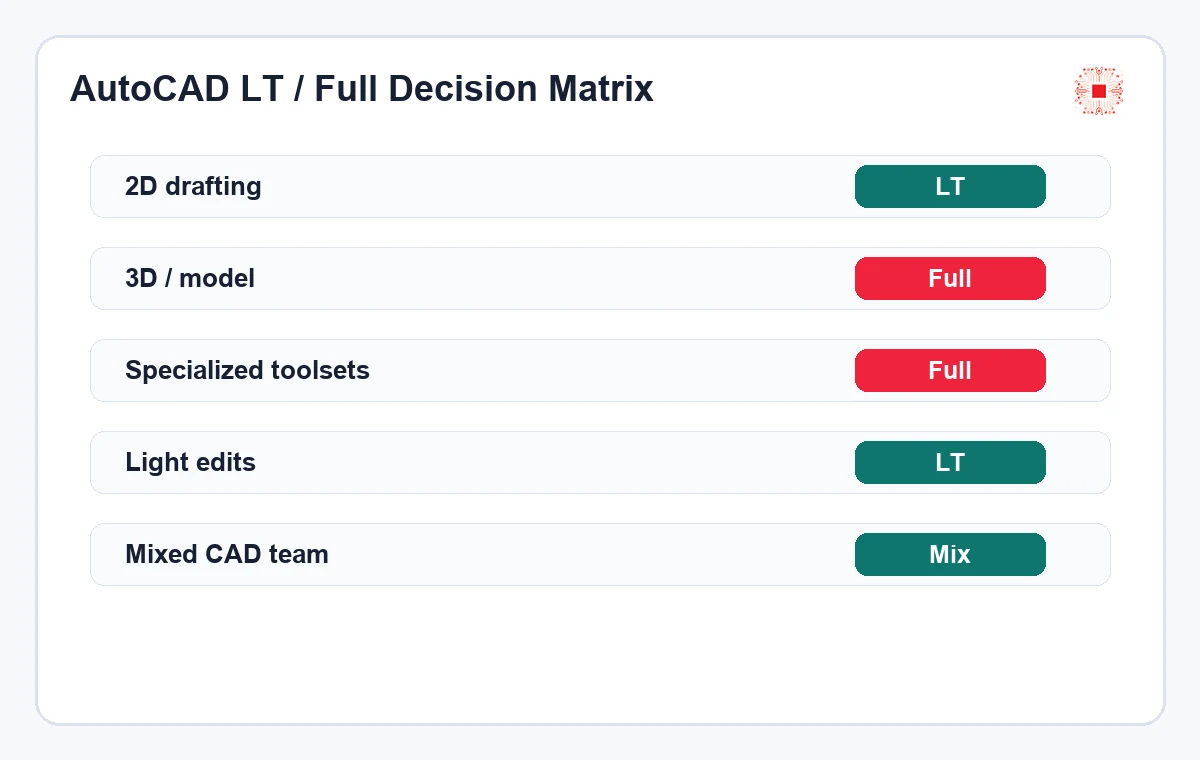
There is no single formula for every company, but the table below can guide the decision. For SMEs, the best structure is often a mix: full AutoCAD for specialist users, LT for 2D drafting users, and a reclaim/transfer process when a project ends or an employee changes role. This is usually more practical than forcing one license type across the whole company.
User segmentation also reduces emotional debate between departments. The question becomes whether a person needs 3D, needs toolsets, uses CAD daily and requires a dedicated license. That is more useful than asking which edition someone wants.
For procurement, this section should be translated into a concrete user list before purchase: user name, department, main drawing task, need for 3D, need for specialized toolsets, expected project term and renewal owner. That simple worksheet prevents the company from treating every CAD user as identical, and it also gives IT enough evidence to assign, reclaim or downgrade a seat during the next review cycle.
| Situation | Recommendation | Reason |
|---|---|---|
| Team only produces 2D drawings | AutoCAD LT | Covers the main need and controls cost |
| Team needs 3D modeling/review | Full AutoCAD | LT is not the right fit for deeper 3D work |
| Mixed architecture/construction firm | Mix LT + full | Full for leads/specialists, LT for 2D drafters |
| Short project with temporary users | Review by project term | Avoid idle seats after project completion |
| Unclear installed CAD base | Inventory before buying | Avoid wrong purchase or risky installations |
Cost is more than the license price
When comparing AutoCAD LT and full AutoCAD, companies often focus on unit price. The real cost also includes engineering time, rework, coordination errors, idle seats, urgent purchases when the team lacks licenses and the risk of unclear installations. A more expensive full seat can save many engineering hours when assigned to a core specialist. A full seat assigned to a user who only edits 2D a few times per week can be waste. IT Systems reviews cost as TCO: license price, user profile, usage level, operational risk and ability to reclaim the license when it is no longer needed.
Growing companies should review this table quarterly. Project profiles change quickly. A team may be 2D-heavy this month and move into more complex 3D or MEP work next quarter. License structure should follow real work.
For procurement, this section should be translated into a concrete user list before purchase: user name, department, main drawing task, need for 3D, need for specialized toolsets, expected project term and renewal owner. That simple worksheet prevents the company from treating every CAD user as identical, and it also gives IT enough evidence to assign, reclaim or downgrade a seat during the next review cycle.
Managing AutoCAD licenses after purchase
After buying, the business needs to know which license is assigned to whom, which device has the software installed, which department owns the cost, when renewal is due, which users have left and which licenses can be reclaimed. Many companies skip this because they treat purchase as the end of the process. For high-value software such as AutoCAD, post-purchase management is as important as package selection. The license reclaim process when an employee leaves should be applied to CAD teams to avoid active seats staying with inactive users.
Cost is clearer when viewed by role. A full seat for a core engineer can be justified if it reduces errors and accelerates projects. A full seat sitting idle is hidden waste. Usage and reclaim data make decisions calmer.
For procurement, this section should be translated into a concrete user list before purchase: user name, department, main drawing task, need for 3D, need for specialized toolsets, expected project term and renewal owner. That simple worksheet prevents the company from treating every CAD user as identical, and it also gives IT enough evidence to assign, reclaim or downgrade a seat during the next review cycle.
AutoCAD LT, full AutoCAD and cracked software risk
AutoCAD is a high-value software group, so companies often encounter cracked copies on personal machines, test machines or urgent project machines. This is not only a legal issue. Uncontrolled installers may introduce malware, expose design data, create client-file risk and make endpoint governance harder. The practical response should not be a vague ban. It should be a legalization roadmap: inventory devices with CAD installed, classify LT/full needs, buy the right additional seats, remove unclear installations and create an approval workflow for future installs.
Post-purchase governance should start on day one. If the company waits until renewal to review, the data may already be wrong. IT then has to ask departments, search old emails and manually check devices.
For procurement, this section should be translated into a concrete user list before purchase: user name, department, main drawing task, need for 3D, need for specialized toolsets, expected project term and renewal owner. That simple worksheet prevents the company from treating every CAD user as identical, and it also gives IT enough evidence to assign, reclaim or downgrade a seat during the next review cycle.
What information should be prepared before requesting an AutoCAD quote?
Before requesting a quote, the company should prepare user count, departments, drawing types, 2D/3D needs, required term, active projects, current installed devices, current versions, VAT invoice requirements and the person responsible for receiving the licenses. If the data is not ready, use the checklist in software license quote preparation for businesses. Better preparation shortens the quote cycle, reduces back-and-forth and lowers the risk of buying the wrong edition.
CAD legalization should be phased. Start with important devices and actively used software, then expand to secondary machines, personal machines used for projects and contractors where company data is involved.
For procurement, this section should be translated into a concrete user list before purchase: user name, department, main drawing task, need for 3D, need for specialized toolsets, expected project term and renewal owner. That simple worksheet prevents the company from treating every CAD user as identical, and it also gives IT enough evidence to assign, reclaim or downgrade a seat during the next review cycle.
How IT Systems helps businesses choose AutoCAD
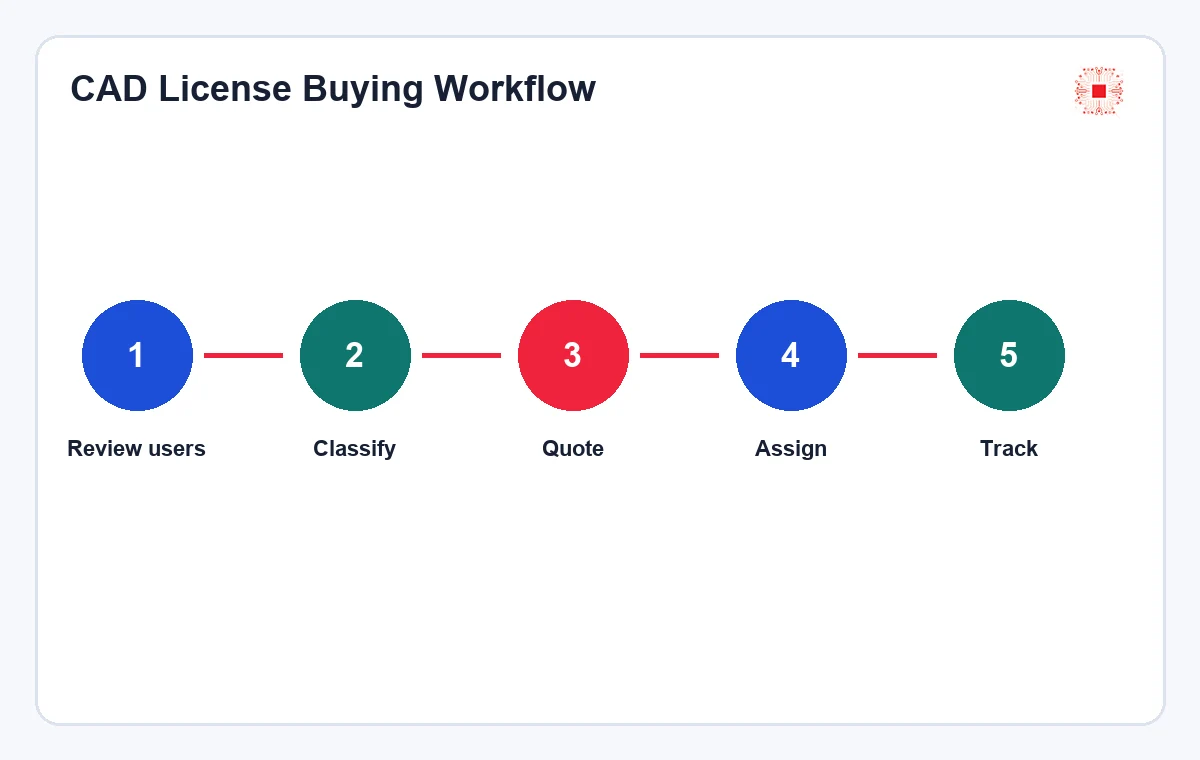
IT Systems can support a practical buying process: review CAD needs by department, classify LT and full users, compare installed devices, propose the right quantity, provide product paths for AutoCAD LT and AutoCAD 2D/3D, support VAT quotation and advise post-purchase license governance. The difference is that IT Systems does not stop at selling seats. If long-term control is needed, license data can be tracked in ITS Manager for assignment, renewal, reclaim and reporting.
The clearer the input, the better the quote. A question such as “how much is AutoCAD?” is too broad. User structure, drawing types and expected quantities allow IT Systems to recommend a more accurate LT/full mix.
For procurement, this section should be translated into a concrete user list before purchase: user name, department, main drawing task, need for 3D, need for specialized toolsets, expected project term and renewal owner. That simple worksheet prevents the company from treating every CAD user as identical, and it also gives IT enough evidence to assign, reclaim or downgrade a seat during the next review cycle.
FAQ: AutoCAD LT and full AutoCAD
Is AutoCAD LT enough for a construction company? It may be enough for teams focused on 2D, but not if they need 3D or specialized toolsets. Should full AutoCAD be bought for the whole team? Not if many users only work in 2D; segment users instead. Can a company use both LT and full AutoCAD? Yes, and this is often the most cost-effective model. Does AutoCAD LT include web and mobile access? Autodesk states that every AutoCAD LT subscription includes AutoCAD on web and mobile. Is license management necessary after purchase? Yes, especially when there are many users, projects or employee changes.
After quotation, the business should define governance immediately: who receives licenses, creates users, stores evidence, checks installations, reminds renewals and approves reclaim. This turns software purchase into a repeatable process.
For procurement, this section should be translated into a concrete user list before purchase: user name, department, main drawing task, need for 3D, need for specialized toolsets, expected project term and renewal owner. That simple worksheet prevents the company from treating every CAD user as identical, and it also gives IT enough evidence to assign, reclaim or downgrade a seat during the next review cycle.
Need to choose AutoCAD LT or full AutoCAD?
Send IT Systems your user list, departments, drawing types and current CAD installations. We can recommend the right license mix, prepare a VAT quote and advise post-purchase governance. You can also review AutoCAD licensing for businesses, our licensed software for businesses pillar and the Autodesk category on IT Systems Shop.