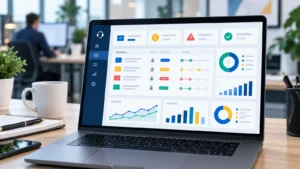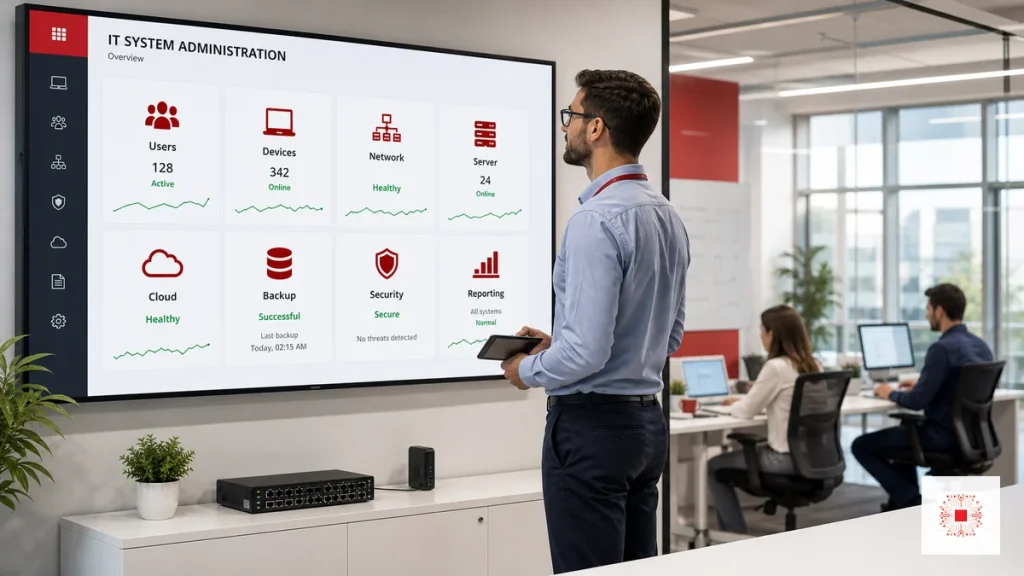
IT system administration is the set of activities that keeps a company technology environment stable, secure and scalable. It is not only fixing computers when they break. It includes user management, devices, internal network, Wi-Fi, firewall, servers, cloud services, email, backup, security, software licensing, monitoring and periodic reporting. For SMEs, good IT system administration reduces operational disruption, protects accounting, sales and customer data, and creates the foundation for systems such as CRM, ERP, Microsoft 365, Google Workspace or AI Agents. If a business does not have a deep internal IT team, IT services for businesses can provide an operating model that complements or replaces in-house capacity.
How It Differs from IT Support and IT Helpdesk
IT Helpdesk usually focuses on receiving user requests and resolving incidents through tickets: internet issues, Outlook errors, printer problems, login failures or software installation. IT Support is broader and can include onsite work, device maintenance, office support, configuration advice and recurring troubleshooting. IT system administration sits at the infrastructure operating layer: accounts, permissions, servers, network, backup, security policy, monitoring and reporting. These three areas should work together. Helpdesk responds quickly, Support fixes practical issues, and system administration reduces repeated incidents before they become larger business disruptions.
A simple way to view it is this: Helpdesk receives and records demand, Support solves practical issues, and System Administration designs the operating foundation. If a business has Helpdesk without administration, the team may keep fixing the same problems. If it has administration without a clear support channel, users do not know where to report issues and priorities become unclear. The strongest model combines tickets, SLA, recurring checks and management reporting.
For example, a printer ticket may look like a Helpdesk issue, but repeated printer failures may point to IP conflicts, old drivers, weak Wi-Fi or unclear ownership of print devices. System administration looks for that pattern and removes the root cause. This is why monthly reporting matters: it turns individual support requests into operational insight.
What Areas Should a Business Administer?
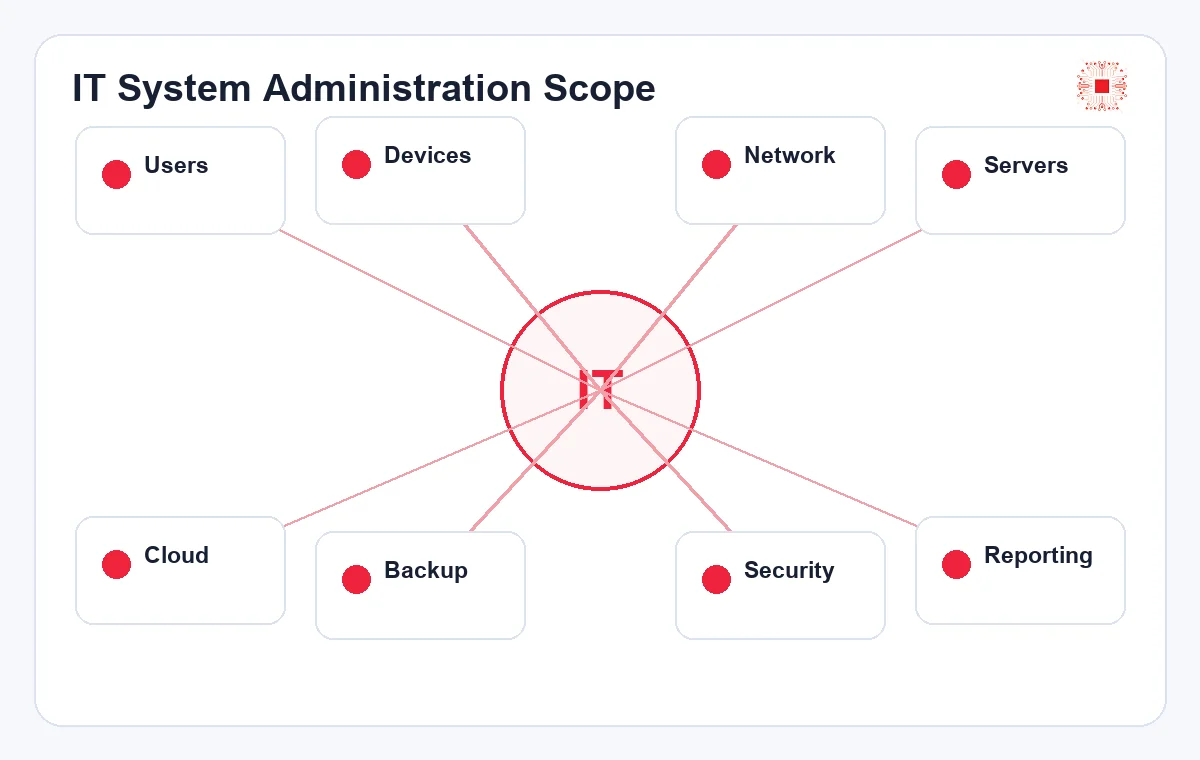
A typical office IT environment has at least eight areas to administer: users, devices, network, servers, cloud, backup, security and reporting. Users need accounts, permissions, MFA and access removal when they leave. Devices need inventory, updates, standard software and health tracking. Network administration covers firewall, Wi-Fi, VPN, IP addressing, VLAN, DNS and uptime. Server and cloud administration covers resources, services, logs, patches and storage. Backup administration covers job success, retention and restore tests. Security administration includes endpoint protection, access control, alerts and password policy. Reporting helps management see the real operating condition of IT.
An assessment should not only ask how many computers the company has. It should identify which devices support accounting, which systems hold important data, which internet line is primary or backup, which server supports core software, where backup is stored, who has admin rights and who can approve decisions during incidents. These questions separate critical items from convenience items. For SMEs with limited budget, risk prioritization is essential.
The list should also be adjusted by business criticality. A file server used by accounting, a CRM used by sales and a firewall connecting branches deserve more attention than a low-impact test machine. Classifying systems by impact helps the IT team set monitoring thresholds, backup frequency and escalation rules that match the real business risk.
| Area | What to administer | Risk if ignored |
|---|---|---|
| Users/accounts | Creation, permissions, MFA, leaver access removal | Data leakage and unauthorized access |
| Devices | Inventory, updates, antivirus, standard software | Repeated device issues and malware |
| Network | Firewall, Wi-Fi, VPN, VLAN, DNS, logs | Connectivity loss and uncontrolled access |
| Servers/cloud | Resources, services, patches, certificates, logs | Downtime, full disks and service failures |
| Backup | Backup jobs, retention, restore tests, access rights | Data loss and slow recovery |
| Reporting | SLA, tickets, risks, improvement recommendations | Management cannot see the real condition |
This table should be used as an initial assessment checklist. After the assessment, the business can separate urgent fixes, monthly operating checks and quarterly investment items.
Why SMEs Face Risk Without System Administration
Many SMEs still operate IT reactively: when something breaks, someone fixes it. That looks inexpensive at first, but it creates hidden risk: former employees keep access, computers miss patches, Wi-Fi passwords are shared for years, servers run out of disk space, backup jobs fail silently, licenses expire or firewall rules are never reviewed. When an incident happens, the business spends too much time finding the cause because logs, configuration documents and ownership are missing. IT system administration moves the company from reactive repair to proactive control through periodic checks, standardization, early alerts and recovery planning.
Another risk is that operational knowledge lives inside one person head. When the IT employee leaves, a vendor changes staff or the internal coordinator becomes busy, the business may no longer know firewall configuration, device passwords, network diagrams, backup schedules or license lists. Operating documentation is not paperwork for its own sake. It is insurance that the system can continue to be administered even when people change.
Reactive IT also makes budgeting harder. When there is no asset inventory, lifecycle plan or risk report, spending appears suddenly: emergency disk replacement, rushed internet upgrade, urgent server migration or after-hours recovery. Planned administration makes IT cost more predictable because problems are discovered before they become urgent purchases.
User, Permission and Employee Account Administration
User accounts are the starting point of business security. When a new employee joins, email, device, software, shared folders and internal applications should be created according to role. When a person changes department, permissions need adjustment. When someone leaves, accounts must be disabled, data must be handed over, devices recovered and active sessions reviewed. If the company uses Microsoft 365, Google Workspace, CRM, ERP or accounting systems, access should be managed through groups rather than improvised user-by-user grants. This area fits naturally into recurring IT Support services because it touches daily operations and risk control.
The joiner-mover-leaver process should be standardized into a request form. A department manager confirms what access is needed, IT creates accounts through groups, and handover evidence is recorded. When someone changes role, old access should be reviewed rather than simply adding new permissions. When someone leaves, account deactivation should align with the official leaving date and data handover requirements. This reduces practical risk without requiring complex technology.
For regulated or data-sensitive teams, access review should be scheduled at least quarterly. The review does not need to be complicated: export user lists, compare them with the current employee list, check admin roles and confirm shared-folder membership with department heads. This habit catches many common access risks early.
Device, Endpoint and Software Administration
Endpoints include laptops, desktops, printers, scanners, work phones and office devices. Device administration is not just hardware repair; it includes asset inventory, standard configuration, operating system updates, antivirus or EDR checks, approved software control, disk encryption when needed and replacement planning for aging equipment. For an SME with 20-50 employees, a few failing or infected computers can slow sales, accounting or customer service. Good endpoint administration reduces repeated tickets and gives the IT team evidence when investigating a security incident.
The business should also define standard device profiles by user group. Accounting machines need stronger data protection and specialized software; sales machines need stable email, CRM and online meetings; design machines need performance and correct licensing; shared devices need restricted installation rights. If every machine is configured differently, support cost rises because every issue becomes a special case. Standardized endpoints make maintenance faster and scaling easier.
Asset inventory should include owner, location, serial number, warranty, operating system, antivirus state and replacement recommendation. This data helps management decide whether recurring incidents are caused by user behavior, software configuration or aging hardware. Without inventory, the business often keeps repairing devices that should already be replaced.
Network, Wi-Fi, Firewall and Remote Access Administration
The office network supports almost everything: internet, email, cloud apps, cameras, attendance systems, printers, NAS and VPN. A business should administer routers, firewalls, switches, access points, subnets, VLANs, DNS, DHCP, VPN and guest-access policy. For multi-floor offices or multiple branches, weak Wi-Fi and mixed network configuration can create persistent issues that are hard to measure. Good network administration requires a network diagram, device list, configuration backup, firmware updates, firewall logs and bandwidth checks during peak hours. If employees work remotely, VPN or Zero Trust access should be controlled by account and device.
Guest access and IoT devices are often overlooked. Cameras, attendance devices, TVs, personal phones or visitor devices should not sit on the same network as accounting computers or internal servers. VLAN separation, or at least a separate guest Wi-Fi, reduces exposure. Firewall rules should also be reviewed periodically to remove old ports, unused VPN accounts and temporary configuration that is no longer needed.
Remote access should be treated as a business workflow, not just a technical tunnel. The company should know who can connect, from which devices, with what authentication and to which internal systems. Logs should be reviewed when employees leave, when devices are lost or when suspicious login activity appears.
Server, Cloud and System Resource Administration
Servers may be physical machines in the office, virtual machines, cloud servers, NAS devices or services running inside SaaS platforms. Server and cloud administration includes CPU, RAM, disk, IOPS, service status, error logs, SSL certificates, admin accounts, operating system patches, database size and maintenance windows. For businesses running accounting software, ERP, file servers or internal websites, a slow server or full disk can directly affect operations. The better approach is to maintain monitoring dashboards, alerts before thresholds become critical, clear update schedules and rollback documentation if a patch causes problems.
Cloud administration also includes cost control. Servers may be over-provisioned, old snapshots may remain, storage may grow unnoticed or trial services may keep running after a project ends. Good cloud administration tracks uptime, cost, admin rights, backup, data region and security alerts. Without that control, cloud remains flexible but the budget becomes difficult to predict.
Maintenance windows should be agreed with business teams. Updating a server during accounting closing, sales campaigns or warehouse operations can create unnecessary conflict. A predictable schedule, with rollback notes and communication before changes, makes technical maintenance much easier for non-technical teams to accept.
Backup, Restore Tests and Recovery Planning
Backup only matters when restore works. Many businesses see backup jobs marked successful but have never tested whether files can actually be recovered. When a real incident happens, they may discover missing files, corrupted backups or recovery times that are too long. Backup administration should define what data is backed up, frequency, retention, storage location, encryption, access rights and review responsibility. Two useful metrics are RPO and RTO: how much data the business can afford to lose and how long it can wait before systems return. Restore tests should be performed periodically with written evidence and actual recovery time.
Recovery planning should be tied to scenarios: a missing file, a failed computer, a down server, ransomware or office internet failure. Each scenario needs a different response. A missing file requires quick user restore; ransomware requires isolation, clean-backup verification and a recovery decision; a down server requires service priority. Written scenarios help the IT team respond calmly when real incidents happen.
Backup ownership should also be explicit. Someone must read the backup report, someone must approve retention changes and someone must decide whether a failed restore test blocks go-live for a new system. When ownership is vague, backup becomes a background task that looks successful until a real recovery is needed.
Monitoring, SLA and IT System Administration Reports
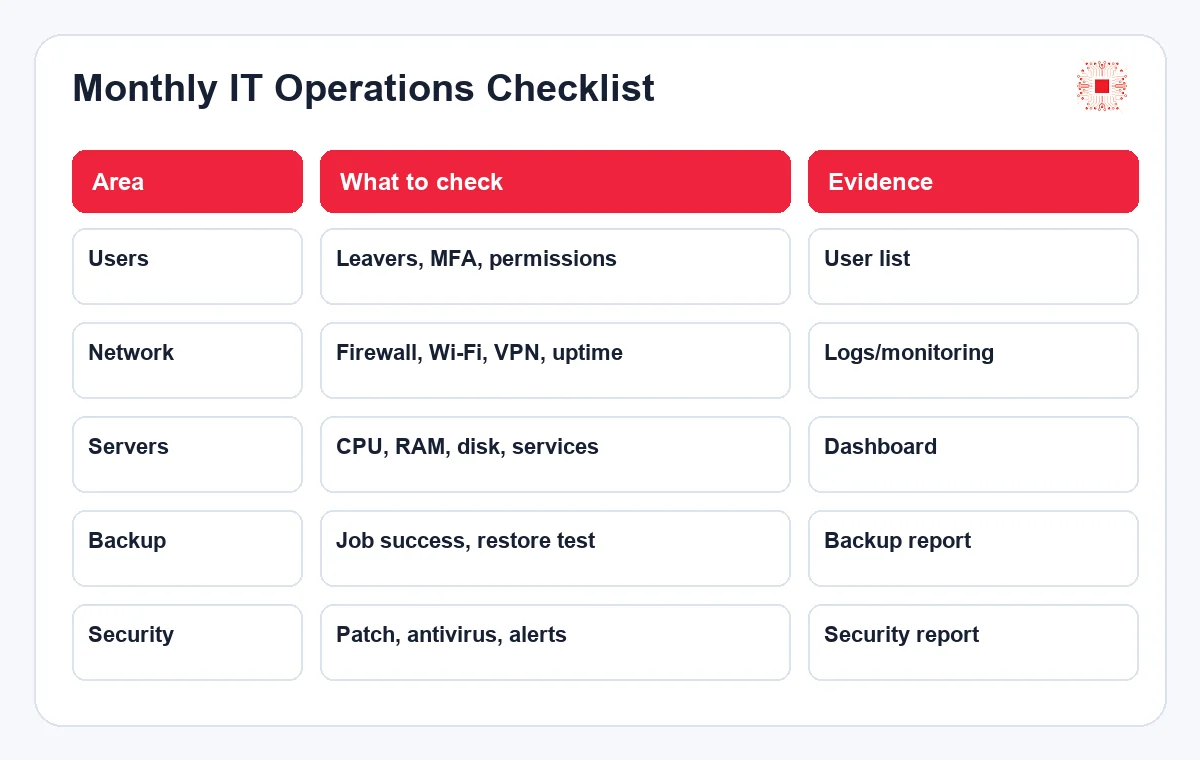
Monitoring helps the business know whether IT is healthy or accumulating risk. Useful indicators include internet uptime, firewall status, server storage, backup status, computers missing updates, antivirus alerts, ticket categories, response time and resolution time. SLA sets clear expectations: how quickly critical issues are acknowledged, how quickly normal issues are resolved, when onsite support is needed and whether reports are weekly or monthly. IT system administration reports should not merely list tasks completed. They should highlight risk, trends, recommendations and decisions that management needs to make.
A good report separates completed work, resolved incidents, remaining risks and next recommendations. For example, “backup succeeded 28 out of 30 days” is not enough. The report should explain why two days failed, whether the issue was fixed and whether configuration should change. “Drive C has 12% free space” is not just a number; it is a signal for cleanup, expansion or data relocation.
Trend analysis is more valuable than a single status snapshot. If ticket volume rises after a software update, if Wi-Fi complaints appear every Monday morning or if disk usage grows faster than expected, the report should call that out. These patterns help the business invest in prevention rather than paying repeatedly for fixes.
When Should a Business Outsource IT System Administration?
A business should consider outsourcing when it lacks a deep internal IT team, faces repeated issues, runs important server/cloud/email systems, has multiple branches, needs regular reporting or wants to improve security without hiring a full team. Outsourcing does not mean handing away all responsibility; the business still needs an internal decision owner. A good model is for IT Systems to handle assessment, standardization, operations, monitoring, user support and reporting while the business approves budgets, policies and major changes. This can be combined with IT Helpdesk services for daily tickets.
Outsourcing is especially useful when the business needs broad expertise but does not yet have enough workload to hire separate helpdesk, network, system, cloud and security roles. A good provider does more than send someone to fix incidents. It builds process, documentation, checklists, reports and improvement schedules. The business stays lean while still having deeper IT capability when incidents or expansion projects appear.
The scope should be written clearly before starting. It should define what is included, what requires a separate project, how onsite support is requested, how urgent incidents are escalated and how reports are reviewed. Clear scope protects both the business and the provider because expectations are visible from the first month.
How IT Systems Administers Business IT Systems
IT Systems usually begins with an assessment of users, devices, software, servers, cloud, network, backup, security and repeated incidents. The technical team then creates a risk list, administration scope, SLA, inspection schedule, support channel and reporting template. During implementation, the most important areas are standardized first: accounts, network diagrams, backup, endpoints, monitoring and configuration documentation. After operations stabilize, monthly reports show where the system has improved and what should be invested in next. This turns IT from a repair cost into a controlled operating capability.
The important point is prioritization. IT Systems typically handles items that directly affect downtime and data first: backup, admin accounts, core network, critical servers and endpoint protection. After that, the team improves user experience, reporting automation and cost optimization. This order helps the business see results quickly while reducing foundational risk before larger technology projects are introduced.
This process also creates a roadmap. Some items can be fixed immediately, such as disabled accounts or failed backup jobs. Others require planning, such as network redesign, server migration, license standardization or security hardening. A roadmap helps the business improve continuously without turning every technical issue into an emergency project.
Need to Review Your Current IT Environment?
IT Systems can assess users, devices, network, servers, cloud, backup, security and support workflows to build a risk list and IT administration plan. Your business receives a clearer work scope, urgent fixes, recurring maintenance items and phased investment recommendations.
This review is useful for SMEs with repeated IT issues, missing operations reports, untested backups or a need to standardize IT before adding employees or branches. It also helps management decide which problems require immediate action and which items can be handled through a monthly administration routine. The result is a more predictable IT operating model instead of a collection of urgent fixes.