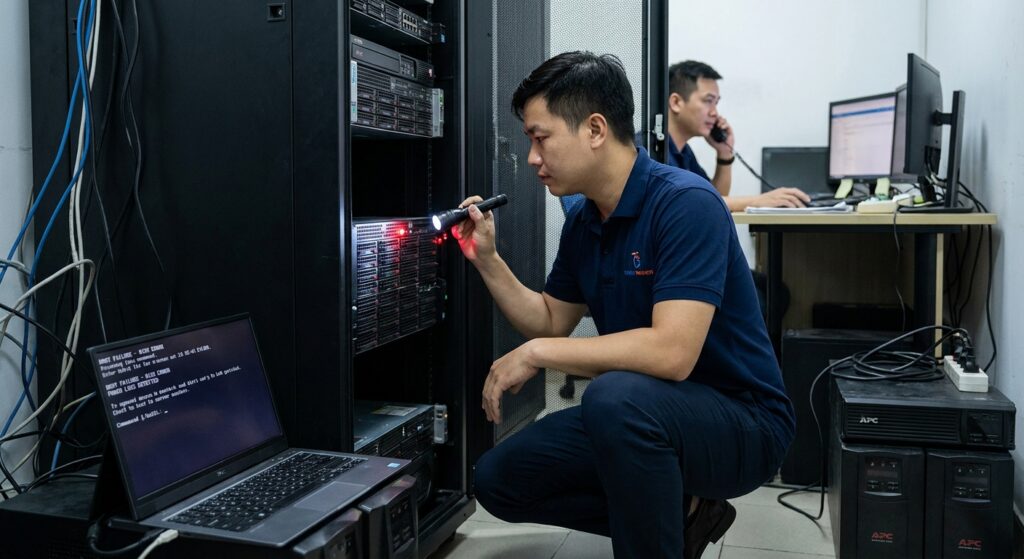
When the power supply is suddenly interrupted and then restored, the issue of server not booting after power outage commonly occurs, causing concern for many IT administrators. This problem not only causes prolonged downtime but also carries the hidden risk of losing critical data, directly affecting business operations. In this article, we will explore in depth the topic of server not booting after power outage, from root causes to practical troubleshooting, helping you effectively resolve server boot failure post outage and power loss startup issues.
Why Does Server Not Booting After Power Outage Pose a Major Risk to Businesses?
Servers play a central role in IT infrastructure, storing data and running critical applications. When a server fails to boot after a power outage, the entire system may go offline, disrupting email services, database access, or websites. Downtime not only reduces productivity but can also lead to significant financial losses if it lasts for an extended period.
Moreover, an abrupt shutdown due to power loss often does not allow the system to close files properly. This increases the risk of hard drive damage or data corruption. In many cases, server startup errors appear as console messages or flashing error LEDs, leaving users unsure where to start. Understanding this risk helps you prioritize contingency planning and avoid unnecessary consequences.
Instead of waiting for incidents to happen, equipping yourself with troubleshooting knowledge will significantly reduce recovery time. If your business frequently faces similar problems, consider evaluating your power infrastructure and implementing regular maintenance.
Main Causes of Server Not Booting After Power Outage
Server not booting after power outage can stem from multiple factors, from hardware stressed by voltage fluctuations to software errors caused by unsafe shutdowns. Below is a detailed breakdown of the most common causes to help you accurately diagnose the issue.
Power Supply and Protection Device Problems
One of the leading causes is a damaged Power Supply Unit (PSU) due to electrical shock during a power outage. Without a UPS or if the UPS lacks sufficient capacity and proper configuration, the server shuts down abruptly, putting stress on components. Server boot failure post outage is often linked to UPS not being configured to allow a graceful shutdown.
BIOS/UEFI Errors and Boot Order Issues
Power loss can reset BIOS/UEFI settings, causing the server to fail to detect the boot drive. This results in server startup errors such as “Boot device not found” or fans spinning with no display output. This is a common problem in older servers or after incompatible firmware updates.
Hardware Damage from Sudden Power Loss
Abrupt shutdowns while drives are writing data can cause bad sectors or mechanical failure in HDDs/SSDs. RAM, RAID controllers, and motherboards can also be affected by sudden temperature spikes or unstable voltage. Bulging capacitors in the PSU are often a visible sign of damage.
Operating System and Driver Issues
Windows Server or Linux systems may suffer from corrupted system files after a sudden power loss. Outdated or conflicting drivers following updates can also contribute to server not booting after power outage. Event logs typically record kernel panics or boot failure errors when accessible.
Step-by-Step Guide to Fix Server Not Booting After Power Outage
Resolving server not booting after power outage requires a systematic approach, starting with basic checks and progressing to deeper diagnostics. Follow these steps in order and always disconnect power completely before handling hardware.
First, inspect the power source and connections:
- Confirm the power outlet is stable and check for any burning smell from the PSU.
- Observe power LEDs, listen for beep codes, and check fan operation to assess the failure level.
- If using a UPS, test the battery, replace if necessary, and perform a load test.
Reset BIOS settings to eliminate configuration errors:
- Open the server chassis, remove the CMOS battery for 10 minutes, then reinstall it.
- Enter BIOS (usually by pressing Del or F2), verify the boot order, and ensure the boot drive is enabled.
- Update BIOS firmware from the manufacturer if a newer version is available.
Perform detailed hardware diagnostics:
- Temporarily swap the PSU with a compatible unit for testing.
- Remove and test RAM modules individually using memory diagnostic tools.
- Boot from a Linux live USB and scan drives using smartctl or chkdsk commands.
Repair software issues if the server can reach recovery mode:
- For Windows: Run Startup Repair from the installation media.
- For Linux: Repair the GRUB bootloader from a live session terminal.
- Review event logs to identify specific error codes related to server startup error.
If these steps do not resolve the issue, consider engaging professional IT Support services to minimize the risk of further data loss. Experienced technicians have specialized tools for rapid recovery.
Preventive Measures Against Server Boot Failure After Power Outage
Prevention is always better than recovery. To avoid server not booting after power outage, implement multiple layers of protection. Use a properly sized UPS with management software that can trigger automatic graceful shutdowns.
Deploy RAID 1 or RAID 5 for data redundancy. Follow the 3-2-1 backup rule: 3 copies, 2 different media types, and 1 offsite copy. Monitor power quality using tools like Nagios or PRTG to detect fluctuations early.
Conduct regular maintenance including dust cleaning, thermal paste replacement, and firmware/driver updates. Staff training on power outage procedures is equally important. For expert assistance in designing resilient systems, IT Helpdesk services can provide customized solutions.
Strategic Recommendations to Minimize Downtime and Data Loss
Beyond immediate fixes, businesses should consider adopting hybrid cloud architectures for added redundancy. Virtual machines with live migration enable seamless workload transfer when the primary server encounters power loss startup issues.
Develop and regularly test a comprehensive disaster recovery plan. Invest in backup generators for critical sites and consider servers equipped with redundant PSUs.
By implementing these best practices, you can not only resolve server not booting after power outage but also strengthen the overall resilience of your IT infrastructure. Prioritizing data safety and high availability is essential in today’s business environment.
In summary, server not booting after power outage is a manageable issue when you have the right knowledge. Apply the troubleshooting and prevention strategies above to protect your business from downtime and data loss risks. Contact IT professionals for further consultation when needed.