
Quick answer: is ZWCAD or AutoCAD the better fit?
If the business mainly produces 2D DWG drawings, wants to optimize cost and does not depend deeply on AutoCAD specialized toolsets, ZWCAD may be worth evaluating. If the company needs the Autodesk ecosystem, industry toolsets, web/mobile workflows, APIs, automation, 3D, collaboration or client requirements that specify AutoCAD, licensed AutoCAD is usually safer. The right answer is not simply which product is cheaper, but which product creates less risk for files, users, projects and compliance.
The important point is that CAD decisions must be based on real files and real workflows. A company may save on license price but lose money through plot errors, fonts, blocks, macros, add-ins or partner coordination time. Each section should therefore be read as a test checklist: which user uses it, which files are tested, which project has mandatory requirements, who supports the workflow and where license evidence is stored. With enough data, a business can mix license types while staying controlled.
From an operations perspective, record the tested files, open/save results, plotting or PDF issues, font issues, add-ins in use, support owner and final department approval. If the company runs both tools, define which teams use ZWCAD, which teams keep AutoCAD and when files must be escalated to an AutoCAD user. This prevents opinion-based decisions and helps finance understand why multiple CAD license types may coexist.
Need to choose ZWCAD or AutoCAD?
IT Systems can inventory CAD files, segment users, run a pilot and advise compliant licenses. See AutoCAD licensing, licensed software and ITS Manager license governance.
Where is ZWCAD strong?
ZWSOFT positions ZWCAD around DWG compatibility, a familiar interface, 2D drafting, 3D capability in Professional, perpetual licensing and network licensing. For companies with many users who mainly open, edit, print, measure, annotate or produce 2D drawings, those benefits are relevant. The licensing model can also appeal to firms that want longer-term budget control instead of pure subscription planning.
The important point is that CAD decisions must be based on real files and real workflows. A company may save on license price but lose money through plot errors, fonts, blocks, macros, add-ins or partner coordination time. Each section should therefore be read as a test checklist: which user uses it, which files are tested, which project has mandatory requirements, who supports the workflow and where license evidence is stored. With enough data, a business can mix license types while staying controlled.
From an operations perspective, record the tested files, open/save results, plotting or PDF issues, font issues, add-ins in use, support owner and final department approval. If the company runs both tools, define which teams use ZWCAD, which teams keep AutoCAD and when files must be escalated to an AutoCAD user. This prevents opinion-based decisions and helps finance understand why multiple CAD license types may coexist.
Where is AutoCAD strong?
Autodesk positions AutoCAD as 2D/3D CAD with web/mobile access, APIs, automation, Activity Insights, markup workflows, Smart Blocks and specialized toolsets including Architecture, Mechanical, Electrical, Map 3D, MEP, Plant 3D and Raster Design. AutoCAD is therefore not only a DWG editor; it is a larger CAD ecosystem for companies with industry standards, complex workflows or many Autodesk-based partners.
The important point is that CAD decisions must be based on real files and real workflows. A company may save on license price but lose money through plot errors, fonts, blocks, macros, add-ins or partner coordination time. Each section should therefore be read as a test checklist: which user uses it, which files are tested, which project has mandatory requirements, who supports the workflow and where license evidence is stored. With enough data, a business can mix license types while staying controlled.
From an operations perspective, record the tested files, open/save results, plotting or PDF issues, font issues, add-ins in use, support owner and final department approval. If the company runs both tools, define which teams use ZWCAD, which teams keep AutoCAD and when files must be escalated to an AutoCAD user. This prevents opinion-based decisions and helps finance understand why multiple CAD license types may coexist.
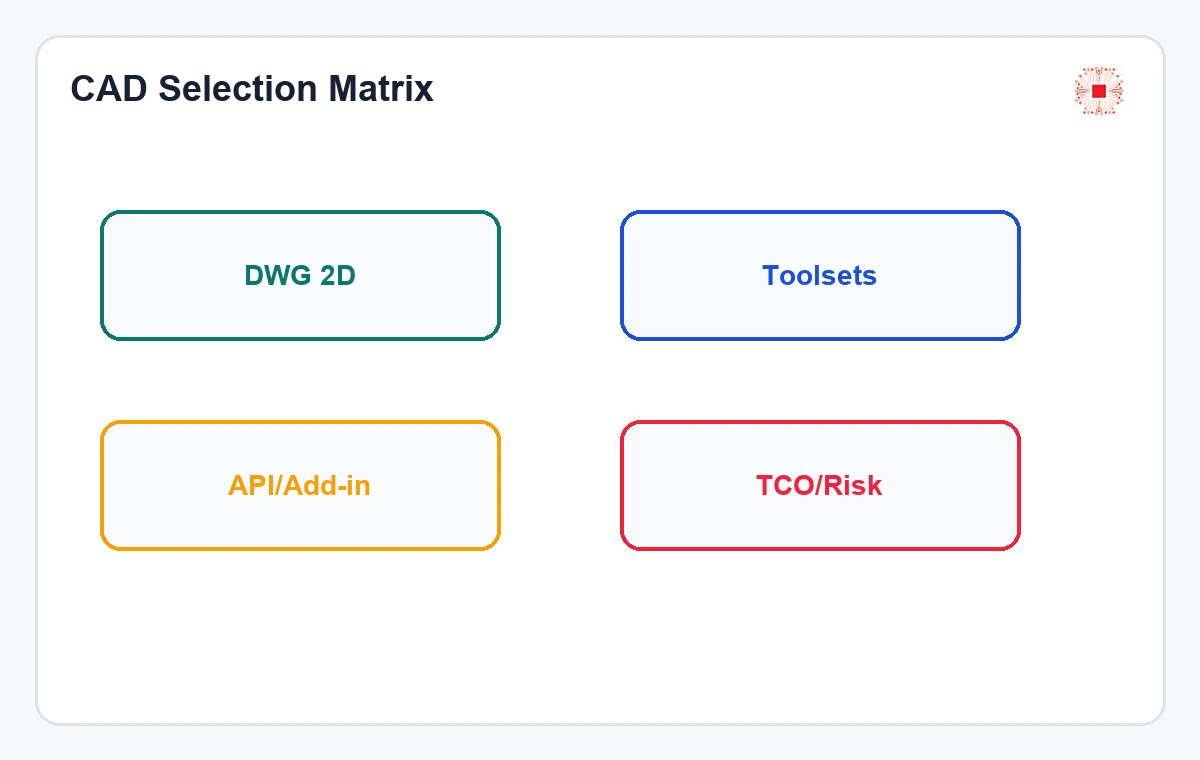
Comparison table: ZWCAD vs AutoCAD
This table gives a business-level comparison. It should not be used mechanically because some users may fit ZWCAD while others still need AutoCAD. The best target is often user segmentation: stay compliant while reducing unnecessary cost.
The important point is that CAD decisions must be based on real files and real workflows. A company may save on license price but lose money through plot errors, fonts, blocks, macros, add-ins or partner coordination time. Each section should therefore be read as a test checklist: which user uses it, which files are tested, which project has mandatory requirements, who supports the workflow and where license evidence is stored. With enough data, a business can mix license types while staying controlled.
From an operations perspective, record the tested files, open/save results, plotting or PDF issues, font issues, add-ins in use, support owner and final department approval. If the company runs both tools, define which teams use ZWCAD, which teams keep AutoCAD and when files must be escalated to an AutoCAD user. This prevents opinion-based decisions and helps finance understand why multiple CAD license types may coexist.
| Factor | ZWCAD | AutoCAD |
|---|---|---|
| Strongest at | 2D DWG, cost, perpetual/network licensing | Autodesk ecosystem, toolsets, automation, APIs |
| Best fit | 2D users, drawing production, simpler needs | High-standard projects, industry toolsets, complex workflows |
| Must test | DWG, fonts, blocks, xrefs, plotting, LISP | Seat cost, real demand, overbuying |
| Risk | Compatibility/add-in issues without pilot | Overpowered licenses for simple users |
| Good strategy | Pilot with real files | Keep for mandatory users/projects |
When should a business consider ZWCAD?
ZWCAD is worth considering when the company mainly handles 2D DWG, does not need deep industry toolsets, does not rely on special AutoCAD add-ins, is not contractually required to use AutoCAD and wants perpetual or network licensing options. Typical candidates include drafters, simple MEP operation teams, interior drawing teams or businesses reducing cost while avoiding cracked software.
The important point is that CAD decisions must be based on real files and real workflows. A company may save on license price but lose money through plot errors, fonts, blocks, macros, add-ins or partner coordination time. Each section should therefore be read as a test checklist: which user uses it, which files are tested, which project has mandatory requirements, who supports the workflow and where license evidence is stored. With enough data, a business can mix license types while staying controlled.
From an operations perspective, record the tested files, open/save results, plotting or PDF issues, font issues, add-ins in use, support owner and final department approval. If the company runs both tools, define which teams use ZWCAD, which teams keep AutoCAD and when files must be escalated to an AutoCAD user. This prevents opinion-based decisions and helps finance understand why multiple CAD license types may coexist.
When should a business keep AutoCAD?
Keep AutoCAD when projects need specialized toolsets, AutoLISP/API or long-used add-ins, web/mobile collaboration, stronger 3D/automation, Autodesk requirements from clients or integration with Revit/AEC workflows. If the question is AutoCAD LT versus full AutoCAD, the AutoCAD LT vs full AutoCAD article should be reviewed before comparing against ZWCAD.
The important point is that CAD decisions must be based on real files and real workflows. A company may save on license price but lose money through plot errors, fonts, blocks, macros, add-ins or partner coordination time. Each section should therefore be read as a test checklist: which user uses it, which files are tested, which project has mandatory requirements, who supports the workflow and where license evidence is stored. With enough data, a business can mix license types while staying controlled.
From an operations perspective, record the tested files, open/save results, plotting or PDF issues, font issues, add-ins in use, support owner and final department approval. If the company runs both tools, define which teams use ZWCAD, which teams keep AutoCAD and when files must be escalated to an AutoCAD user. This prevents opinion-based decisions and helps finance understand why multiple CAD license types may coexist.
Do not compare license price only; compare TCO
TCO includes purchase price, migration time, font/layer/block/xref issues, training, templates, plot styles, files from partners, deadline risk and internal support capability. If ZWCAD is cheaper but creates compatibility issues on major projects, total cost may not be lower. Conversely, buying AutoCAD for every user can be wasteful when the workflow is simple.
The important point is that CAD decisions must be based on real files and real workflows. A company may save on license price but lose money through plot errors, fonts, blocks, macros, add-ins or partner coordination time. Each section should therefore be read as a test checklist: which user uses it, which files are tested, which project has mandatory requirements, who supports the workflow and where license evidence is stored. With enough data, a business can mix license types while staying controlled.
From an operations perspective, record the tested files, open/save results, plotting or PDF issues, font issues, add-ins in use, support owner and final department approval. If the company runs both tools, define which teams use ZWCAD, which teams keep AutoCAD and when files must be escalated to an AutoCAD user. This prevents opinion-based decisions and helps finance understand why multiple CAD license types may coexist.
Decision table by user type
A practical decision starts with user roles. The company does not need to force everyone into one CAD tool, but it also should not let each person install whatever they prefer. The table below helps IT, technical leads and finance agree before purchase.
The important point is that CAD decisions must be based on real files and real workflows. A company may save on license price but lose money through plot errors, fonts, blocks, macros, add-ins or partner coordination time. Each section should therefore be read as a test checklist: which user uses it, which files are tested, which project has mandatory requirements, who supports the workflow and where license evidence is stored. With enough data, a business can mix license types while staying controlled.
From an operations perspective, record the tested files, open/save results, plotting or PDF issues, font issues, add-ins in use, support owner and final department approval. If the company runs both tools, define which teams use ZWCAD, which teams keep AutoCAD and when files must be escalated to an AutoCAD user. This prevents opinion-based decisions and helps finance understand why multiple CAD license types may coexist.
| User | Recommendation | Reason |
|---|---|---|
| 2D drafter | Pilot ZWCAD | Mostly 2D DWG |
| Engineer using industry toolsets | Keep AutoCAD | Needs Architecture/MEP/Mechanical… |
| LISP/add-in user | Test deeply or keep AutoCAD | Automation risk |
| PM/reviewer | Do not default to full CAD | May only need review |
| Client requires AutoCAD | Prioritize AutoCAD | Reduce handover risk |
Migration risks when moving from AutoCAD to ZWCAD
Risks to test include complex DWG files, dynamic blocks, xrefs, hatches, SHX/TTF fonts, layouts, plot styles, macros, LISP, add-ins, old files, partner files and handover standards. Test with 10-20 real project files before buying broadly. If the company currently uses cracked software, follow the AutoCAD legalization roadmap before changing CAD platforms.
The important point is that CAD decisions must be based on real files and real workflows. A company may save on license price but lose money through plot errors, fonts, blocks, macros, add-ins or partner coordination time. Each section should therefore be read as a test checklist: which user uses it, which files are tested, which project has mandatory requirements, who supports the workflow and where license evidence is stored. With enough data, a business can mix license types while staying controlled.
From an operations perspective, record the tested files, open/save results, plotting or PDF issues, font issues, add-ins in use, support owner and final department approval. If the company runs both tools, define which teams use ZWCAD, which teams keep AutoCAD and when files must be escalated to an AutoCAD user. This prevents opinion-based decisions and helps finance understand why multiple CAD license types may coexist.
How to run a 30-day pilot
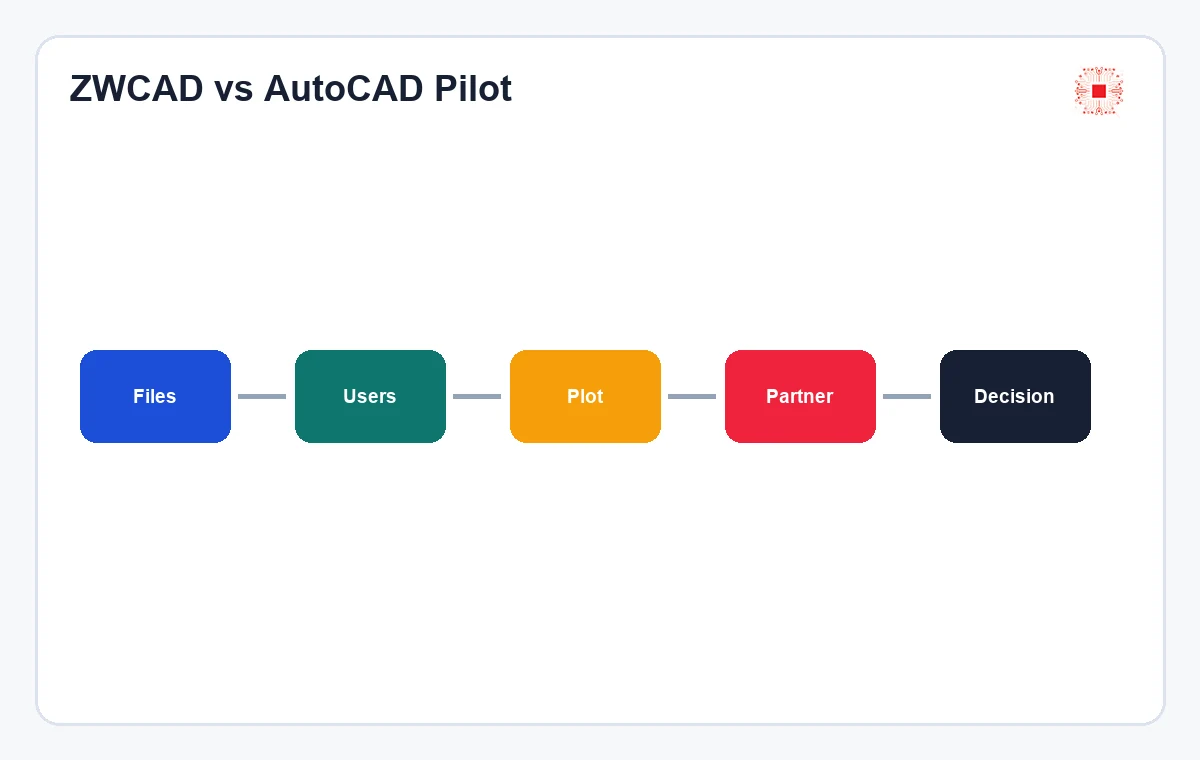
Select 3-5 representative users, use real project files, test open/edit/print/PDF export, compare task time, record issues, ask partners to validate received files and count cases where users must return to AutoCAD. The pilot needs clear pass/fail criteria. Installing the software for a few days and asking for feelings is not enough data.
The important point is that CAD decisions must be based on real files and real workflows. A company may save on license price but lose money through plot errors, fonts, blocks, macros, add-ins or partner coordination time. Each section should therefore be read as a test checklist: which user uses it, which files are tested, which project has mandatory requirements, who supports the workflow and where license evidence is stored. With enough data, a business can mix license types while staying controlled.
From an operations perspective, record the tested files, open/save results, plotting or PDF issues, font issues, add-ins in use, support owner and final department approval. If the company runs both tools, define which teams use ZWCAD, which teams keep AutoCAD and when files must be escalated to an AutoCAD user. This prevents opinion-based decisions and helps finance understand why multiple CAD license types may coexist.
Managing licenses after selection
Whether the business chooses ZWCAD or AutoCAD, it should record users, devices, projects, proof of purchase, purchase date, renewal or review date. With ITS Manager software license management, IT Systems can help track the license lifecycle, avoid over-installation, missed renewals and excess purchases. This governance layer is more reliable than storing keys in a spreadsheet.
The important point is that CAD decisions must be based on real files and real workflows. A company may save on license price but lose money through plot errors, fonts, blocks, macros, add-ins or partner coordination time. Each section should therefore be read as a test checklist: which user uses it, which files are tested, which project has mandatory requirements, who supports the workflow and where license evidence is stored. With enough data, a business can mix license types while staying controlled.
From an operations perspective, record the tested files, open/save results, plotting or PDF issues, font issues, add-ins in use, support owner and final department approval. If the company runs both tools, define which teams use ZWCAD, which teams keep AutoCAD and when files must be escalated to an AutoCAD user. This prevents opinion-based decisions and helps finance understand why multiple CAD license types may coexist.
How IT Systems advises CAD selection
IT Systems can inventory installed CAD software, segment users, compare ZWCAD and AutoCAD using real files, advise on Autodesk licensing, support VAT quotation, run a pilot plan and connect licenses to management workflows. For companies with multiple projects, the article on avoiding Autodesk license overbuying by project should be reviewed before final quantity decisions.
The important point is that CAD decisions must be based on real files and real workflows. A company may save on license price but lose money through plot errors, fonts, blocks, macros, add-ins or partner coordination time. Each section should therefore be read as a test checklist: which user uses it, which files are tested, which project has mandatory requirements, who supports the workflow and where license evidence is stored. With enough data, a business can mix license types while staying controlled.
From an operations perspective, record the tested files, open/save results, plotting or PDF issues, font issues, add-ins in use, support owner and final department approval. If the company runs both tools, define which teams use ZWCAD, which teams keep AutoCAD and when files must be escalated to an AutoCAD user. This prevents opinion-based decisions and helps finance understand why multiple CAD license types may coexist.
FAQ: ZWCAD vs AutoCAD
Can ZWCAD open DWG? ZWSOFT promotes DWG compatibility, but businesses should test real files. Can ZWCAD fully replace AutoCAD? Not always. Can both be used together? Yes, if users are segmented properly. Should a company switch only because it is cheaper? No; TCO and project risk matter. Can IT Systems support a pilot? Yes.
The important point is that CAD decisions must be based on real files and real workflows. A company may save on license price but lose money through plot errors, fonts, blocks, macros, add-ins or partner coordination time. Each section should therefore be read as a test checklist: which user uses it, which files are tested, which project has mandatory requirements, who supports the workflow and where license evidence is stored. With enough data, a business can mix license types while staying controlled.
From an operations perspective, record the tested files, open/save results, plotting or PDF issues, font issues, add-ins in use, support owner and final department approval. If the company runs both tools, define which teams use ZWCAD, which teams keep AutoCAD and when files must be escalated to an AutoCAD user. This prevents opinion-based decisions and helps finance understand why multiple CAD license types may coexist.
Need to choose ZWCAD or AutoCAD?
IT Systems can inventory CAD files, segment users, run a pilot and advise compliant licenses. See AutoCAD licensing, licensed software and ITS Manager license governance.