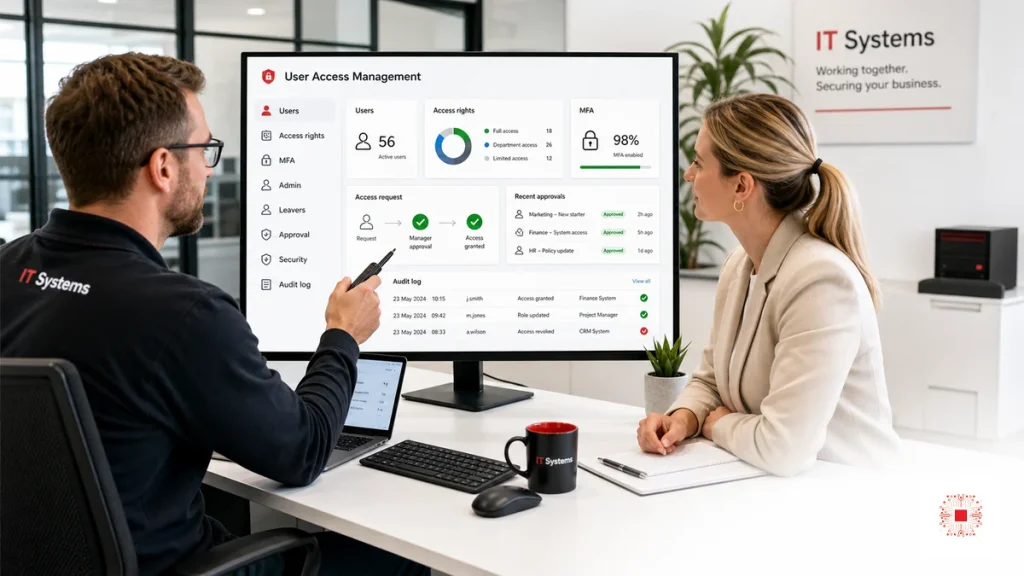
In many SMEs, users and access rights are created quickly but rarely reviewed, standardized or removed on time. A new employee needs email, so an account is created. A team lead needs a folder, so access is granted. Accounting needs software access, so credentials are shared. When someone leaves, email may be disabled but CRM, cloud drive, VPN or accounting permissions can remain active. These small gaps become serious operational risk: people keep access after their role changes, admin accounts are used for daily work, file permissions expand quietly and no one knows who can access which system. This is why user access management must be part of IT system administration, not an afterthought.
The first principle is role-based access. A sales employee, accountant, project manager and HR user should not receive permissions based on individual habit; they should receive standard rights that match the role. The second principle is least privilege: users receive enough access to do their work and nothing more. The third principle is traceability: every access change should show who requested it, who approved it, who performed it, when it happened and why. These principles help the company grow without creating unmanaged permission sprawl. They also make outsourcing clearer because the provider can operate against defined rules instead of informal messages.
Access risk often does not create immediate downtime, so it is easy to underestimate. But when a data dispute, information leak or account compromise occurs, the lack of approval history and permission visibility becomes expensive to investigate.
User access management is also an operational issue, not only a security issue. If a new employee waits days for required access, productivity suffers. If a user receives too much access, data can be shared incorrectly. If permissions are granted through private chat without a ticket, the business cannot review the decision later. A good process balances speed and control: access should be granted quickly enough to support work, but with enough structure that every permission has a reason and an approver.
SMEs should also treat permissions as a cost-control topic. Every user in SaaS, email, CRM or accounting software may consume a paid license. If old accounts remain active, the business wastes money and increases the attack surface. A monthly user review can identify unused licenses, dormant accounts, unnecessary admin rights and outdated groups. These small improvements become visible as the company grows.
Access rights must also reflect organizational change. Employees move departments, managers change teams, projects end and data ownership shifts. Without a review rhythm, old permissions remain in place for months or years. The monthly checklist catches these changes regularly instead of waiting for an incident or audit.
A mature access process connects HR, line managers and IT. HR confirms employment status and dates. The line manager confirms what the employee needs to do the job. IT implements the approved access and records the evidence. When one of these roles is missing, permissions become informal and inconsistent. For example, IT may be asked to grant access without knowing whether the request is legitimate, or HR may complete a leaver process without knowing which business systems still contain active accounts.
For SMEs, the process does not need to be bureaucratic. A short access request form, a named approver and a monthly export from key systems may be enough at the beginning. The important point is repeatability. The same request should be handled in the same way each time, and the same evidence should be stored in the same place. Repeatability makes the process teachable, auditable and easier to outsource without losing business control.
Access management also supports incident response. If a suspicious login or data leak occurs, the business needs to answer practical questions quickly: which account was involved, what access did it have, when was that access approved, what files or systems could be affected and who should decide the next action. Without access records, the response becomes slow and uncertain. With monthly evidence, investigation starts from facts rather than guesswork.
The business should also define how exceptions are handled. Some users may temporarily need broader access for a project, audit, migration or urgent customer case. Temporary access is acceptable when it has an approver, a reason and an expiration date. The problem is temporary access that never expires. A monthly review should find these exceptions and either remove them, renew them with approval or convert them into a formal role if they are genuinely recurring.
Finally, user access management should be measured. Useful metrics include number of active users, leaver accounts closed on time, MFA coverage, admin account count, inactive SaaS users, public file links, overdue approval requests and recurring access exceptions. These metrics help leadership see whether access risk is improving or drifting. They also turn security from a vague concern into a monthly management conversation with concrete actions.
A role matrix should be reviewed whenever the company changes structure. New departments, new software, new customer data flows or new compliance expectations can make old access groups inaccurate. If the matrix is not updated, IT may continue granting yesterday’s permissions to today’s roles. A short quarterly review with department owners can keep the matrix practical without creating too much administrative load.
Access reviews should also consider business impact. Some permissions create low risk, while others expose finance data, employee records, customer contracts, source code or system configuration. High-impact permissions deserve stricter approval, MFA, logging and shorter review cycles. This risk-based approach keeps the process focused. The business does not need to treat every folder equally; it needs to protect the data and systems that would hurt most if misused.
When access management is handled well, users usually notice fewer delays rather than more restrictions. Standard role groups make onboarding faster, predefined approval paths reduce confusion, and clear ownership prevents repeated back-and-forth messages. The best access process feels organized, not heavy. It gives employees what they need while making sensitive access visible and controlled.
Evidence is also useful for service acceptance. If an external provider manages access, the monthly report should show completed onboarding requests, closed leaver accounts, admin changes, MFA exceptions and unresolved risks. This gives the business a concrete way to verify service quality instead of relying only on informal status updates.
1. Onboarding: New Users Need Standard Access
Onboarding should not stop at creating an email account and sending a password. A good process starts with HR information: full name, department, role, line manager, start date, assigned device, required applications and approved data access. IT then creates the account, assigns role-based groups, enables MFA, configures the device, guides password change, records the handover and stores the approval ticket or form. For Microsoft 365, Google Workspace, CRM, ERP or file servers, permissions should be granted through groups instead of manual folder-by-folder exceptions. This makes onboarding faster while keeping access rights controlled.
A simple starting point is a department-and-system matrix. Each row is a department, each column is a key application or data area, and each cell defines standard access. This becomes the foundation for onboarding, offboarding and monthly review.
2. Offboarding: Leavers Require a Revocation Checklist
Offboarding is one of the highest-risk access moments because it often happens under time pressure. The checklist should include disabling email, revoking active sessions, changing shared passwords if any exist, transferring file ownership, removing CRM/ERP/SaaS access, disabling VPN, collecting devices, preserving work data and confirming completion with the line manager. If the employee had admin rights, finance access, customer data access or source code access, the process should be treated as a priority and documented. One old active account can become an unnoticed entry point into the business months later.
Onboarding should also include a short confirmation after the first working days. A user may lack necessary access or may have been granted too much because the initial role description was incomplete. Early confirmation fixes this with traceability.
3. MFA and Protection for Critical Accounts
MFA should protect administrator accounts, email, cloud drives, VPN, finance systems, CRM and platforms that contain customer data. SMEs sometimes delay MFA because it feels inconvenient, but it is one of the most effective defenses against exposed passwords, phishing and login attempts from unknown devices. The monthly checklist should confirm MFA coverage, exceptions, weak authentication methods, unusual login attempts and high-privilege users without MFA. If an exception is necessary, it should have an approver, reason and expiration date. MFA does not replace access governance, but it sharply reduces account compromise risk.
Offboarding requires coordination with HR and the line manager. IT cannot know every access path if rights were granted through several informal channels. The leaver process needs a system list and named confirmation owners.
4. Admin Rights and Privileged Accounts
Administrator accounts need separate governance because one mistake can affect the entire environment. The business should separate admin accounts from daily user accounts, limit the number of privileged users, require MFA, record admin actions and review admin membership monthly. Shared admin accounts should be avoided because they make incident investigation difficult. If an external IT provider needs administrative access, that access should have scope, time limits and documented approval. This is also a practical way to evaluate whether IT system administration services are operated professionally.
MFA should be paired with clear user guidance. If it is rolled out too abruptly, users may try to bypass it with shared accounts or unsuitable devices. Communication protects both adoption and security quality.
5. File, Folder and Internal Data Permissions
File access is where risk often expands quietly. A folder starts with a few users, then more people are added, departments change, external links are created and eventually no one knows who can view sensitive data. The monthly checklist should review important areas such as finance, contracts, HR, quotations, customer data and project documents. It should check public links, edit permissions, ownership, old groups and data owned by former employees. For Google Drive, SharePoint or file servers, group-based permissions and data-owner review are usually safer than scattered individual access.
Privileged accounts should follow a use-when-needed principle. Admin users log in for administrative tasks, then return to normal accounts. This reduces the chance that malware or phishing gains elevated rights.
6. SaaS, Licenses and Cloud Applications
Beyond email and files, SMEs often use CRM, accounting software, project management tools, digital signature platforms, telephony systems, marketing automation or industry-specific SaaS. Each platform has users, roles and data. Without recurring control, the company may pay for inactive users, leave powerful rights with people who no longer need them or forget to revoke access after role changes. The monthly checklist should reconcile licenses, dormant users, admin roles, integrations, API tokens and shared accounts. This area improves both security and cost control.
File access needs business owners, not only IT owners. IT can configure permissions, but the department that owns the data knows who truly needs read or edit access. Access reviews should include data-owner confirmation.
7. Audit Logs and Control Evidence
Without logs, incident investigation becomes guesswork. Businesses should enable and preserve audit logs for important systems: login events, permission changes, user creation and deletion, file sharing, rule changes, data exports and admin actions. The monthly checklist does not need to read every log entry, but it should review unusual event groups such as logins from unexpected locations, repeated failed attempts, newly granted high privileges, public file sharing and locked accounts. Evidence should be stored by month so audits, provider transitions and incidents can be handled with a clear history.
License review can also reveal process gaps. If a user has not logged in for 90 days but still consumes a paid license, the company is wasting money and keeping an account that could be misused.
| Area | What to review | Evidence | Frequency |
|---|---|---|---|
| Onboarding | New users, role groups, MFA, devices | Approval form, ticket | As needed |
| Offboarding | Disable accounts, revoke rights, collect devices | Record, disable log | As needed |
| Admin | Privileged users, MFA, shared accounts | Admin report | Monthly |
| Files | Public links, owner, edit rights | Access export | Monthly |
| SaaS | Licenses, inactive users, API tokens | License report | Monthly |
| Audit | Unusual logins, high access, MFA failures | Exception report | Monthly |
8. Monthly User Access Management Checklist Table
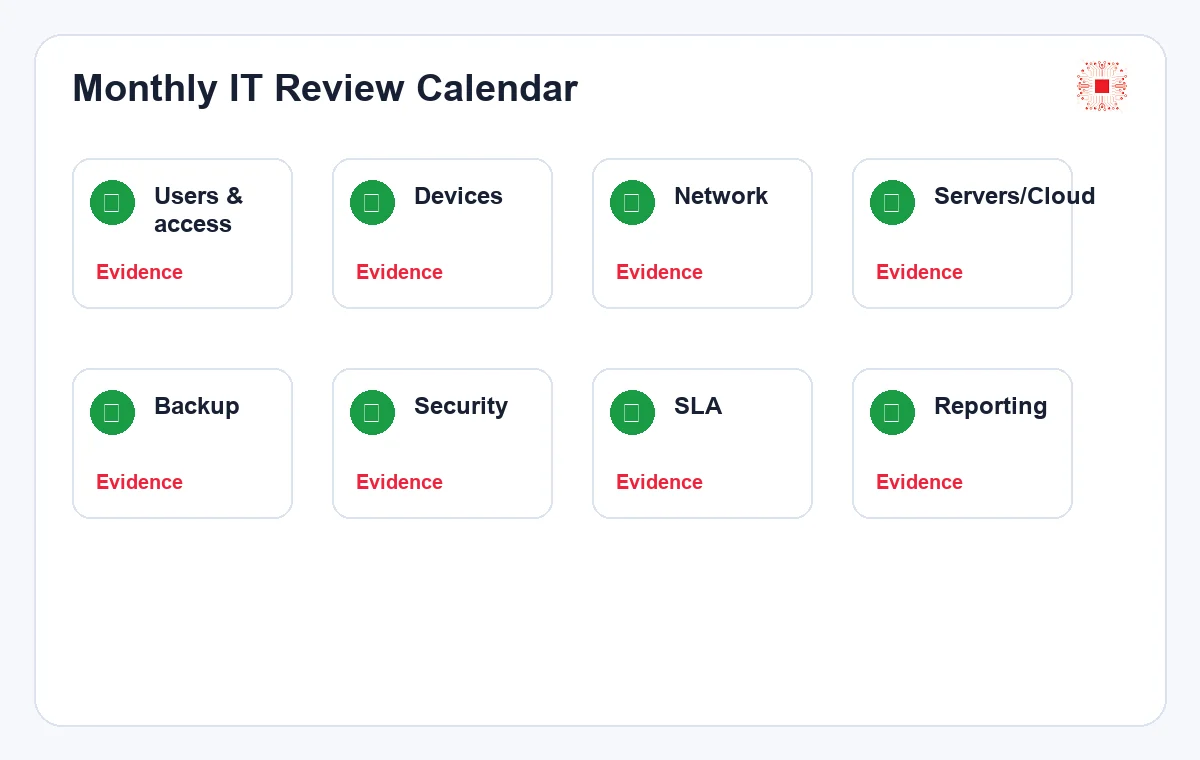
The checklist turns principles into repeatable work. Each line should include an owner, evidence and next action. If a checklist is only a checked box without evidence, it is weak for service acceptance or incident review. SMEs can start with a simple spreadsheet and later move to ticket workflows or ITSM tools as scale increases. The important point is to review the same core items every month so trends become visible: old users with access, excess licenses, growing admin membership, missing MFA or repeated approval exceptions.
Audit logs should become exception reports rather than long raw lists. Managers need notable events, risk level and recommended action. The easier the report is to understand, the more likely remediation is approved.
| Role | Recommended access | Access to restrict |
|---|---|---|
| Employee | Email, department folders, role-based apps | Admin rights, unrelated data |
| Team lead | Team approvals, relevant reports | Global system rights |
| Accounting | Finance data, invoices, banking by role | Source code, unrelated HR data |
| IT/Admin | Approved administration scope | Shared admin accounts |
When Should SMEs Outsource User Access Management?
A business can manage access internally if it has few users, few systems and someone with time to review permissions regularly. But when the number of users grows, cloud applications multiply, sensitive data increases, staff turnover is frequent or security expectations rise, outsourcing can make the process more consistent. An experienced provider can design role groups, onboarding and offboarding checklists, MFA policy, audit log review and monthly reporting. When evaluating IT services for businesses, SMEs should ask how the provider manages users, permissions, evidence and coordination with HR.
After several months, checklist data shows trends. If admin membership keeps growing, approval rules need review. If MFA exceptions are too common, the root cause needs attention. If offboarding is often late, HR coordination should improve.
How IT Systems Helps Control Access Rights
IT Systems can assess current accounts, standardize permission groups, design onboarding and offboarding checklists, enable MFA, review admin rights, check file access, reconcile SaaS licenses, monitor audit logs and include access risk in recurring reports. If the business already uses a monthly IT system administration checklist, user access management can become a dedicated module inside that operating rhythm. The goal is to help SMEs know exactly who has access, why they have it, whether it is still needed and what process applies when risk is found.
Outsourcing does not mean handing away all responsibility. The business still needs an internal owner to approve access and confirm data ownership. The provider operates the process, while access decisions remain business decisions.
Need to review user access rights?
IT Systems can review accounts, admin rights, MFA, file permissions, SaaS licenses and audit logs so your business can see who has access, where risk exists and what should be fixed first.