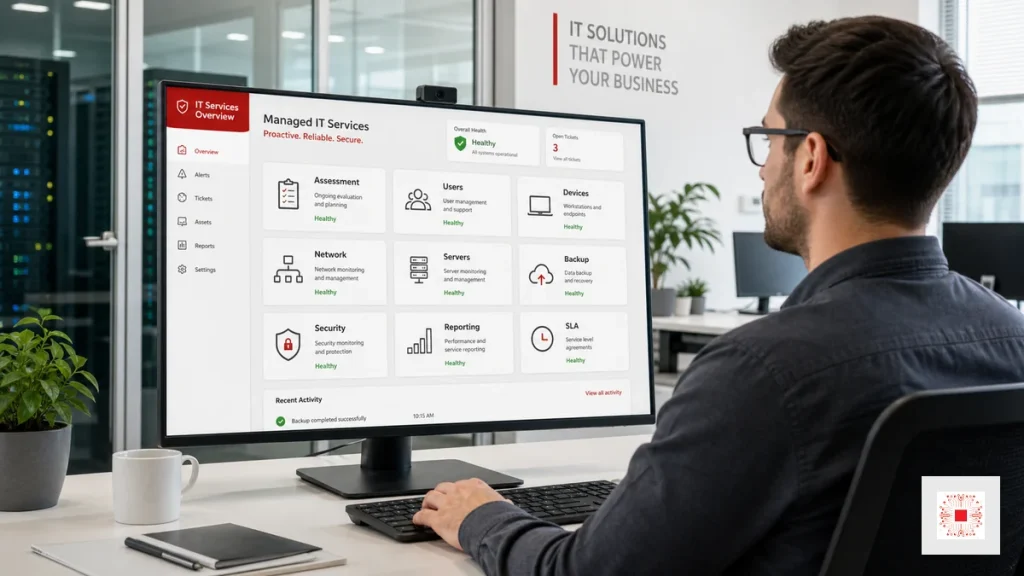
IT system administration services provide an outsourced or extended technical team to operate a company IT foundation through recurring processes. They are not limited to fixing issues when users complain. The scope includes assessment, account administration, device management, network, servers, cloud, backup, security, tickets, SLA and reporting. If the pillar article on IT system administration explains the overall concept, this article focuses on service delivery: what the provider does, what the business receives and which metrics should be used to control quality. For SMEs, this model provides stable IT capability without hiring every specialist role from day one.
The service should be evaluated as an operating model, not as a list of ad hoc tasks. A business should ask how the provider receives requests, documents changes, reviews risk, proves backup recovery, reports recurring issues and recommends improvements. These details show whether the provider can protect daily operations or only respond when someone complains. For decision makers, the most useful question is not simply how much the service costs, but what risk it removes and what visibility it gives management each month.
A monthly review rhythm is also important. Even a short meeting can confirm completed work, approve next actions, adjust priorities and keep the provider aligned with business changes such as new hires, branch moves, software rollouts or security requirements. Clear acceptance criteria also make renewal decisions easier because the business can compare promised scope with actual evidence. This keeps the relationship practical, transparent and accountable across daily operations. It also gives the internal coordinator a reliable way to explain IT priorities to finance, operations and leadership without turning every technical topic into a separate debate.
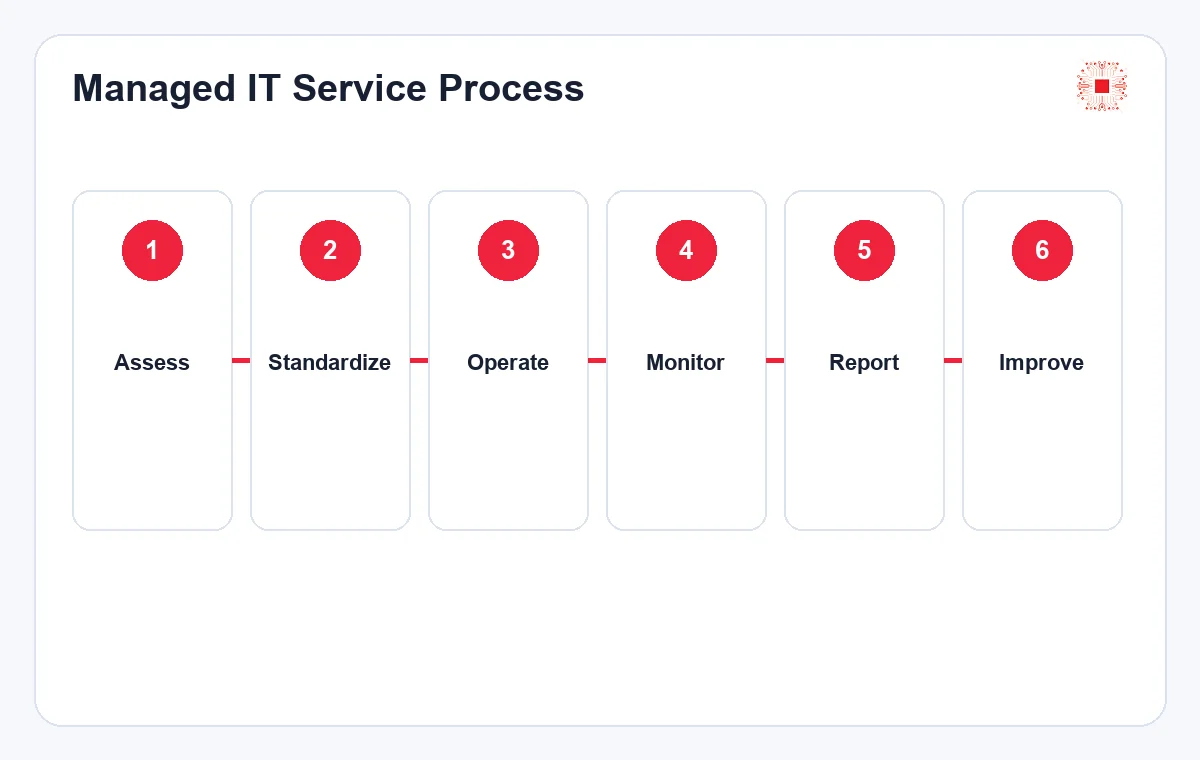
1. Assessment and Scope Definition
The first step should not be choosing a package only by computer count. The provider should assess users, devices, software, email, servers, cloud, network, Wi-Fi, firewall, backup, licenses, repeated incidents and how each department depends on IT. After the assessment, the business should receive a risk list, a usable system map, priority groups and a clear work scope: what is recurring administration, what is ticket support and what is a separate project. Without this step, expectations become unclear and incidents create avoidable disagreement.
The most important output of this step is an acceptance-ready scope document. It should define support channels, service hours, response expectations, responsibilities and out-of-scope handling. The clearer the scope is at the beginning, the easier the service is to operate over time.
For service quality, the assessment should also define what good looks like after the first month. Examples include documented admin accounts, backup status confirmed, priority risks listed, recurring checks scheduled and a clear ticket channel launched. These acceptance points make the service measurable instead of vague.
2. User, Account and Permission Management
User management must be handled consistently because it directly affects data security. IT administration services should include new account creation, role-based permissions, MFA where suitable, leaver access removal, admin-account review, email or folder group checks and handover evidence. When a business uses Microsoft 365, Google Workspace, CRM, ERP or accounting software, access should be standardized by group instead of being granted ad hoc. This area creates many small requests, so a clear ticket process is needed to avoid missed changes.
One control point is who can request account creation or access changes. If every employee can message IT directly for permissions, mistakes become likely. A safer process routes requests through a department manager or another authorized approver.
The provider should also keep evidence for access changes. A small business may not need enterprise identity governance, but it still needs a reliable record of account creation, permission changes and deactivation. That record becomes important when investigating data access or employee handover issues.
3. Device and Office Software Administration
Devices include laptops, desktops, printers, scanners, small network equipment, work phones and sometimes NAS or cameras. Administration should include asset inventory, user assignment, warranty status, configuration, installed software, antivirus, patches and replacement recommendations for aging devices. Software control should cover approved applications, licenses, versions, standard configuration and risk from unlicensed software. When devices and software are standardized, support is faster, repeated issues decrease and replacement cost becomes easier to forecast.
Inventory should also support budgeting. When the business knows which devices are out of warranty, frequently failing or unable to run required software, replacement can be planned instead of purchased urgently during a busy period.
Device administration should be tied to user productivity. If a device repeatedly fails during sales calls, accounting deadlines or customer support work, the cost is not only repair time. It affects revenue, customer experience and employee trust in IT. This is why replacement recommendations should be business-aware.
4. Network, Wi-Fi, Firewall and VPN Administration
The office network determines the quality of internet access, email, cloud apps, online meetings, printers, cameras and internal systems. IT administration services should monitor routers, firewalls, switches, access points, VLANs, DNS, DHCP, VPN, firewall rules and configuration backups. Multi-floor offices or branches need Wi-Fi coverage checks, peak-load review, bottleneck detection and guest-network policy. VPN or remote access should be tied to accounts, MFA and approved devices. Logs and configuration documents are essential so the environment remains manageable when people change.
For network administration, the output is not only stable internet. The business needs a connection diagram, device list, configuration backup and notes for important firewall rules. These documents reduce investigation time during incidents or provider changes.
Network work should be scheduled carefully because a small configuration change can affect many people. The provider should communicate planned maintenance, expected impact, rollback method and responsible technician. This avoids surprising users and gives management confidence that network changes are controlled.
5. Server, Cloud and Core Service Administration
Servers may be office hardware, virtual machines, cloud servers, NAS, databases or critical SaaS services. The provider should monitor CPU, RAM, disk, services, error logs, SSL, patches, admin accounts, database size, cloud cost and maintenance windows. For accounting, ERP, file servers or internal websites, updates need agreed timing and rollback planning. Server administration should answer more than whether the server is still running. It should show whether the system is approaching risk thresholds, whether backup exists and what recovery order applies during incidents.
When several core services exist, criticality should be classified. Accounting, file servers, email and ERP need different SLA and backup treatment than test machines. This helps the provider prioritize correctly when several alerts happen at the same time.
For cloud resources, the service should also review unused assets. Old test servers, forgotten snapshots and oversized storage can quietly increase monthly cost. A recurring cloud check helps the business keep flexibility while avoiding waste, especially when several departments request cloud tools independently.
6. Backup, Restore Tests and Data Protection
A professional IT administration service validates backup through recovery evidence, not only successful job status. The team should define what data is backed up, frequency, retention, storage location, encryption, access rights and restore-test schedule. Reports should show failed backup days, causes, fixes and actual restore-test time. For accounting data, contracts, customer records or project files, backup may need multiple layers such as local, cloud or offsite copies depending on risk. This area directly affects survival after ransomware, hardware failure or accidental deletion.
Restore tests should produce a short record: what data was restored, how long it took, what failed and who confirmed the result. This is stronger evidence than a screenshot showing backup success. It is also useful for internal audits.
Backup policy should be approved by the business, not decided only by IT. Finance, operations and management need to agree which data is critical, how much loss is acceptable and which systems must recover first. Technical backup settings should reflect those business decisions.
7. Security Baseline, Patching and Alert Monitoring
Security in IT system administration should include antivirus or EDR checks, operating-system updates, admin-account review, password policy, MFA, firewall rules, unusual-login alerts and non-compliant devices. Not every SME needs a complex SOC, but every business needs a minimum security baseline and recurring risk reports. When alerts appear, the provider should classify them: observe, fix now or escalate to management for decision. This makes security part of operations rather than a slogan.
Security should follow a baseline rather than random fixes. For example, every computer should have active protection, admin accounts should be separate from daily accounts, MFA should protect critical systems and firewall rules should be reviewed periodically.
Security findings should be written in business language. Instead of only saying that a device is non-compliant, the report should explain whether the risk is data leakage, malware, account compromise or downtime. This helps non-technical managers decide whether to approve remediation quickly.
8. Tickets, SLA and Daily User Support
IT administration cannot be separated from user support. Employees need a clear channel to report issues: email, form, hotline, chat or ticket system. Each request should have priority, response time, owner, status and result. SLA tells the business how quickly critical incidents are acknowledged, when normal issues are resolved, when onsite support is needed and which items are outside scope. IT Support services can handle the front line while system administration focuses on reducing repeated incidents and improving the operating foundation.
Tickets and SLA also measure provider quality. Without tickets, support becomes scattered chat messages and it is hard to know what was handled, which issues repeat, how response time performs and whether users are satisfied.
SLA should be reviewed against real ticket data. If many incidents miss response targets, either the provider capacity, user communication or priority definitions need adjustment. If all tickets meet SLA but users remain unhappy, the issue may be resolution quality rather than response speed.
9. Recurring Reports and Improvement Recommendations
Reporting helps leadership see the value of the service. A useful report does not only list ticket count. It analyzes repeated issue categories, risky devices, backup status, server capacity, security alerts, SLA, completed work and next recommendations. If 30 percent of tickets relate to Wi-Fi, access point placement or coverage design may need review. If server storage grows quickly, expansion planning is needed. Reporting turns IT from repair activity into management information.
Reports should include decisions required from the business. Examples include replacing access points, expanding server storage, buying more licenses or changing backup schedules. If a report only lists technical items, management may not know what to do next.
Improvement recommendations should be ranked by urgency and value. Some fixes reduce immediate risk, while others improve performance or convenience. A ranked list helps management approve the right work first and prevents the report from becoming a long, unactioned technical checklist.
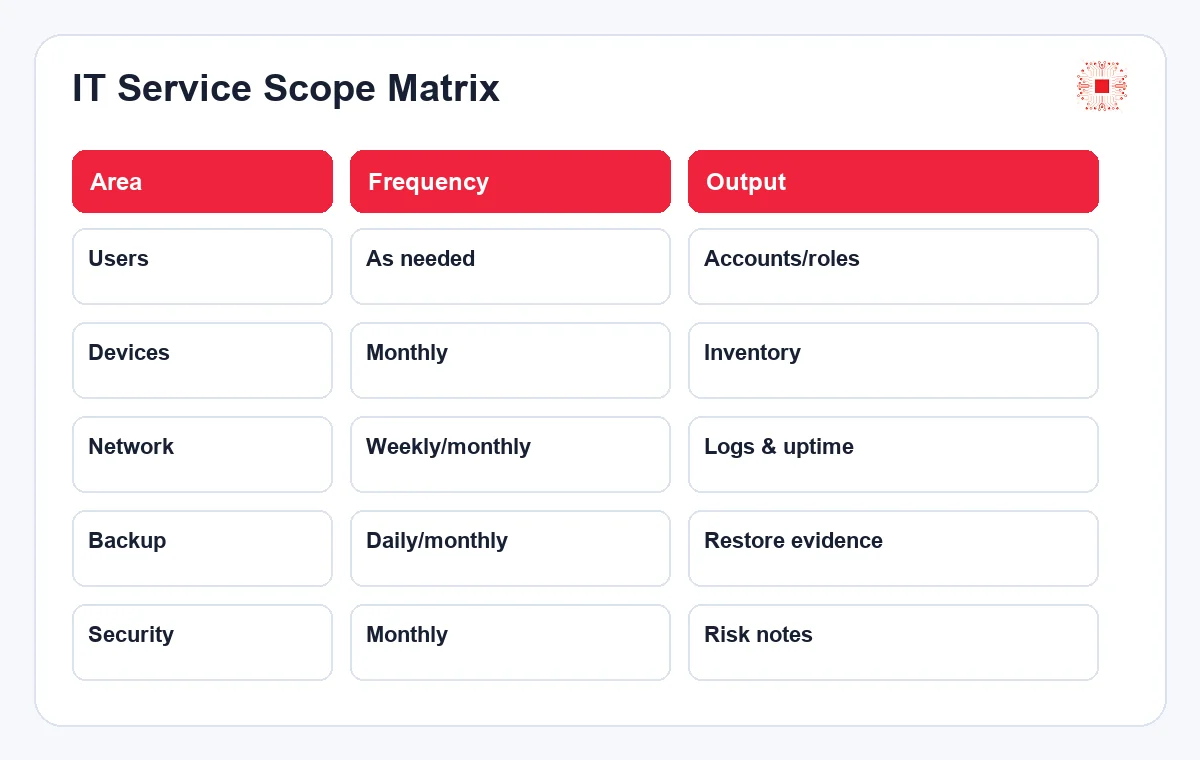
| Area | Frequency | Deliverable | Scope note |
|---|---|---|---|
| Users/permissions | As needed + monthly review | Account, role and MFA list | Linked to HR process |
| Devices/software | Monthly/quarterly | Inventory, condition, replacement advice | License audit may be separate |
| Network/firewall/VPN | Weekly/monthly | Logs, config backup, alerts | Network redesign is a project |
| Servers/cloud | Daily/weekly/monthly | Resource dashboard, patches, logs | Migration is usually separate |
| Backup/restore | Daily + periodic test | Backup report, restore evidence | RTO/RPO should be agreed first |
| Security | Monthly + alerts | Risk notes, patches, alerts | Advanced SOC is separate |
10. Service Scope Table for the Contract
Before signing, the business should request a clear scope table showing what the provider does, how often, what output is delivered and which items are charged separately. This prevents vague expectations such as “manage all IT” without clarity on backup, onsite support, server migration, advanced security or license audit. For multi-branch businesses, the scope should specify locations, support hours, onsite response time, devices outside warranty and after-hours incident handling.
The scope table should be reviewed after the first one or two months because real operations often reveal needs that did not appear during assessment. The early phase should include a mechanism for adjusting scope to match reality.
Scope clarity is also important for project work. Server migration, network redesign, security hardening and license normalization often require planning beyond monthly administration. Naming these boundaries upfront keeps recurring service stable while still allowing larger improvements to be quoted separately.
11. When Should a Business Use This Service?
A business should consider this service from around 15-20 employees, especially when it uses several cloud or email systems, holds important data, runs a server or NAS, faces repeated incidents, lacks tested backup or has no recurring IT report. If the company is opening branches, hiring quickly, moving to cloud or standardizing security, managed IT administration reduces risk during change. The service is most valuable before a major incident happens because prevention is cheaper than emergency recovery.
This service is especially useful when the business wants to grow without expanding back-office headcount too quickly. A well-administered IT foundation makes onboarding faster, branch expansion safer and dependence on one knowledgeable person lower.
The decision to outsource should include governance cadence. A monthly review meeting, even if short, helps the business confirm completed work, approve recommendations and adjust priorities. Without this cadence, the service can drift into reactive support and lose its strategic value.
How IT Systems Delivers IT System Administration Services
IT Systems usually starts with assessment and risk listing, then agrees on scope, SLA, ticket channels, inspection schedule and reporting template. The early phase prioritizes foundation items such as users, backup, core network, important servers, endpoints and configuration documentation. Once operations stabilize, the team improves repeated-issue reduction, reporting, license standardization, security hardening and infrastructure roadmap. Businesses can start from IT services for businesses to choose a model that fits user count, branches and system criticality.
The difference in a process-driven model is that every change leaves a trace: who requested it, who approved it, who performed it and what happened. This trace helps the business control service quality and preserve operational knowledge.
For IT Systems, the long-term goal is to make the environment easier to operate each month. Fewer repeated tickets, cleaner documentation, verified backups, clearer ownership and better reporting are signs that the service is working. These outcomes matter more than the number of small tasks completed.
Need to Define the Right IT Administration Scope?
IT Systems can assess your current environment and recommend an IT administration service scope based on users, devices, servers, branches, risk level and SLA requirements. Your business can separate recurring operations, ticket support and project-based work before committing budget.
This is useful when the business has repeated IT issues, missing IT reports, untested backups or a need to standardize systems before expansion. The consultation also helps clarify what should be handled monthly, what should be escalated as urgent support and what should be planned as a separate infrastructure project. That distinction protects the monthly service from scope creep while giving management a practical improvement roadmap.
A good first discussion should review current pain points, critical systems, business hours, remote-work needs, branch locations, backup expectations and reporting requirements. From there, the service can be sized around operational risk rather than a generic device count. This gives the business better control over cost, service quality and future IT decisions.