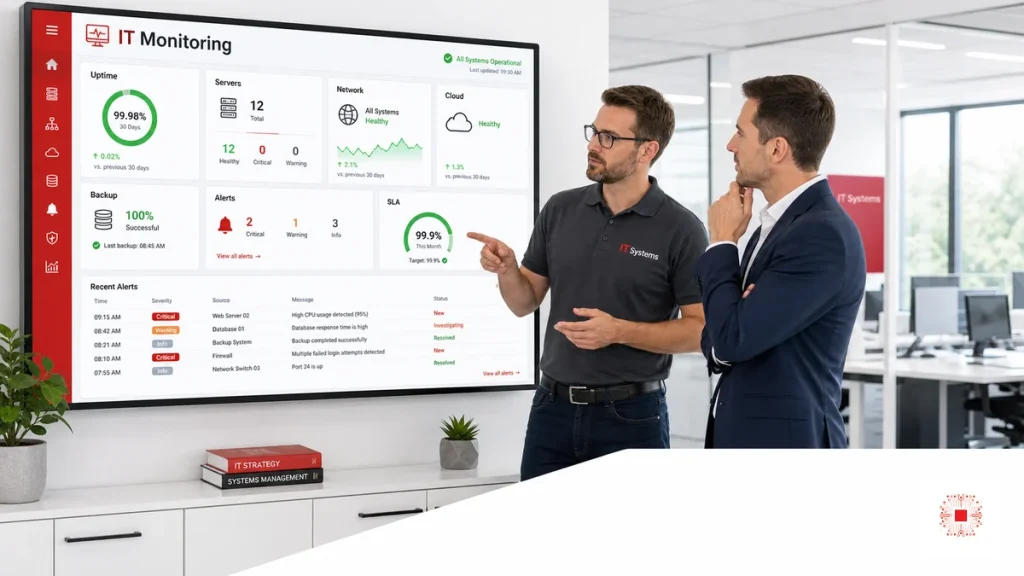
IT system monitoring is the continuous or recurring tracking of infrastructure, services and applications to detect abnormal conditions before they become major incidents. For SMEs, monitoring is not only checking whether a server is running. It includes uptime, server resources, network, Wi-Fi, firewall, VPN, cloud, backup, security, tickets and SLA. When implemented properly, monitoring moves the business from reactive support to proactive operations: which system is approaching risk, which alert needs action and which trend should be improved next month.
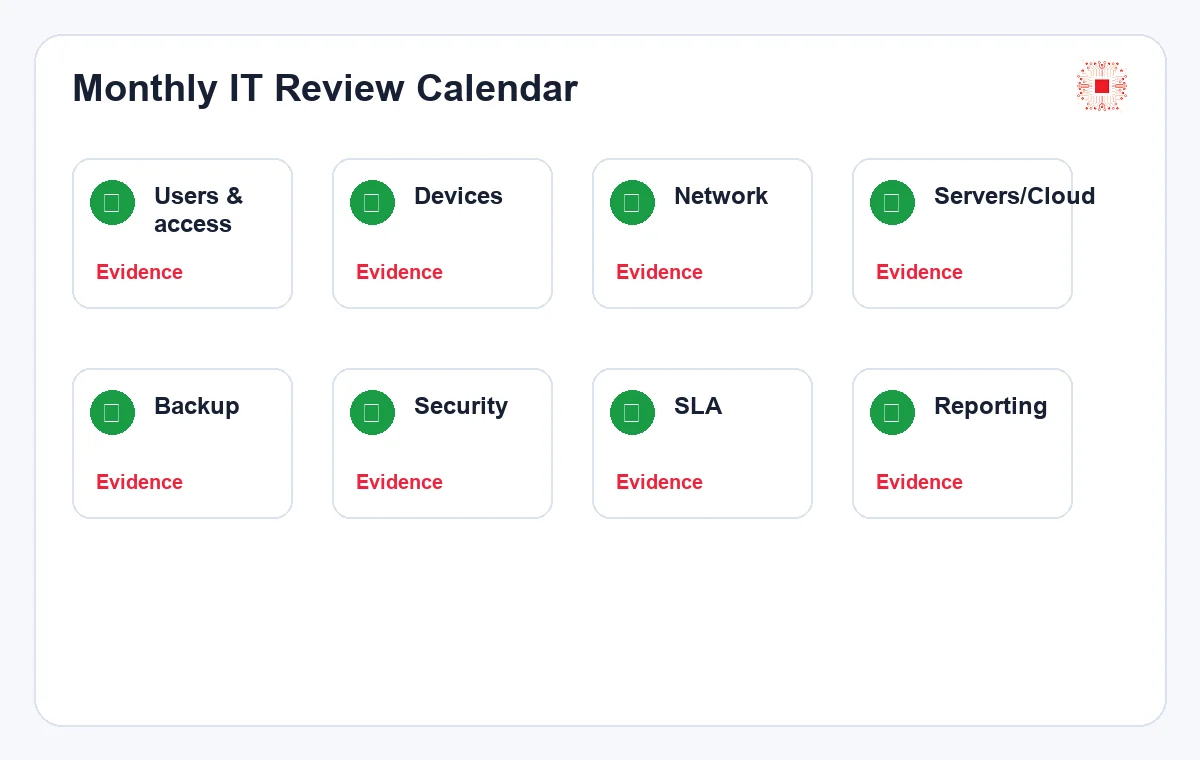
Monitoring should not start with tools. It should start with questions: which systems affect the business most, which alerts need immediate response, who owns the action and where evidence is stored. Only then does the dashboard become valuable.
A common mistake is enabling too many alerts at the beginning. When the dashboard is always red, the IT team experiences alert fatigue and may miss important signals. SMEs should start with core services, clear thresholds and a simple handling process. After several months, real data can be used to tune thresholds: keep useful alerts, adjust noisy alerts and add missing ones.
Monitoring should also separate technical alerts from business risk. High CPU on a test machine may not be urgent, but failed backup for accounting data is serious. Weak Wi-Fi in a rarely used corner is different from internet failure in the sales area. When alerts are tied to business impact, the company prioritizes better and avoids wasting time on low-value signals.
Escalation is often missing. If a critical alert appears after hours, who receives it? If the owner does not respond, who is the backup? If the issue belongs to an internet carrier or cloud vendor, who opens the third-party ticket? If hardware purchase approval is needed, who decides? Monitoring without escalation can detect problems but still fail to resolve them quickly.
The business does not need complex monitoring on day one. The first phase can track uptime, backup, disk, internet, firewall and core systems. The next phase can add cloud cost, security alerts, logs, trend reports and automation. A phased approach keeps cost reasonable, helps users adapt and prevents the IT team from being overloaded by a new dashboard.
Monitoring should be accepted by outcomes. After two or three months, the business should see faster alert handling, less downtime, fewer missed backup failures, tickets with evidence and monthly reports with clear trends. If the company only gains another tool but no action, monitoring has not delivered enough value.
When choosing a monitoring tool, SMEs should not look only at a nice dashboard. The tool should fit the current environment, send alerts through channels the IT team actually uses, keep enough history, support permissions and export data for monthly reporting. If the tool is too complex, the team may spend more time maintaining dashboards than fixing causes. If it is too simple, important server, backup or security alerts may be missed.
Alert ownership must also be designed. Backup alerts may go to system administrators, internet alerts to the network owner, unusual login alerts to the security owner and P1 alerts to the service manager as well. A shared mailbox with no real owner weakens monitoring. Clear ownership moves alerts into action faster.
Another common issue is failing to maintain monitoring itself. If agents stop, credentials expire, webhooks fail or dashboards stop updating, the business may believe everything is healthy while data is missing. Monitoring needs meta-alerts: which device stopped sending data, which agent is offline and which log source is silent.
Monitoring should also follow configuration changes. After a firewall change, VLAN addition, server upgrade or cloud migration, old thresholds may no longer fit. Each infrastructure change should include a monitoring review so dashboards reflect the real environment.
Finally, alert thresholds should be reviewed during the monthly meeting. If an alert repeats without impact, the threshold or classification may need adjustment. If an incident occurs without any prior alert, a new metric may be needed. Good monitoring learns from real operations. KPIs should include detection time, response time and prevented incidents.
Monitoring governance should define who can change thresholds, who can silence alerts and who reviews disabled alerts. Temporary silencing is sometimes necessary during maintenance, but forgotten silence rules can hide real incidents. A monthly review of disabled checks and alert exceptions keeps the system trustworthy.
The rollout should include communication with users and managers. Monitoring does not mean every employee receives technical alerts, but managers should understand why IT may request maintenance windows, device replacement or policy changes after seeing trends. This helps monitoring data turn into accepted business action.
For outsourced IT, monitoring also creates service evidence. The provider can show which alerts were received, which became tickets, how quickly they were handled and what recurring risks remain. This makes the service more transparent than a simple statement that systems were watched during the month.
Monitoring should also be connected to asset inventory. If a device is not in inventory, it may not be monitored. If a cloud resource is created outside the process, it may not have alerts. Asset changes and monitoring changes should therefore be handled together.
Over time, the best monitoring systems become quieter, not louder. As root causes are fixed, repeated alerts should decrease. If alert volume keeps increasing without fewer incidents, the business should review whether the setup is measuring too much noise or failing to drive improvements.
Monitoring cost should be judged against avoided downtime and faster troubleshooting. A small monthly cost can be justified if it prevents a server outage, catches backup failure early or reduces hours spent searching for the cause of network problems. The return is often seen as fewer interruptions and more predictable operations.
Monitoring maturity can grow in steps. First, track core uptime and backup. Next, add server, network and cloud thresholds. Then connect alerts to tickets, SLA and monthly reporting. Finally, use trend data for capacity planning and security improvement. This staged path is practical for SMEs because it creates value without overwhelming the team.
Why SMEs Should Not Wait for Users to Report Issues
If the business waits for users to report problems, incidents are often discovered after work is already affected. Users report slow internet after online meetings fail, server issues after accounting cannot open software, or data loss after backup has been broken for days. Monitoring detects early signs such as high CPU, full disk, failed backups, unusual VPN logins, disconnected network devices or SLA risk. This is a core part of professional IT system administration services.
Good monitoring starts with a service map. Without knowing which services matter, alerts become noisy and hard to prioritize.
Monitoring scope should be realistic. A small business can start with core services and add deeper metrics as risk grows. The scope should be reviewed as new offices, applications and data flows are added, because yesterday’s monitoring baseline may not protect tomorrow’s operations.
1. Uptime and Availability of Core Services
Uptime shows whether systems are available for work, but it should be measured by important services rather than only servers. Email, internet, file servers, accounting software, ERP, CRM, internal websites and VPN have different business impact. A useful dashboard should show service status, downtime duration, incident count, time of occurrence and affected departments. A single uptime number is not enough for leadership to understand business impact.
An early alert is more valuable than a late emergency call. SMEs should treat monitoring as downtime prevention.
User reports are still useful, but they should validate monitoring data rather than replace it. If users report symptoms before monitoring does, the business should treat that as a signal to improve thresholds, coverage or alert routing.
2. Servers: CPU, RAM, Disk, Services and Logs
Server monitoring should track CPU, RAM, disk, I/O, critical services, SSL, error logs, update status and alert thresholds. Full disk is a common issue that can be detected early. Abnormal CPU or RAM can indicate application errors, traffic increases, malware or poor configuration. Monitoring should not only send alerts; it needs a handling process: who receives the alert, how priority is classified, how root cause is checked, how tickets are recorded and how results are reported.
Availability should be tied to business hours and core services. Ten minutes outside work may matter less than five minutes during accounting close.
Availability targets should be agreed with management. Not every service needs the same uptime expectation, and the target should reflect business impact, operating hours and recovery expectations rather than a generic percentage.
3. Network, Wi-Fi, Firewall and VPN
The network is the layer users feel most directly. Monitoring should track routers, firewalls, switches, access points, internet links, latency, packet loss, bandwidth, Wi-Fi clients, VPN sessions and unusual login logs. For multi-floor or multi-branch SMEs, results should be separated by location to identify recurring weak points. Good network alerts should distinguish carrier issues, internal device problems, weak Wi-Fi coverage and firewall configuration changes.
Server thresholds should match applications. Databases, file servers and test machines should not use the same alert policy.
Server monitoring should also support capacity planning, not only incident response. Trend data can show whether storage, memory or database load will become a problem next month, giving the business time to act calmly.
4. Cloud, SaaS and Resource Cost
Many SMEs use cloud but do not monitor cost and resources closely. Cloud monitoring should track uptime, virtual machine CPU/RAM/disk, storage, snapshots, backup, SSL, unusual usage and monthly cost. For SaaS such as Microsoft 365, Google Workspace, CRM or accounting software, the business should monitor service status, licenses, dormant users, security alerts and admin rights. Cloud is flexible, but forgotten resources and bad configuration can create cost and security risk.
Network monitoring needs history. Latency and packet-loss data help distinguish user perception from real recurring faults.
Network alerts should include enough context for the technician to know where to start troubleshooting. A useful alert identifies affected device, location, link, time and related symptoms instead of only saying that the network is down.
5. Backup, Restore Tests and Failure Alerts
Backup monitoring should answer three questions: whether jobs run, whether enough data is stored and whether recovery works. Job success alone is not enough. SMEs should track failed jobs, backup size, runtime, retention, latest restore test and errors. Backup failure should be treated as a serious risk, not an item to check only at month end. A monthly IT administration checklist should include restore testing as a required control.
Cloud monitoring needs a cost owner. Without ownership, usage can grow silently month after month.
Cloud monitoring should combine technical health with cost review because both affect management decisions. A cloud system can be technically healthy while still wasting money through unused storage, old snapshots or oversized resources.
6. Security Alerts: MFA, Unusual Logins and Admin Rights
Security monitoring should cover repeated failed logins, unusual locations, new admin accounts, disabled MFA, public file links, non-compliant devices, sensitive firewall rules and antivirus or EDR alerts. Not every alert is urgent, but alerts must be classified so important signals are not missed. For SMEs, the realistic goal is to build a security baseline and report exceptions. If the same alert appears every month, it is a process problem that needs root-cause action.
Backup alerts need escalation. If the alert owner is away and no backup owner exists, failures may be missed for days.
Restore testing closes the gap between technical success and business confidence. The business should know not only that a backup job ran, but also that a real sample was restored and confirmed by the data owner.
7. Tickets, SLA and Turning Alerts Into Action
Monitoring creates value only when alerts become action. Important alerts should become tickets with P1/P2/P3 priority, owner, due date and result. If alerts stay on a dashboard without responsibility, monitoring becomes decoration. When monitoring connects to SLA for managed IT services, the business knows which alerts require fast response, which should be watched and which belong in an improvement plan.
Security monitoring should avoid alert fatigue. Fewer prioritized alerts are better than hundreds nobody reads.
Security alerts should feed the risk register so management sees unresolved exposure. If an alert requires policy, budget or user behavior change, it should not disappear inside a technical dashboard.
| Area | Metric | Action when threshold is exceeded |
|---|---|---|
| Uptime | Downtime/incidents | Create P1/P2 ticket |
| Servers | CPU/RAM/disk/services | Check root cause |
| Network | Latency/packet loss/VPN | Classify issue |
| Backup | Job/restore test | Handle same day |
| Security | Unusual login/MFA/admin | Review account |
| Cloud | Usage/cost | Optimize resources |
8. Monitoring Metrics SMEs Should Track
The table below shows a practical baseline for SMEs. Not every company needs complex monitoring for every metric, but uptime, servers, network, backup, cloud, security and SLA should have at least basic thresholds. The important rule is that each metric must connect to action. If disk usage exceeds 85 percent, a ticket is created. If backup fails, it is handled the same day. If a VPN login looks unusual, account and MFA status are checked immediately.
Tickets turn alerts into responsibility. Important alerts need open/closed status and evidence of handling.
Alert-to-ticket workflow is the control that prevents dashboards from becoming passive screens. It creates ownership, deadlines, evidence and escalation when the first responder cannot close the issue.
| Alert level | Example | Handling |
|---|---|---|
| Critical | Core server/app down | P1, immediate response |
| Warning | Disk >85%, slow backup | Ticket by SLA |
| Info | Update completed | Record in report |
9. What a Monthly Monitoring Report Should Include
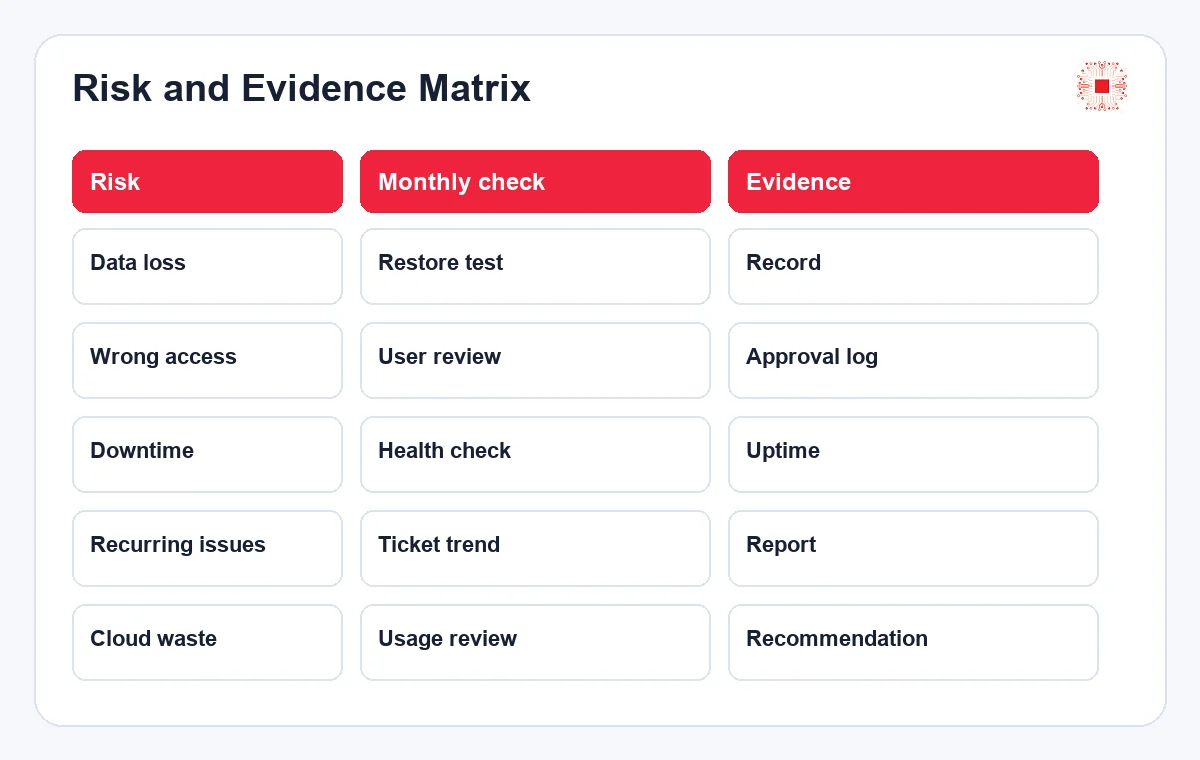
Daily monitoring detects incidents, while monthly reporting manages trends. The report should summarize uptime, critical alerts, recurring alerts, tickets created from monitoring, SLA, backup, servers near threshold, cloud cost, security risk and improvement recommendations. The article on monthly IT system administration reports explains how technical data becomes management decisions. If the report has no recommendations, monitoring remains observation rather than improvement.
Metrics should be reviewed after a few months. Thresholds that are too low create noise; thresholds too high detect problems late.
Metric tables should be simple enough for monthly review but detailed enough for action. Each metric should have a threshold, owner and next step, otherwise reporting becomes descriptive but not operational.
How IT Systems Implements Monitoring for SMEs
IT Systems can assess the environment, identify core services, define thresholds, connect monitoring with tickets, classify SLA, track backup, network, servers, cloud and security, then include results in monthly reports. For IT services for businesses, monitoring reduces downtime, detects risk early and proves administration work with evidence. The goal is not to create many alerts; it is to create the right alerts that someone owns and resolves.
Monitoring reports should show trends. If alerts decrease but downtime increases, classification and thresholds need review.
Monthly reports should show whether monitoring reduced incidents or only created more notifications. The real value is earlier detection, faster response, fewer repeated failures and better decisions.
Need proactive IT monitoring?
IT Systems can set up monitoring, tickets, SLA and reporting so your business detects risk before users are affected.