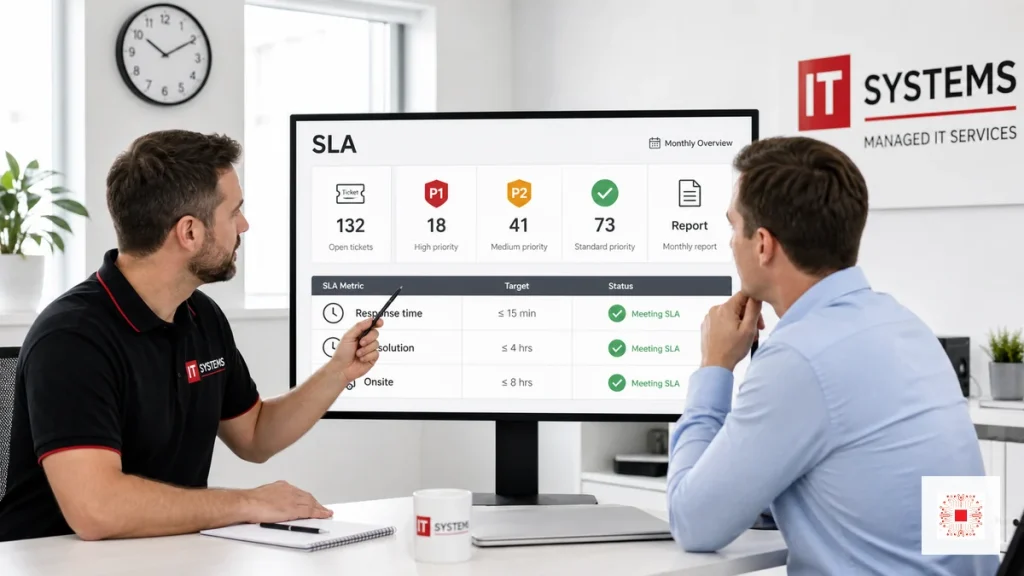
An SLA is a service level agreement between the business and the IT provider. It defines how incidents are received, response time, resolution targets, onsite support, priority levels, reporting and coordination responsibilities. For SMEs, an SLA should not be a vague promise of fast support. It should explain what happens when email stops, office internet fails, server storage fills up, backup fails or users cannot log in. The SLA turns managed IT system administration services from informal assistance into measurable operations.
SLA also helps SMEs buy IT services more intelligently. If the business compares providers only by device count or user count, it may choose a cheaper plan that does not clearly define response time, onsite support, reporting or priority for core system incidents. When SLA becomes part of procurement criteria, providers are compared by operating capability: intake channels, priority classification, remote handling, onsite capacity, recurring reporting and escalation process.
The SLA must also be realistic for budget and risk. A 20-user office may not need 24/7 support, but it still needs to know how quickly a P1 ticket receives a response. An e-commerce or multi-shift manufacturing company may need proactive monitoring and after-hours support. The best SLA is not always the fastest SLA; it is the SLA that matches the business damage caused by downtime.
SLA should be reviewed after several months of operation. If actual ticket data shows repeated Wi-Fi problems, aging devices, missing licenses or weak backup, the business can adjust service scope instead of only complaining about support speed. This turns SLA into a continuous improvement tool: measure, analyze, decide and optimize.
A fair SLA should also define customer responsibilities. The provider cannot respond effectively if there is no person to confirm business impact, no access rights, no device information or an incomplete ticket. The business should appoint an internal coordinator, standardize request submission and respond quickly when technicians need confirmation. Clear responsibility on both sides makes SLA data more meaningful.
SLA should also separate planned changes from incidents. New system deployment, server migration, firewall replacement, Wi-Fi rollout or backup redesign should not be treated as ordinary break-fix tickets. These activities need planning, maintenance windows, rollback methods and acceptance criteria. Separating incidents, service requests and projects prevents false expectations around recurring support.
The SLA should also define escalation paths. If a technician cannot restore service within the target, the ticket should move to a senior engineer, service manager, vendor or business decision maker depending on the cause. Escalation is not only a technical step; it is a communication step that tells the business what is happening, what has been tried, what risk remains and what decision may be required. Without escalation rules, serious incidents can stay too long at the first support layer.
Another useful practice is to connect SLA with known business calendars. Accounting deadlines, sales campaigns, audit periods, payroll days, production schedules and branch openings may require temporary service awareness. The provider does not need to change every SLA target, but it should know which dates are sensitive so it can plan maintenance, staffing and escalation more carefully. This makes IT support more aligned with business operations.
SMEs should also understand that SLA measures service process, not magic. A provider can commit to fast response, structured troubleshooting and clear communication, but it cannot guarantee instant repair when a firewall is physically damaged, a carrier line is down, a cloud vendor has an outage or a business decision is pending. A professional SLA names these dependencies and explains how the provider will coordinate them. That is more useful than unrealistic promises.
Service reviews should compare SLA data with user experience. It is possible for the provider to meet response targets while users still feel frustrated because root causes remain unresolved or communication is unclear. Conversely, a complex incident may miss a resolution target but still be handled professionally if updates, escalation and workaround planning are strong. Monthly review should therefore combine metrics with qualitative discussion.
The SLA should also define communication frequency during major incidents. For a P1 outage, management may need updates every 30 or 60 minutes even if there is no final fix yet. These updates reduce uncertainty and help leaders decide whether to activate manual processes, inform customers or postpone work. Silence during an outage often damages trust more than the technical problem itself.
Finally, SLA reporting should create a decision trail. If the provider repeatedly reports that aging switches, weak Wi-Fi design or missing backup capacity affects SLA performance, leadership should decide whether to approve improvement work or accept the risk. This keeps accountability balanced. The provider is accountable for service execution, while the business is accountable for investment decisions that affect service quality.
During negotiation, SMEs should ask for examples rather than only numbers. A provider may say P1 response is 15 minutes, but the business should ask what qualifies as P1, who receives the alert, whether remote access is prepared, when management is informed and how onsite support is triggered. These practical examples reveal whether the SLA is operational or only a sales promise.
The SLA should also state how performance is accepted each month. A simple acceptance process can include the monthly report, a list of breached tickets, explanation for exceptions, improvement recommendations and decisions waiting for the customer. If both sides review this together, small issues can be corrected before they become renewal disputes. Service quality becomes a recurring conversation, not a surprise at contract end.
Another detail is service coverage for third-party platforms. Many SME environments depend on Microsoft 365, Google Workspace, internet carriers, accounting software vendors, cloud hosting or security tools. The IT provider may not control those platforms directly, but the SLA should define coordination responsibility: who opens vendor tickets, who follows up, what information is shared and how the business is updated. This avoids confusion when an incident sits between several parties.
For cost control, the SLA should separate included work from billable work. Routine troubleshooting, ticket handling and monthly reporting may be included, while major migrations, hardware replacement, network redesign or after-hours project work may require separate approval. This does not weaken the service; it protects transparency. The business can budget recurring support and approve larger changes intentionally.
A final sign of a healthy SLA is whether it improves over time. After three to six months, the provider and business should know which incidents happen most often, which assets create risk, which users need guidance and which improvements would reduce tickets. If the SLA never changes and reports never lead to action, it becomes paperwork. If it guides improvement, it becomes part of IT governance.
Preparation also matters. Remote access tools, admin credentials, vendor contacts, asset lists and escalation contacts should be ready before incidents occur. A fast SLA is difficult to achieve if the provider must first discover who owns the firewall password or where the server is hosted.
Why SMEs Need Clear SLA Terms
Technical capability matters, but without clear SLA terms the business may not know when it will receive a response, which incident gets priority, when onsite support applies or whether the provider met the monthly commitment. SMEs often do not have a large internal IT team to coordinate incidents, so SLA terms align leadership, users and the provider. They also protect both sides: the business understands service rights, the provider understands scope, and users know where to submit requests. When SLA is linked to tickets and reports, IT service quality becomes easier to evaluate.
SLA also prevents vague expectations. If a contract only says unlimited support, the business may expect every issue to be fixed immediately. The provider needs to allocate technicians based on impact. Clear SLA gives both sides the same language during incidents.
1. Response Time Is Not Resolution Time
Response time is the time it takes the provider to acknowledge and start handling a valid request. Resolution time is the target for restoring service or completing the fix. These two ideas are often confused. A P1 incident may require a response within 15 minutes, but full recovery can depend on root cause, hardware, internet providers, software vendors or business decisions. A good SLA explains whether response means acknowledgement, priority classification, active troubleshooting or a temporary workaround. Resolution targets should be realistic and should name dependencies that are outside provider control.
For SMEs, SLA should start with business risk. Which systems would stop revenue, delay delivery, block accounting, affect customers or risk data loss? Those systems deserve higher priority than printer setup or standard account requests.
2. Incident Priorities: P1, P2, P3 and P4
Not every ticket deserves the same priority. P1 usually means a company-wide outage or a core system failure such as email, main network, accounting server, ERP or customer data platform. P2 affects a department or important function but has a workaround. P3 covers individual user issues or standard support. P4 covers changes, consulting, installations or non-urgent optimization. Without priority definitions, every request becomes urgent and the IT team cannot focus on the highest business impact. The priority table should include examples that match the company’s real environment.
The contract should state whether response time applies during business hours or 24/7. If a ticket is submitted at night but the plan covers office hours only, the calculation must be clear. This small detail often causes disagreement.
3. Onsite Support Must Be Defined
Many contracts mention onsite support without defining response target, location, number of visits, triggering conditions or additional fees. For SMEs, onsite support matters when issues involve network hardware, printers, Wi-Fi, many workstations, physical servers or device handover. However, not every issue should require onsite work; many can be solved faster remotely. The SLA should define the onsite target after onsite need is confirmed, supported locations, service hours, after-hours costs and the customer’s responsibility to provide access to the office or equipment.
Priority classification needs validation. Users may mark every request as urgent, but service desk or IT must confirm priority based on actual business impact. Otherwise P1 loses meaning and SLA data becomes distorted.
4. SLA Must Be Connected to Tickets
SLA cannot be measured if requests are scattered across personal chat messages. The business should use clear channels such as support email, portal, form, hotline or official messaging channel. Each request should have a ticket ID, requester, open time, priority, status, technician, response time and close time. This makes SLA performance data-driven. For IT support services, tickets also reveal recurring issues, departments that need training, aging devices and internal process bottlenecks.
Onsite support should usually follow remote diagnosis. If the issue can be fixed remotely, onsite work may be slower and more expensive. If the issue involves physical network or hardware, onsite should be triggered quickly.
5. What a Monthly SLA Report Should Include
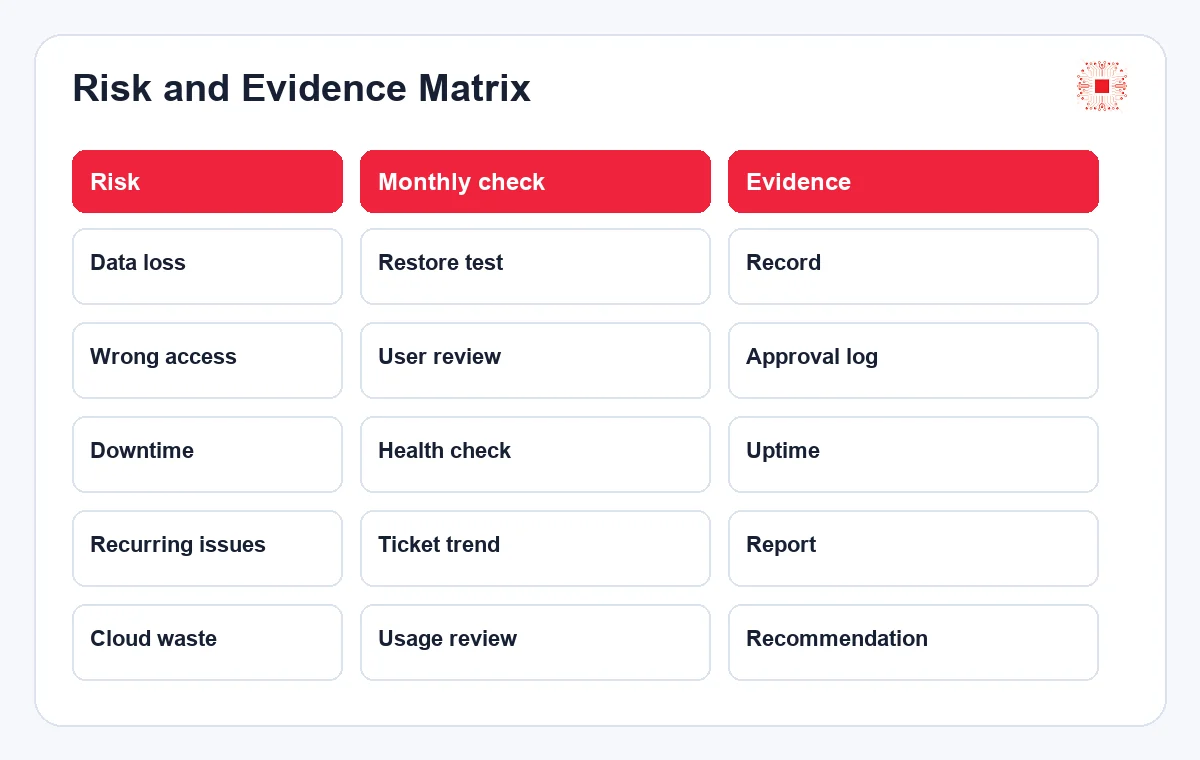
A monthly SLA report should not only count closed tickets. A useful report shows total tickets, tickets by priority, response compliance, overdue tickets, average resolution time, recurring issues, onsite visits, out-of-scope items and improvement recommendations. It should also identify decisions required from management: device replacement, bandwidth upgrade, Wi-Fi redesign, additional licenses, stronger backup or security policy changes. When the report leads to decisions, SLA becomes a management tool rather than a purely technical metric.
Ticket channels also preserve operational knowledge. When technicians change, ticket history shows what failed before, how it was fixed and what remains unresolved. This matters when the business grows or changes providers.
| Priority | Example | Response target | Resolution target |
|---|---|---|---|
| P1 | Core/company-wide outage | 15-30 min | Priority workaround/recovery |
| P2 | Important department affected | 1 hour | Within business day |
| P3 | Single user issue | 4 hours | 1-2 business days |
| P4 | Change/consulting request | 1 day | Planned schedule |
6. Sample SLA Table for SMEs
A sample SLA table helps the business visualize reasonable commitments, but it should not be copied blindly. A multi-branch company, after-hours operation or business that depends heavily on core systems needs different SLA targets from a small office. The targets below should be adjusted based on business hours, user count, onsite scope, provider capability and budget. The key is that each priority level has clear examples, response targets, resolution goals and exclusions so both sides can use the SLA during real incidents.
SLA reports should include root-cause notes, not only results. If the same issue appears repeatedly, the business needs to know whether training, device replacement, configuration changes or infrastructure upgrades are required.
| Metric | Management meaning | Monthly review |
|---|---|---|
| SLA compliance | Operational stability | By P1/P2/P3 |
| Overdue tickets | Support bottleneck | Cause and owner |
| Recurring issues | Improvement need | Root cause |
| Onsite | Cost and scope | Visits/locations |
| Out of scope | Project requirement | Recommendation list |
7. SLA Clauses That Often Cause Confusion
Several SLA clauses should be clarified before signing: when SLA time starts, whether incomplete requests count, how third-party provider failures are treated, how after-hours work is charged, how distant onsite locations are handled, whether hardware replacement time counts toward resolution and whether tickets waiting for customer response are paused. Without these details, both sides may interpret the agreement differently during a stressful incident. A good SLA does not need to be overly long, but it must be specific enough to use under pressure.
The sample table should be treated as a negotiation framework. The business can choose faster response for core systems while keeping standard targets for normal requests. Not every item needs the highest SLA.
8. When SMEs Need Advanced SLA
Not every SME needs 24/7 SLA. If the business operates during office hours, has few core systems and limited online transactions, business-hour support may be enough. But companies with e-commerce, multi-shift manufacturing, logistics, continuous customer service, multiple branches or critical cloud platforms should consider advanced SLA. Advanced SLA may include after-hours support, proactive monitoring, early alerts, priority onsite support, stronger backup or disaster recovery commitments and escalation paths to management. Higher SLA costs more, so it should be based on business risk.
Exclusions should be clear but not used to avoid responsibility. A carrier outage may be outside direct provider control, but the provider can still coordinate with the carrier, provide logs and suggest backup connectivity.
How IT Systems Helps Build Practical SLA
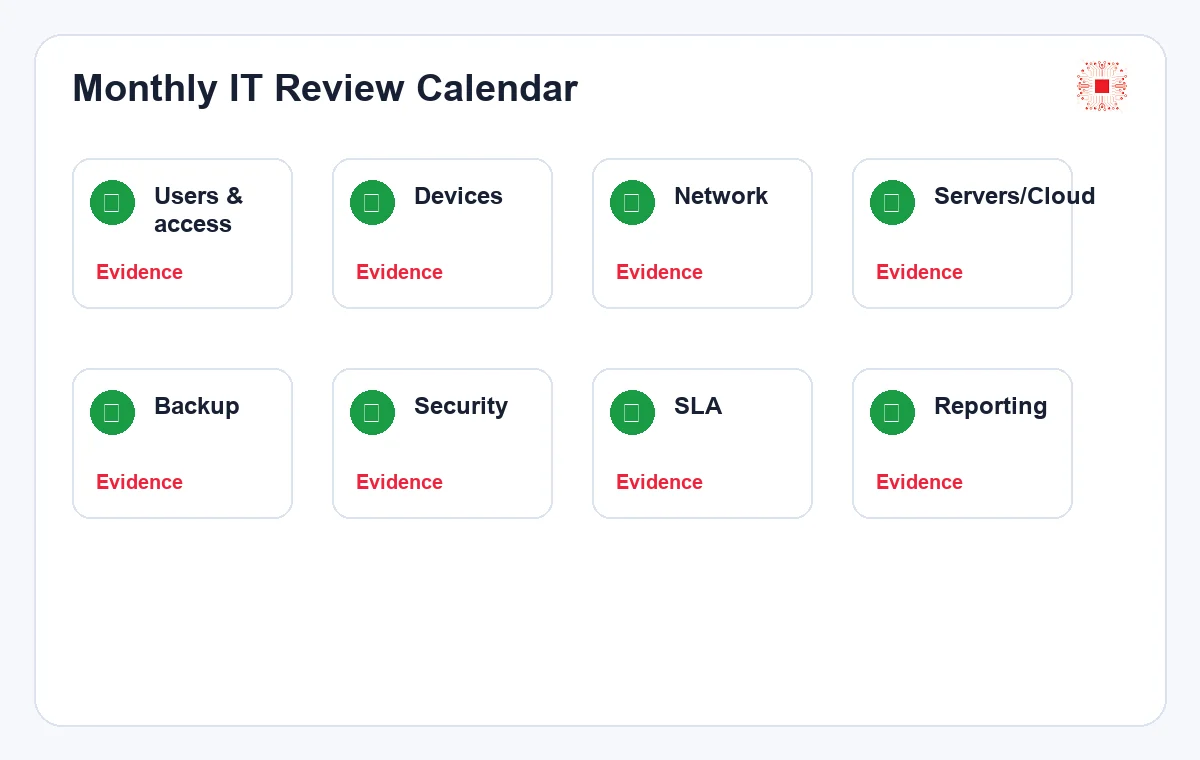
IT Systems can assess the environment, classify business-critical services, design support channels, propose a realistic SLA table, provide remote and onsite support, measure response performance, deliver monthly reports and recommend improvements. If the business already uses a monthly IT system administration checklist, SLA becomes the measurement layer for that operating rhythm. The goal is not to promise that every issue disappears immediately; it is to create transparency around priority, response, responsibility, evidence and next decisions.
Advanced SLA should include proactive monitoring. If the provider only waits for users to report issues after hours, 24/7 commitment has limited value. Critical systems need alerts before impact becomes widespread.
Need a clearer IT service SLA?
IT Systems can assess your environment, classify priorities, design an SLA table, operate tickets, provide remote/onsite support and deliver monthly reports so service quality becomes transparent.