


Portable hard drives are used everywhere and have become a familiar companion for storing and carrying data. Yet many people do not use them properly, so they miss out on useful features and shorten the drive’s life. This article from IT Systems explains how to use a portable hard drive the right way.
Summary: A portable hard drive is used to store, back up and move data between computers. This article explains what a portable drive is, what it is used for and how to use it correctly to protect your data and extend the drive’s life.
Quick answer: using a portable hard drive correctly: (1) always use Safely Remove / Eject before unplugging to avoid data corruption; (2) do not unplug or move the drive while it is reading or writing (activity light flashing); (3) avoid knocks and vibration with HDDs (spinning disks), and choose a portable SSD if you carry it often; (4) do not fill it completely, leave free space; (5) use a suitable file system: exFAT for sharing between Windows and Mac, NTFS for Windows only; (6) never treat a portable drive as your only backup: follow the 3-2-1 rule and keep another copy elsewhere or in the cloud; (7) scan for malware before opening unfamiliar files; (8) enable encryption (BitLocker To Go) if it holds important data; (9) store it somewhere dry, away from heat and humidity. Back up regularly and test restores.
What is a portable hard drive?
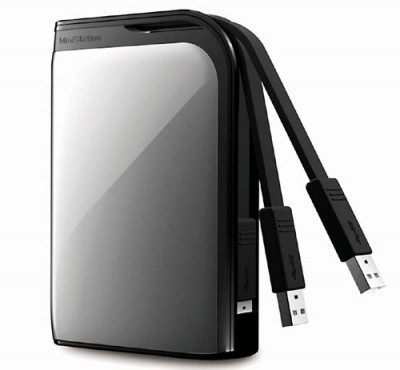
A portable hard drive is an external storage device. It works just like the hard drive inside a computer but is compact enough to carry in a pocket, about the size of a passport. Portable drives are now a common, fast and convenient way to back up data, and they connect easily to a computer with a USB cable (USB-A or USB-C).
What portable drives are used for
Extra storage
Work documents, course files, games, films, photos and music quickly outgrow a computer’s internal drive. A portable drive gives you more space that you can take anywhere and use at any time.
Backing up data
Data loss is disruptive and can seriously affect a business. Backing up to a portable drive is a simple way to keep an extra copy of important files. For real protection, combine it with another copy in a different place, such as a cloud service or a second drive, so a single theft, fire or drive failure cannot wipe out everything. Store the drive somewhere safe and easy to find.
Portability
Only slightly larger than a USB stick, a portable drive fits in a bag or laptop case and goes with you to the office or on business trips without taking up space.
How to use a portable drive correctly
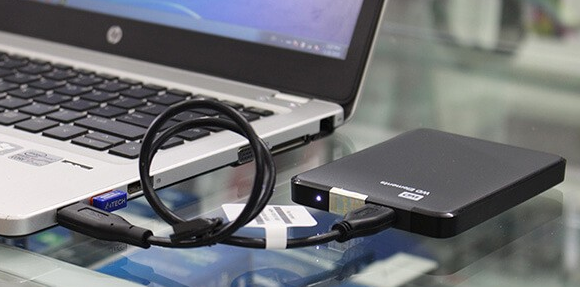
- Choose the right connector
When buying a portable drive, make sure its connector (USB-A, USB-C or Thunderbolt) is compatible with your computer. Otherwise, however good the drive is, you will not be able to connect it.
- Use the right cable
Use the original cable or a good-quality replacement of the correct standard. Poor cables can cause disconnections and data errors even if they fit the port.
- Plug in carefully
USB drives are designed to be connected while the computer is running, so you do not need to shut down first. Plug the cable in straight and firmly, avoid loose or damaged ports, and use a powered USB hub if the drive does not get enough power. Unplug the drive before starting the computer so it does not try to boot from it.
- Avoid physical shocks
However well protected, portable drives are still affected by impact. Dropping a drive, especially while it is running, is a leading cause of hard drive failure. Place it on a flat, stable surface away from where people pass, as a single knock can cause damage.
- Disconnect properly
When you have finished, never pull the drive out abruptly. Choose Safely Remove Hardware or Eject first, then unplug the cable to keep your data safe.
See more in our IT news section.
Need a technician to check your computer on site?
IT Systems repairs desktops and laptops on site in Ho Chi Minh City, offers remote support within 30 minutes and quotes for your approval before any repair.


