Introduction
When using a computer, you may encounter the issue of Windows being stuck on the logo during startup. This is a fairly common problem and causes a lot of concern for users. In this article, we will analyze the causes of this error and provide you with the most effective solutions.
What Does It Mean When Windows is Stuck on Logo During Startup?
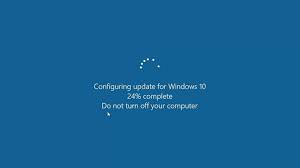
When your computer begins to restart and simply stops at the Windows logo screen, it means that Windows cannot load the system normally. This can come from various causes, including software errors, corrupted hard drives, or driver conflicts.
Why is Windows Stuck on Logo During Startup? – [A List] Common Causes
The causes of this issue may include:
- Software errors due to incompatible applications.
- Incompatible or outdated drivers.
- Hardware issues such as a faulty hard drive.
- Viruses or malware damaging the system.
- Incorrect BIOS configuration.
[Detailed Guide] 8 Ways to Fix Windows Stuck on Logo During Startup
Here are some troubleshooting methods you can try if your computer is stuck on the Windows logo.
Method 1: Boot Windows into Safe Mode When Stuck on Logo
Safe Mode allows you to start Windows with minimal drivers and services. To enter Safe Mode:
- When the computer starts, repeatedly press F8 before the Windows logo appears.
- Select Safe Mode from the advanced menu.
- After entering Safe Mode, try uninstalling the recently installed application or driver updates.
Method 2: Use Startup Repair to Fix Windows Logo Stuck Issue
Startup Repair is an automated tool that fixes startup errors. To use it:
- Plug in the Windows installation USB or installation disk into the computer.
- Restart the computer and select Repair your computer.
- Select Troubleshoot > Advanced options > Startup Repair.
Method 3: System Restore When Windows is Stuck on Logo
If the problem occurs after an update or new software installation, you can restore the system to a previous state:
- Also under the Advanced options menu, select System Restore.
- Select a restore point and follow the prompts to restore the system.
Method 4: Check Hard Drive When Windows Fails to Boot
The problem may stem from the hard drive. You can use the CHKDSK tool to check:
- Open Command Prompt under Advanced options.
- Type chkdsk /f /r to check and repair hard drive errors.
Method 5: Scan for Viruses & Malware – A Lifeline When Windows is Stuck on Logo
Viruses and malware can significantly affect the startup process of Windows. To scan:
- Use antivirus software on a bootable USB or installed device.
- Run a full system scan and remove any threats.
Method 6: Update Drivers to Resolve Windows Logo Stuck Error
Incompatible drivers can cause issues:
- When in Safe Mode, open Device Manager.
- Update or uninstall unnecessary drivers.
Method 7: Reset Windows – The Last Resort When Stuck on Logo
If all the above methods are ineffective, you can reset Windows:
- Select Reset this PC from the Troubleshoot menu.
- Choose to keep data or remove everything.
Method 8: Reinstall Windows – If you need assistance, please contact us right away
IT SYSTEMS VIETNAM CO., LTD
IT Solutions – Your Business IT Department
HOTLINE: 028.3995.03.59
Email: contact@itsystems.com.vn
Website: https://itsystems.vn/
Facebook: https://www.facebook.com/ITSystems.VIETNAM
Youtube: https://www.youtube.com/@ITSYSTEMS
HCM: 14/33 Dao Duy Anh, Duc Nhuan Ward, Ho Chi Minh City, Vietnam
HCM: 321/10 Phan Dinh Phung, Cau Kieu Ward, Ho Chi Minh City, Vietnam.
Hanoi: House No. 22, Garden Villa Area, Vinh Hoang Urban Area, 431 Tam Trinh Street, Hoang Mai District, Hanoi, Vietnam.
FAQ
Windows hangs at the logo but Safe Mode works. What next?
A driver or startup program is the likely cause. In Safe Mode, remove the latest update or driver, disable startup apps, then run sfc /scannow.
When is a logo freeze caused by the drive?
When the PC makes odd noises, boots very slowly, chkdsk reports bad sectors or SMART tools warn. Back up data immediately before trying further repairs.
Will reinstalling Windows erase my data?
A clean install that formats drive C erases data on it. Back up first, or use Reset this PC with Keep my files if the recovery environment still loads.
Need a technician to check your computer on site?
IT Systems repairs desktops and laptops on site in Ho Chi Minh City, offers remote support within 30 minutes and quotes for your approval before any repair. Businesses with many computers can choose a scheduled maintenance plan.
Book on-site computer repair Computer maintenance plans for businesses