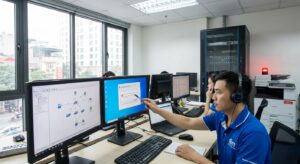
In today’s enterprise environment, intermittent LAN disconnects are a common issue that forces many IT Managers to spend hours troubleshooting. These sudden connection drops not only disrupt online meetings and slow down file transfers but also directly impact overall productivity. This article delivers practical, real-world insights into the root causes of LAN dropouts, helping you understand the issue clearly and apply effective solutions ranging from basic to advanced.
Internal LAN instability rarely occurs randomly; it usually results from multiple factors that build up over time. Whether you are a network administrator or an end user, recognizing early symptoms and taking timely action can help prevent larger risks. We will analyze everything in detail—from recognizable signs to practical troubleshooting steps—while exploring surprising perspectives on LAN instability that many people often overlook.
Common Signs of Intermittent LAN Disconnects
When experiencing intermittent LAN disconnects, symptoms often repeat in cycles or occur randomly, leaving users confused. Below are some typical signs that most internal network systems may encounter:
- Ethernet or internal Wi-Fi connections dropping suddenly, even though the indicator lights on network devices remain lit.
- Abnormally high latency when pinging servers or other devices on the network, sometimes reaching hundreds of milliseconds.
- Significant drop in data transfer speeds—for example, copying files over the internal network takes much longer than usual or gets interrupted midway.
- Errors appearing in applications that require stable connections such as ERP software, video conferencing, or accessing shared folders.
- Devices losing connection only at specific times, such as during peak hours or after a new device is added to the network.
- Repeated “Network connection lost” or “Limited connectivity” error messages on Windows or macOS throughout the day.
These symptoms of LAN dropouts are not only frustrating but also carry risks of data loss or business process disruption. If you notice them frequently, it’s time to investigate the root causes to prevent recurrence.
Root Causes of Intermittent LAN Disconnects in Enterprise Environments
Understanding the root causes is the key to permanently resolving intermittent LAN disconnects. Rather than focusing only on surface symptoms, we must examine hardware, software, and system design factors. Below is a detailed analysis based on common troubleshooting experience.
Common Hardware and Physical Connection Causes
Damaged or loose network cables are the number one cause of LAN dropouts. Poor-quality Ethernet cables, those bent excessively, or exposed to electromagnetic interference from nearby electrical equipment can cause periodic signal interruptions. Additionally, aging network interface cards (NICs) on computers or switches can easily lead to random disconnections due to overheating or hardware failure.
Overloaded routers or switches—when the number of connected devices exceeds their capacity—is another common reason. In office environments, without proper bandwidth management, IoT devices or network printers can inadvertently cause congestion, resulting in periodic network loss.
Software and System Configuration Factors
Outdated network card drivers or conflicts with operating system updates are frequent culprits on Windows computers. Similarly, outdated firmware on routers and switches may contain bugs that cause instability. IP conflicts, where two devices share the same IP address, can also trigger intermittent LAN disconnects without obvious warning signs.
Furthermore, overly aggressive antivirus or firewall software can sometimes block legitimate packets, creating the appearance of internal LAN instability. In larger networks, the absence of proper QoS (Quality of Service) configuration leads to incorrect traffic prioritization, causing certain data streams to be dropped periodically.
Deeper Causes from Design and Maintenance
Many systems suffer from intermittent LAN disconnects due to initial designs that made no allowance for future growth. Examples include lacking redundant links between switches or having no monitoring tools to detect problems early. Interference from unstable power sources, undetected network loops without proper STP (Spanning Tree Protocol), or even upstream issues from the internet service provider can further aggravate the situation.
Lack of regular maintenance—such as checking system logs or testing cables—is why problems accumulate and suddenly erupt. These insights help IT Managers understand that LAN dropouts are rarely isolated incidents but rather a chain of interconnected factors.
Practical Guide to Fixing Intermittent LAN Disconnects
To resolve LAN dropouts, begin with basic steps before moving to deeper analysis. The following process is designed for both regular users and IT staff, focusing on logical troubleshooting.
First, verify physical connections by replacing the Ethernet cable and ensuring switch ports are clean. Restart all network devices in the correct order: modem, router, switch, then computers. This step alone resolves up to 50% of intermittent cases caused by cache buildup or temporary overload.
Next, update network adapter drivers via Device Manager on Windows or using automated tools. Check and update router/switch firmware by accessing the management interface (typically 192.168.1.1) and applying the latest version from the manufacturer. Use Command Prompt commands such as “ipconfig /release” followed by “ipconfig /renew” to refresh IP addresses and eliminate conflicts.
For deeper diagnosis, run a continuous ping to the gateway using “ping -t 192.168.1.1” and monitor for packet loss. If loss occurs, check the Windows Event Viewer for network adapter errors. Tools like Wireshark can capture traffic to identify where packets are being dropped, though basic protocol knowledge is required.
In enterprise environments with multiple network segments, examining VLAN configurations and switch logs becomes essential. If self-troubleshooting does not resolve the issue, consider professional assistance from IT Support services to avoid wasted time and ensure lasting solutions.
A useful tip is to deploy simple monitoring tools such as PRTG or SolarWinds to track network uptime in real time. This helps identify patterns of periodic network loss related to device temperature or traffic peaks.
Surprising Insights About LAN Instability That IT Managers Should Know Today
Besides common causes, there are several unexpected truths about LAN instability. First, many cases are not caused by faulty hardware but by dirty power sources that trigger hidden resets on switches. Checking your UPS (Uninterruptible Power Supply) and proper grounding can solve the problem without replacing equipment.
Second, intermittent LAN disconnects often become worse at night or on weekends due to background tasks such as automatic backups or software updates. Scheduling these tasks appropriately can significantly reduce instability.
The third insight concerns cable categories: Using Cat5e for modern Gigabit networks often leads to packet errors over longer distances, whereas Cat6 or higher offers much better stability. Many IT Managers overlook cabling infrastructure audits, resulting in high remediation costs later.
Finally, AI-based monitoring is emerging as a key trend to predict intermittent LAN disconnects before they occur, shifting from reactive to proactive management. These perspectives highlight that investing in proactive network design saves far more time and money than continuous firefighting.
To support complex network management challenges, many businesses now rely on IT Helpdesk services to keep their systems running smoothly without interrupting daily operations.
Long-term Measures to Prevent Recurring Periodic Network Loss
Temporary fixes are only short-term solutions. To prevent recurring LAN dropouts, IT Managers must implement a comprehensive strategy. Start by creating a detailed network diagram, identifying bottlenecks, and deploying redundant paths for critical devices.
Conduct quarterly maintenance: inspect cables, update firmware, optimize configurations, and review logs. Implement QoS to prioritize critical traffic such as VoIP and video, reducing congestion-related disconnects.
Invest in specialized monitoring tools that provide early alerts on anomalies, such as rising switch CPU usage or packet error rates exceeding thresholds. Additionally, training staff on best practices—like not connecting unauthorized devices—helps minimize risks.
In the long term, consider upgrading to modern infrastructure with managed switches and wireless controllers in hybrid environments. These measures not only solve intermittent LAN disconnects but also enhance overall IT system performance.
In summary, understanding these insights about LAN instability shifts the approach from reactive troubleshooting to proactive prevention, delivering sustainable benefits to the organization.
Conclusion: Take Action Now to Stabilize Your LAN
Intermittent LAN disconnects are not an unsolvable problem when approached correctly—from symptom recognition to proper root cause analysis. By combining practical troubleshooting with long-term strategies such as monitoring and maintenance, IT Managers can maintain a stable internal network, minimize disruptions, and boost productivity.
Don’t let LAN dropouts become a barrier to your operations. Start assessing your system today and implement the guidance above. If you need expert assistance, professional IT support services are a reliable choice to ensure everything runs smoothly.