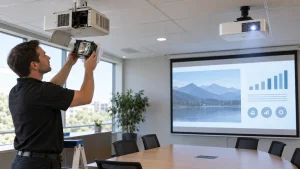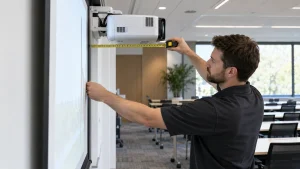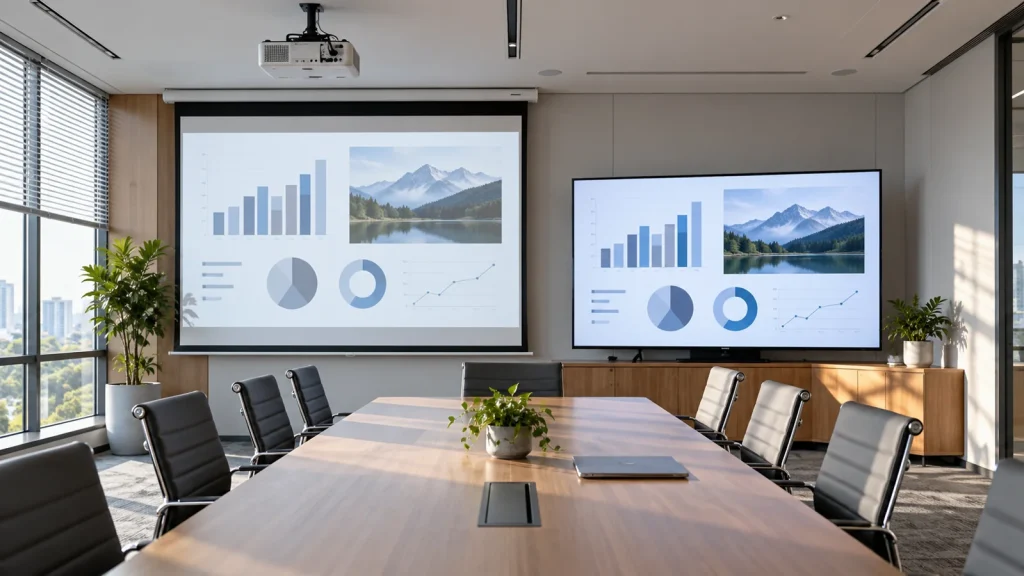
Short answer: For a small, frequently used meeting room with substantial ambient light, start by testing a flat-panel display: it is usually simple to operate and less dependent on a projection surface. Consider a projector when the audience needs a larger image, sits farther away, or needs flexible image size and aspect ratio. Neither headcount nor room area alone determines the right choice. Test real meeting content from the farthest seat, under the lighting normally used, and compare the complete installed cost.
This is a display-technology decision guide, not a list of Panasonic models in stock. If projection is the better fit, use the Panasonic projector solutions guide to define the room and survey requirements. Equipment listed in the Panasonic Store category does not automatically include screen, mount, cabling, installation or configuration.
When is a large display the better starting point?
In a small or medium meeting room, a flat panel is often appropriate when it is large enough for the farthest attendee to read spreadsheets, subtitles and shared documents. It does not need a projection throw distance or screen. Switching a laptop input may also be familiar to staff. Check reflections from windows, viewing angle, wall load, power and signal routing; a display does not solve audio or connection problems by itself.
There is no universal screen-size rule based on the number of seats. The same panel may be adequate for a slide with large headings but too small for a dense spreadsheet, drawing or hybrid meeting with several participant windows. Open representative files, sit in the farthest seat and inspect the smallest text that must be read. If users must constantly zoom, revise the content layout, display size or technology.
When does a projector make more sense?
Projection is worth evaluating when a larger image is needed and a similarly sized flat panel is impractical or disproportionately costly to transport and mount. Training rooms, long meeting rooms and larger groups are common examples. A retractable screen can free up the wall when not in use. Certain projection systems can accommodate wide hybrid-meeting layouts, but support for 21:9 must be checked against the actual model, signal chain and surface.
The trade-off is that image legibility depends on ambient light, image area, screen surface and where light falls. A larger projected image or a luminaire aimed at the screen may reduce perceived contrast even when the projector specifications remain unchanged. The system needs a valid throw distance, mounting position and cable path. A standard-throw projector in the wrong position may cast a presenter’s shadow. Panasonic’s meeting-room guidance notes the importance of controlled light and a suitable flat projection surface; evaluate the actual room before committing.
Meeting-room decision matrix
| Factor | Large flat panel | Projector | Practical test |
|---|---|---|---|
| Reading small text | Consistent when image size and glare are appropriate | Depends on brightness, screen and room light | Open a real spreadsheet from the back row |
| Very large image | Check device cost, wall load and access route | May be more flexible, subject to brightness at target size | Specify usable width, not just diagonal |
| Bright room | Direct reflections still need control | Light control and adequate output are critical | Test at the room’s brightest working time |
| Installation | Mount, power, cable and structural safety | Throw, screen, mount, power, cables and alignment | Survey ceiling, wall and cable routes |
| Operation | Check lifetime, warranty and replacement path | Check light source, filter and model-specific maintenance | Compare lifetime cost for actual usage hours |
This is a decision framework, not a claim that one technology always wins. A larger venue may also justify direct-view LED evaluation rather than forcing a choice between these two options.
Five checks before requesting a quotation
- Identify the content: slides, spreadsheets, CAD, video, conferencing or wide-format collaboration. Note the smallest text people must read.
- Map viewers: seats, farthest viewing distance, orientation and sightlines. Do not convert headcount directly into a fixed screen size.
- Observe light: windows and luminaires at the time meetings normally occur; determine what can be dimmed or shaded.
- Measure installation: available wall width, ceiling height, power, cable routes, obstructions and presenter position. For a projector, match the desired screen size against the specific model’s throw ratio.
- Test the workflow: Windows/Mac laptops, HDMI or adapters, audio, camera, microphone, presenter handover and a wired fallback if wireless sharing fails.
Ask the supplier to itemize the proposed device, screen, mount and cable, labor, acceptance test, equipment warranty and installation warranty. Compare quotations at the same scope. A projector-only price is not the price of a commissioned presentation system.
Three typical room scenarios
Small room with frequent video meetings
Faces, text and shared content should remain readable without closing blinds for every call. If a flat panel meets the farthest-seat test, it often offers a straightforward workflow. Verify camera, microphone, speakers and content-sharing behavior before paying for more display area.
Training room or long meeting room
Image size may matter more than floor area. Test projection, but verify brightness and native resolution for small text at the back. If instructors frequently stand at the front, evaluate short-throw placement to reduce shadows. No single lumen formula fits every room.
Glass-fronted room or continuous display
Light control may be difficult. A flat panel or direct-view LED may fit better, subject to glare, viewing angle, operating hours and cost. If projection remains under consideration, test it in the venue or in lighting conditions that closely match it.
Frequently asked questions
What TV size is right for a ten-person meeting room?
Ten people alone cannot determine the size. Check the farthest seat, smallest content, lighting and mounting position, then test a representative slide and spreadsheet at the proposed size.
Can a projector work with the lights on?
It can when the projector, screen and light conditions are appropriate. Direct light on the screen can still wash out contrast. Epson explains that brightness requirements depend on the room; test at the brightest normal operating time.
Is a projector cheaper than a large display?
Not necessarily. Compare usable image size together with screen, mount, cable, labor, light source, electricity, service, warranty and downtime. Device-only prices are not a fair installed-system comparison.
Should hybrid meetings use a 21:9 projector image?
Only if the meeting software, signal, selected model and projection surface support the intended layout. Panasonic identifies wide-format projection as a possible use case, not a default feature on every projector.
Technical references
Panasonic Connect: Meeting Room Whitepaper; Panasonic Connect: choosing display technology; Epson: brightness and room conditions. These are selection principles; final model specifications and installation feasibility require site-specific verification.