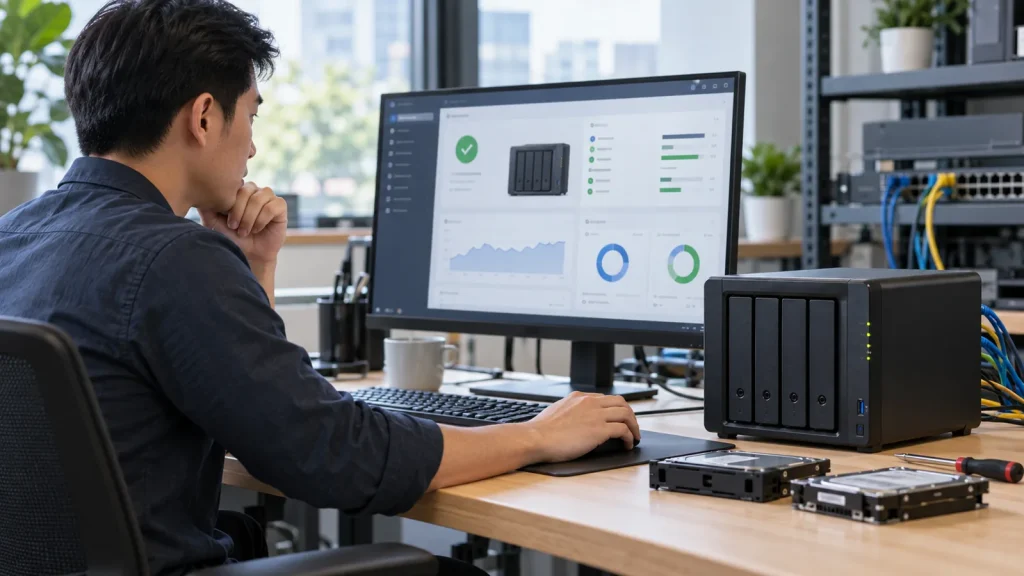
Short answer: A network-attached storage (NAS) device provides centrally managed storage to users and applications over a network. A Synology NAS runs DiskStation Manager (DSM) and compatible Synology packages. It may support shared files, synchronization, snapshots or backup workloads, depending on its model and configuration. RAID or Synology Hybrid RAID (SHR) provides specified drive-failure tolerance; it is not an independent backup.
This guide explains where a Synology NAS fits in a business storage plan. For a survey and implementation path, see Synology solutions for business. If the platform is undecided, compare NAS, file server and SharePoint first.
How is a NAS different from an external drive or file server?
An external drive usually attaches to one computer. A NAS is a separate network device with its own accounts, shared folders and administration. A file server may run on a physical server or VM and integrate more deeply with applications, directory services and complex file permissions. Neither option is universally superior: application dependencies, concurrent use and operational ownership determine the choice.
A NAS also is not a hands-off private cloud. Drives, power, network, software updates, security settings and independent recovery copies still need accountable owners. Remote access should be designed around protected identity and connectivity, not by exposing DSM administration to the public Internet for convenience.
Which business jobs can a Synology NAS serve?
Typical uses include departmental file shares, a backup destination for compatible PCs or servers, and file synchronization across authorized devices. Synology Drive manages Team Folders and file versions; Active Backup for Business protects supported workloads; Hyper Backup creates a separate copy of NAS data; and Snapshot Replication provides point-in-time recovery and replication on supported systems. These tools have different purposes and requirements.
For accounting applications, CAD/BIM, databases or virtual machines, confirm file locking, SMB-path requirements, I/O demand and application-consistent recovery with the software provider. Being able to open a file from a NAS does not prove that the application will operate or restore correctly.
Size for usable capacity and recovery
Inventory present data, growth, file types, simultaneous users, sites and acceptable interruption. Then compare compatible models, drive bays, approved disks, network ports, UPS, usable capacity after RAID/SHR, snapshot/version overhead and expansion. The nominal sum of drive labels is not usable capacity.
Agree recovery-point and recovery-time objectives before choosing the backup architecture. If primary data lives on the NAS, another copy on the same appliance does not protect against total device loss or compromised administration. Set schedules and retention, monitor failed jobs, and restore representative files and permission-sensitive folders with real accounts. Use our NAS configuration guide and restore-testing process.
Access rights and handover
Create individual accounts, role-based groups and a named approver for each data set. Test read, edit, delete and employee-exit scenarios; do not share one administrator account across a team. Ongoing operation should review drive health, capacity, unusual logins, patches and backup failures. Handover evidence should include storage layout, access matrix, backup schedule, alerts and a successful restore test, not only a photograph of installed hardware.
A two-bay system may suit some small offices, but headcount alone is insufficient. High I/O, large data sets or high availability needs may point to a different architecture. Survey the workload before selecting the device.
Frequently asked questions
Can a Synology NAS replace a server?
It may replace suitable file-sharing or backup roles, but it does not automatically replace business applications, directory services or complex permissions on an existing server.
Is backup still required with RAID or SHR?
Yes. Drive fault tolerance does not fully address accidental deletion, ransomware, administrator error or loss of the whole appliance. Keep a separate copy and test recovery.
Can we pick a model from user count?
Not reliably. Data growth, concurrent workload, applications, recovery targets and model-specific feature support matter more than headcount alone.
Technical sources
Synology: SHR and RAID limits; Synology Drive Admin Console; Synology Storage Manager. Verify the actual model and DSM version.