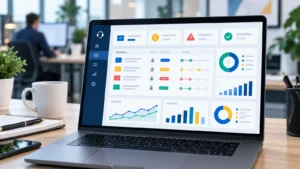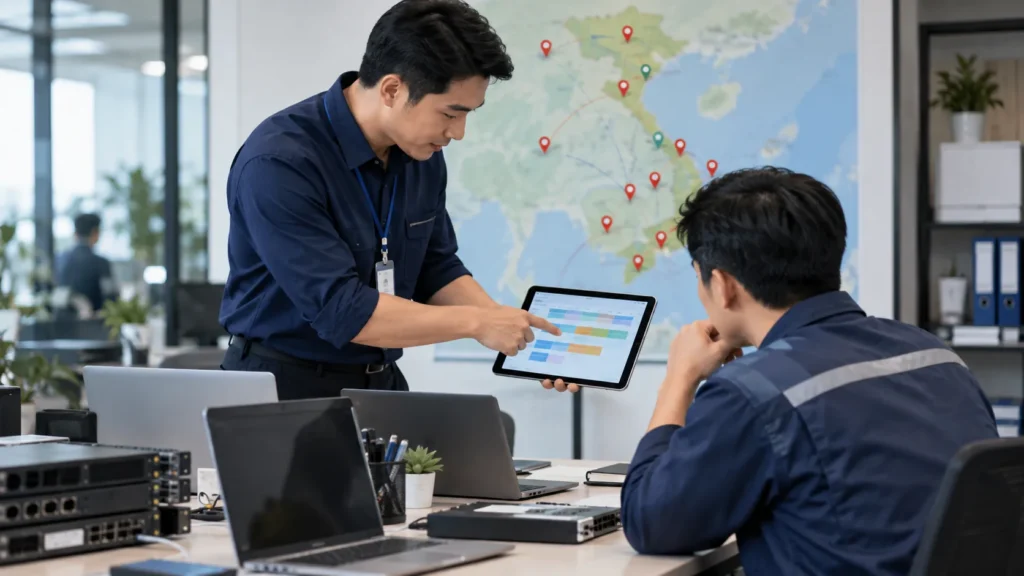
Quick answer: A multi-branch company should not let employees report IT issues through scattered personal chat, private calls or many unmanaged groups. A better model uses one main ticket channel, a hotline for critical incidents, a branch contact person, priority rules, L1/L2/L3 escalation and reporting by location.
How should a multi-branch company organize IT support channels?
Use a ticket/form as the main source of record, a hotline for critical incidents, chat only for quick coordination, a local contact at each branch and a monthly report that separates SLA by location. The goal is to avoid lost requests, unclear ownership and invisible support workload.
If the business uses an IT Helpdesk service, the key is not only having someone respond. The key is bringing requests from many locations into one controlled workflow with SLA, owner and evidence.
Why multi-branch IT support becomes messy
In a single small office, employees can call the IT person they know. With many branches, departments or remote users, this quickly becomes fragile. A Wi-Fi issue at branch A, printer issue at branch B, sales email problem and accounting computer issue may all happen in the same morning. If everything goes through private chat, management cannot see which issue is critical, who owns it and when it will be resolved.
The problem is often not a lack of communication channels. It is too many unmanaged channels. Chat, email, phone calls, group messages and verbal requests may be convenient, but they do not create SLA data, recurring issue statistics or service acceptance evidence for an IT Support service.
Principles for designing IT support channels
The first principle is to define one source of truth: a ticket or support form. Every request should return there, even if it started as a hotline call or chat message. The second principle is to separate critical incidents from normal requests. A whole branch outage cannot wait for a long form, but after emergency handling the ticket still needs to record cause, time and result.
The third principle is to separate local coordination from technical ownership. A branch contact does not need to fix IT. They need to confirm how many people are affected, which device is involved, who can open the network room and who confirms the result after handling. L1/L2/L3 technicians handle the technical work; branch contacts help coordinate the site.
Recommended support channels
| Channel | When to use | Governance rule |
|---|---|---|
| Ticket/form | Normal requests with description, screenshot, branch and requester | Required for SLA and reporting |
| Hotline | Critical incidents: branch outage, many users blocked, shared system down | Fast call, then ticket record afterward |
| Chat/email | Quick exchange, photos/videos, onsite schedule confirmation | Secondary channel, not a ticket replacement |
| Branch contact | Confirm local impact, open network room, receive onsite handover | Speeds up local coordination |
| Monthly report | Tickets by branch, SLA, recurring issues and recommendations | Manage multiple locations with data |
Priority by branch impact
For multi-branch companies, priority should not depend only on who reports the issue. It should depend on business impact. One personal computer issue is different from a full branch internet outage. A bill printer in an active store may be more urgent than a non-urgent software installation. SLA should consider affected users, critical service, branch operating hours and whether the issue can be handled remotely or requires onsite work.
| Priority | Example | Reference response | Coordination |
|---|---|---|---|
| P1 | Internet outage or shared service outage for a branch | 15-30 minutes | Immediate coordination, L2/L3 or onsite |
| P2 | A department or multiple devices at one branch affected | 30-60 minutes | Remote first, onsite if needed |
| P3 | One user, one computer, printer or office software issue | 2-4 business hours | Helpdesk/L1 handling |
| P4 | Installation, advice or non-urgent request | 1 business day | Scheduled by plan |
L1/L2/L3 model for multiple locations
L1 should receive and resolve quick issues: computers, email, printers, office software and user guidance. L2 handles more complex topics such as network, firewall, VPN, servers, backup and Microsoft 365 or Google Workspace. L3 or an IT Manager handles design, major changes, security risk, process standardization and improvement decisions. This prevents every issue from depending on one person.
Escalation needs a clear reason. The ticket should show when it moved to L2/L3, who received it, why L1 could not resolve it and what happened afterward. Otherwise, users only hear that engineering is checking while nobody can see progress. The IT Helpdesk ticket process is the foundation for this control.
Coordination matrix by branch type
| Location type | IT characteristics | Recommended support model |
|---|---|---|
| Main office | Many users, network devices, printers, server/NAS or critical data | Local contact, stronger SLA, separate reporting |
| Store/warehouse branch | POS, bill printer, Wi-Fi, scanners, sales software | Support around operating hours, device checklist |
| Small office | Few users, mostly laptops, email and printer | Remote-first, scheduled onsite or repeated issue onsite |
| Remote staff | Outside office, dependent on VPN/email/cloud | Clear ticket channel and self-check guidance |
Multi-branch IT request workflow
A practical workflow can use seven steps: user submits a ticket or calls the hotline for critical incidents; Helpdesk records branch, requester and impact; L1 classifies and handles remotely; if onsite is needed, Helpdesk schedules with the branch contact; infrastructure issues move to L2/L3; closure requires user or branch confirmation; monthly reporting separates tickets, SLA and recurring issues by location.
The workflow does not need to be heavy, but it must be consistent. If requests use tickets today, private chat tomorrow and verbal messages next week, the company will not know which branch is weak, which issues repeat or where support cost is really going.
What should be reported by branch?
A multi-branch Helpdesk report should separate tickets by location, department, issue group, priority, response time, resolution time, onsite cases, escalations and recurring issues. If the business only looks at total company tickets, it may miss a branch with serious problems but poor reporting habits.
The monthly IT Support report template can be used as the base, with an added branch/location column. After several months, leadership can see which branch needs device replacement, Wi-Fi improvement, user training or SLA changes.
Governance for branch contacts and approvals
Branch contacts should have a simple responsibility list. They confirm whether the issue is real, identify how many users are affected, help technicians access local equipment and confirm whether the branch can work again after resolution. They should not be forced to solve technical problems if they are not trained. Their role is coordination and confirmation.
Some decisions still need management approval: replacing access points, upgrading internet lines, changing firewall or VPN design, buying spare devices or scheduling downtime. A good Helpdesk process should mark these decisions clearly in the ticket or monthly report. Otherwise, the same branch issues can repeat for months while everyone thinks someone else is responsible.
How to compare branches fairly
Do not compare branches only by ticket count. A large office naturally creates more tickets than a small office. Better indicators include ticket count per user, repeated issue rate, SLA miss rate, onsite visit frequency and business impact. This prevents a busy but healthy branch from looking worse than a small branch where users simply do not report issues.
Trend comparison is also important. If one branch shows increasing Wi-Fi tickets for three months, the issue is likely structural. If a branch suddenly has many email tickets after a migration, the issue may be temporary and training-related. The report should explain the context so leadership can make the right decision instead of reacting to raw numbers.
Common mistakes
The most common mistake is opening many channels without rules. The second is using the hotline for everything, which mixes emergencies with small installation requests. The third is not defining a local branch contact. The fourth is failing to create tickets for emergency calls, causing monthly reports to miss important data. The fifth is using the same SLA for every location even when branch importance differs.
To avoid these issues, the business should publish a short guide: which requests go to tickets, which require hotline, who is the branch contact, what information is required, when escalation happens, when onsite is needed and where monthly reports are reviewed.
How IT Systems supports multi-branch Helpdesk
IT Systems can assess branch count, users, critical devices, operating hours, internet lines, business software and expected service levels. From there, we design request channels, support forms, priority rules, SLA, branch contacts, remote/onsite workflow and location-based reporting. The goal is fast support with measurable quality.
The scope can start small: support channel standardization, tickets and monthly reporting. It can then expand into device checks, Wi-Fi, firewall/VPN, backup, user/MFA and system administration when the business needs stronger commitments.
FAQ
Should Zalo or chat be the main IT support channel?
Chat can be useful for quick coordination, but it should not be the main channel when SLA, reporting and history are required. Use a ticket/form as the source of record.
Does every branch need an onsite IT person?
Not always. Each branch should have a local contact, while technical work can be remote-first with onsite support based on SLA.
When does each branch need a separate SLA?
When locations have different business impact, such as stores, warehouses, headquarters or sites with local servers/NAS. SLA should reflect operational importance.
Read next in the IT Helpdesk and IT Support cluster
Need to standardize IT support across multiple branches?
IT Systems can design tickets, hotline rules, SLA, branch contacts and location-based reporting so IT support becomes easier to control.