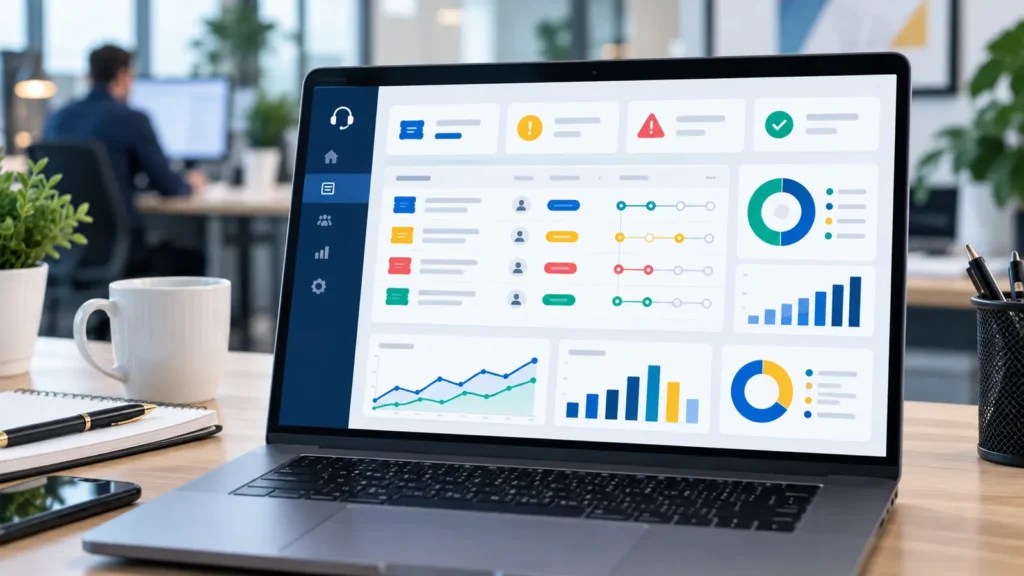
Quick answer: A monthly IT Support report should show how many tickets were handled, whether SLA was achieved, which issues repeated, which cases required onsite support, which devices or users are risky and what decisions are needed next month. It should not be only a list of completed support tasks. It needs metrics, evidence and actionable recommendations.
What should a monthly IT Support report include?
A good monthly IT Support report usually includes six parts: executive summary, tickets and SLA, recurring issues, onsite/remote support, device/user status and improvement recommendations. For outsourced IT, this report is service acceptance evidence and a basis for budget, device replacement, process improvement or support scope decisions.
If the IT Helpdesk ticket process explains how each request is received and resolved, the monthly report summarizes trends, risks and next decisions.
Why businesses need a monthly IT Support report
Many companies evaluate IT by feeling. If few people complain, the system seems stable. If many users report issues, the provider seems poor. This can be misleading. Few tickets may mean stable systems, but they may also mean users stopped reporting issues, requests were lost in chat messages or incidents were not recorded properly. A monthly report creates data: how many requests were handled, which issues repeated, which tickets missed SLA and what needs leadership decision.
For an IT Support service, reporting also clarifies scope. It shows what was handled within regular support, what requires a separate project, what is waiting for customer input and what may need an additional proposal. The customer no longer has to ask what IT did last month, and the provider has evidence of operational value.
Monthly IT Support report structure
| Report section | What to include | Management value |
|---|---|---|
| Monthly overview | Ticket count, major incidents, SLA status, open risks | Leadership gets a quick IT status view |
| Tickets & SLA | Tickets by department, priority, response/resolution time | Measure service quality with data |
| Recurring issues | Top computer, email, printer, Wi-Fi and office software issues | Identify root causes |
| Onsite/remote | Remote cases, onsite cases and L2/L3 escalations | Accept the actual support scope |
| Devices & users | High-risk devices, joiners/leavers, access rights, MFA | Reduce operational and security risk |
| Recommendations | Next actions, priority and expected cost when relevant | Turn reporting into action |
1. Executive summary for leadership
The report should start with a short business summary. Leadership needs to know whether IT operations were stable, whether any major incident affected work, whether SLA was achieved, what the biggest risk is and which recommendation needs approval. The report should not start with long technical logs because decision makers need the overall picture first.
A good summary can use simple status labels: stable, watch and action needed. For example: email stable, second-floor Wi-Fi needs watching, accounting server backup needs a restore test. This helps the reader know what is safe, what is risky and what requires budget or scheduling.
2. Tickets, SLA and priority
The report should show new, resolved, pending and overdue tickets by department, issue group and priority. More importantly, it should show first response time, average resolution time and SLA compliance. This helps the business know whether support is following the agreed service model or only reacting to whoever calls first.
Tickets should be classified clearly: P1 for major business impact, P2 for team-level impact, P3 for one user and P4 for non-urgent requests. Without classification, small tasks can interrupt serious incidents and business-critical issues may not receive the right priority.
3. Recurring issues and root causes
The most valuable report highlights repeated issues. If the same computer is slow many times, it may need SSD, RAM or software cleanup. If the same group has email issues, the company may need to review SPF/DKIM/DMARC, Outlook profiles or user guidance. If Wi-Fi repeatedly creates tickets in one area, coverage design may need review rather than repeated device resets.
This turns IT Support from firefighting into prevention. A report that only counts resolved tickets is not enough. A good report explains which tickets are symptoms, what the likely root cause is and what should be handled first next month to reduce user interruption.
4. Remote, onsite and L2/L3 escalation
The business should know how many cases were handled remotely, how many required onsite support and how many were escalated to L2/L3. This helps accept the actual support scope. If too many tickets require onsite work, remote tools may be insufficient or office equipment may be aging. If too many tickets require escalation, L1 may lack permissions, documentation or the environment may be more complex than the current support plan.
For an IT Helpdesk service, escalation should include reason, assignee, transfer time and result. If a ticket only says it was transferred to engineering, users and managers cannot see where it stands. Monthly reporting should make this bottleneck visible.
5. Devices, users, access rights and basic security
The report should include devices with repeated issues, warranty status, missing patches, inactive endpoint protection, low disk space, new users, leavers, accounts not disabled, admin rights and MFA status. These items directly affect productivity and security.
For 20-50 employee companies, many risks come from small missed controls: a leaver account that remains active, accounting data not backed up, an executive laptop without protection or email accounts without MFA. Monthly reporting collects these small risks into an owned action list.
KPIs to track in an IT Support report
| KPI | How to read it | Support decision |
|---|---|---|
| SLA compliance | Usually 90-95% depending on scope | Whether the provider meets response commitments |
| Overdue tickets | Count and reason | Whether information, ownership or escalation is blocking work |
| Recurring issues | Top 5 issues per month | Whether devices, training or standardization are needed |
| Average resolution time | By issue category | Which issue group consumes the most effort |
| User satisfaction | Closure confirmation or short survey | Whether the user can actually work again |
Evidence to attach to the report
| Evidence | Example | Purpose |
|---|---|---|
| Ticket export | Ticket list, status, owner and handling time | Service acceptance and SLA review |
| Screenshots | Before/after issue evidence or changed settings | Proof of completed work |
| Onsite note | Arrival time, device handled and result | Control onsite support |
| Escalation log | Reason, assignee and result | Avoid invisible ticket handoff |
| Recommendation list | Approval item, cost and risk of delay | Drive next-month decisions |
6. Improvement recommendations and approvals
The recommendation section turns the report into action. The provider should explain what should happen next month: replace an access point, standardize computer images, enforce MFA, test backup, buy licenses, replace old devices, train users or upgrade support scope. Each recommendation should include reason, priority, risk of delay and expected cost when relevant.
If a recommendation repeats for several months without approval, the report should show status clearly: waiting for budget, waiting for downtime, waiting for customer input, waiting for a software vendor or risk accepted. This prevents risks from disappearing inside scattered conversations.
Monthly IT Support review meeting agenda
A review meeting does not need to be long. A practical order is: monthly overview, major incidents, SLA/tickets, recurring issues, device/user risks, recommendations and decisions needed. The meeting should not read every ticket unless it is serious or disputed. Detailed ticket lists can stay in an appendix.
This makes IT Support part of the company’s operating rhythm. HR can coordinate joiners and leavers, finance can prepare budgets for licenses or devices, operations can schedule downtime and leadership can decide which risks to accept or fix.
How IT Systems supports monthly IT Support reporting
IT Systems can operate tickets, classify priority, measure SLA, handle remote/onsite support, track escalation, review devices/users and summarize everything into a readable monthly report. The goal is not to create a pretty file. The goal is to help the business understand IT operations, recurring work, open risk and next actions.
For companies comparing IT Support costs, monthly reporting is an important question before signing a service. If a provider cannot report tickets, SLA, evidence and recommendations clearly, it will be difficult to know what value the support fee creates.
How to use the report for next-month planning
The report should feed the next month’s operating plan. If many tickets are caused by the same printer, the plan may be printer replacement or driver standardization. If the same users repeatedly face password or MFA problems, the plan may be user guidance and access policy cleanup. If backup or endpoint protection appears in the risk list, the plan may require management approval because it affects business continuity, not only technical housekeeping.
A simple decision log is useful: recommendation, owner, due date, budget needed and current status. This prevents the same risks from being discussed every month without action. It also helps the provider and the customer separate support execution from business approval. IT can recommend and operate, but some improvements need budget, downtime or internal policy decisions.
After three to six months, the reports become trend evidence. The company can see whether ticket volume is falling, SLA is improving, recurring issues are decreasing and device risk is moving down. This is much more useful than a single monthly snapshot because it shows whether the support model is actually improving operations.
FAQ
Should an IT Support report be monthly?
Yes, if the business uses recurring IT support or has many users. Monthly reporting shows incident trends, SLA performance and improvement priorities.
How is an IT Support report different from an IT system administration report?
An IT Support report focuses on users, tickets, SLA, onsite/remote support and recurring issues. An IT system administration report is broader and covers servers, cloud, backup, network, security and infrastructure capacity.
Does a small business need ticket software to create reports?
Not immediately. A structured form or ticket log can work at the start, but as request volume grows, a ticket system helps prevent lost requests and measure SLA accurately.
Read next in the IT Support and Helpdesk cluster
Need monthly IT Support reporting with SLA evidence?
IT Systems can review your current support model, design the monthly report template, operate tickets/SLA and provide clear reporting for management decisions.