


In today’s business environment, IT systems play an extremely important role. Every second of system downtime can lead to great financial losses, loss of reputation and dissatisfaction from customers. Therefore, minimizing IT system downtime is an important goal for every business. This article will provide an overview of strategies and measures to help businesses maintain the continuous operation of their IT systems, from designing the optimal system architecture, using cloud technology to how to perform routine maintenance, manage risk, and enhance security.
Strategies to Increase System Reliability
Increasing the reliability of IT systems requires a holistic approach, including technical and managerial strategies. To use simple metaphors, maintaining an IT system is like maintaining a car; components need to be inspected, repaired and upgraded periodically to ensure stable and efficient operation of the vehicle. Businesses need to invest in technical infrastructure, human resources, and management processes to maintain the reliability of the system. For example, implementing a microservices architecture model not only optimizes performance, but also enhances resilience in the event of an incident.
Optimal system architecture design
Designing an optimal IT system architecture is a prerequisite for increasing reliability. A good system architecture not only helps the system operate efficiently but also has the flexibility to deploy new solutions and respond to incidents. For example, applying a microservices model helps to distribute risks and strengthen the ability to respond to incidents. Each service in this model operates independently, so when one service fails, the other services continue to operate, reducing the possibility of the entire system being stopped.
Moreover, businesses need to focus on designing infrastructure that can automatically adjust when there is a problem or sudden increase in load. A common solution is to use availability zones and cloud load balancers. Think of the system as a building with many emergency exits. When there is a problem in one part, these emergency exits will help everyone return safely. Similarly, IT systems with a self-regulating architecture ensure that the system always operates in the most stable condition.
The use of cloud technology has also become a popular trend. The cloud provides flexible solutions, making it easy for businesses to scale their systems according to their needs and save costs. In fact, many businesses have shifted from investing in physical infrastructure to cloud infrastructure to take advantage of the benefits in terms of cost and flexibility. A good example is the use of Amazon Web Services (AWS), which allows businesses to deploy and manage applications with ease, and provides tools and services to support system optimization.
In addition, businesses need to apply redundancy techniques such as RAID (Redundant Array of Independent Disks) for data storage or use automatic backup systems to protect important data. These systems are like owning comprehensive insurance for your home, ensuring that even if a problem arises, everything can be restored as quickly as possible.
Use cloud technology
In the context of increasing cloud technology, the use of cloud services to minimize IT system downtime is one of the effective and popular strategies adopted by many businesses. At the same time, cloud technology also helps save operating costs and brings high flexibility to businesses.
First, the cloud service provides redundancy and automatic recovery in the event of a problem. For example, Amazon Web Services (AWS) provides multi-region redundancy and auto recovery services that make it possible for systems to recover quickly in the event of an incident in one of the data centers. This is like having multiple houses to spare, when one house has a problem, you can quickly move to one of the other houses and continue your normal life without interruption.
In addition, the use of cloud service models such as IaaS (Infrastructure as a Service) also makes it easy for businesses to scale infrastructure as needed without having to invest heavily in hardware. This has huge economic benefits because businesses only have to pay for what they use, just like you only have to pay for a car rental when you really need to travel, instead of having to buy a car and bear all the maintenance costs.
In addition, modern cloud services such as SoftwareOne or Cloud4C provide 24/7 automated management and monitoring solutions. Businesses can rest assured knowing that their systems are always monitored, detected early, and respond quickly to any incidents, similar to having a security team on hand at your home day and night.
To mitigate risks, businesses should adopt automation solutions such as DevOps in managing and deploying cloud-based software. This reduces deployment time and minimizes manual errors. With DevOps, software development, testing, and deployment processes can be automated from start to finish, just like a modern production line that increases productivity and product quality.
Cloud technology not only helps businesses optimize software deployment processes and minimize downtime, but also offers many other benefits such as flexibility, cost savings, and high automation.
Businesses should adopt cloud technology
How to perform routine maintenance
Periodic system maintenance is one of the important measures to help ensure the performance and minimize downtime of IT systems. By implementing routine maintenance procedures properly, businesses can detect and fix potential problems early, ensuring stable and efficient system operation.
Hardware and Software Testing
Periodic hardware and software checks are similar to routine health checks for humans. Through examination, minor problems can be detected early and treated promptly before they become serious.
For hardware, businesses need to check components such as hard drives, RAM, motherboards, and other peripherals. Make sure all connections are not loose and the devices are not soiled by dust. For example, cleaning the cooling and cooling fans helps prevent the system from overheating and failure.
With software, it is necessary to test application versions and operating systems to ensure they are always up-to-date and protected from security vulnerabilities. Using tools like Windows Update or an auto-update script will make this process faster and more efficient. These tools are like antivirus software that automatically finds and removes threats in the background, helping to protect data and system performance.
Regular software updates
Regular software updates help enhance security and improve system performance. However, software updates need to be done carefully to avoid causing unwanted problems.
Businesses should establish a fixed software update routine, be it monthly or quarterly. This process should include checking the compatibility of the updates with current hardware as well as with other software running on the system. Before deploying the update, it is necessary to perform a test in the test environment to ensure that no issues occur when applying the update to the production environment.
Besides, the use of automated update management tools such as WSUS (Windows Server Update Services) or SCCM (System Center Configuration Manager) also helps to simplify and automate this process. These tools are like an assistant that automatically reminds and helps you with household chores.
Risk Management Practices
Risk assessment and management is an important part of ensuring that IT systems are always up and running and downtime is minimized. Conducting periodic risk assessments helps businesses identify existing threats and vulnerabilities early, thereby providing timely remedial measures.
Risk assessment and analysis
Risk assessment is the first and most important step in risk management. This process helps identify potential threats and analyze their impact on IT systems. This analysis includes an assessment of IT infrastructure, sensitive data, and existing security measures to find vulnerabilities that need to be remediated.
Businesses need to conduct periodic risk assessments and build a clear risk management framework to guide the organization in identifying, assessing, mitigating and monitoring IT-related risks. This risk management framework should be based on international standards or industry regulations, such as ISO 27001 or NIST.
Investing in robust security measures such as firewalls, encryption, and intrusion detection systems is also an important part of a risk management strategy. These measures are like installing sturdy locks and alarm systems to protect your home from thieves.
Develop an accident recovery plan
Disaster Recovery Plan (DRP) is an integral part of a business’s risk management strategy. This plan helps ensure that businesses can recover quickly from major incidents, minimize financial losses, and maintain business continuity.
To develop an effective accident recovery plan, businesses need to conduct a Business Impact Analysis (BIA) to determine the impact of the incident on business operations. The BIA should cover financial, reputational, and operational losses when the system is disrupted.
An accident recovery plan should include detailed procedures for data and system recovery, including steps to take in the event of an incident. Businesses need to ensure that important data is backed up periodically and backups are checked regularly to ensure availability.
An accident recovery plan not only helps businesses minimize downtime but also enhances their ability to recover quickly in the event of a major incident.
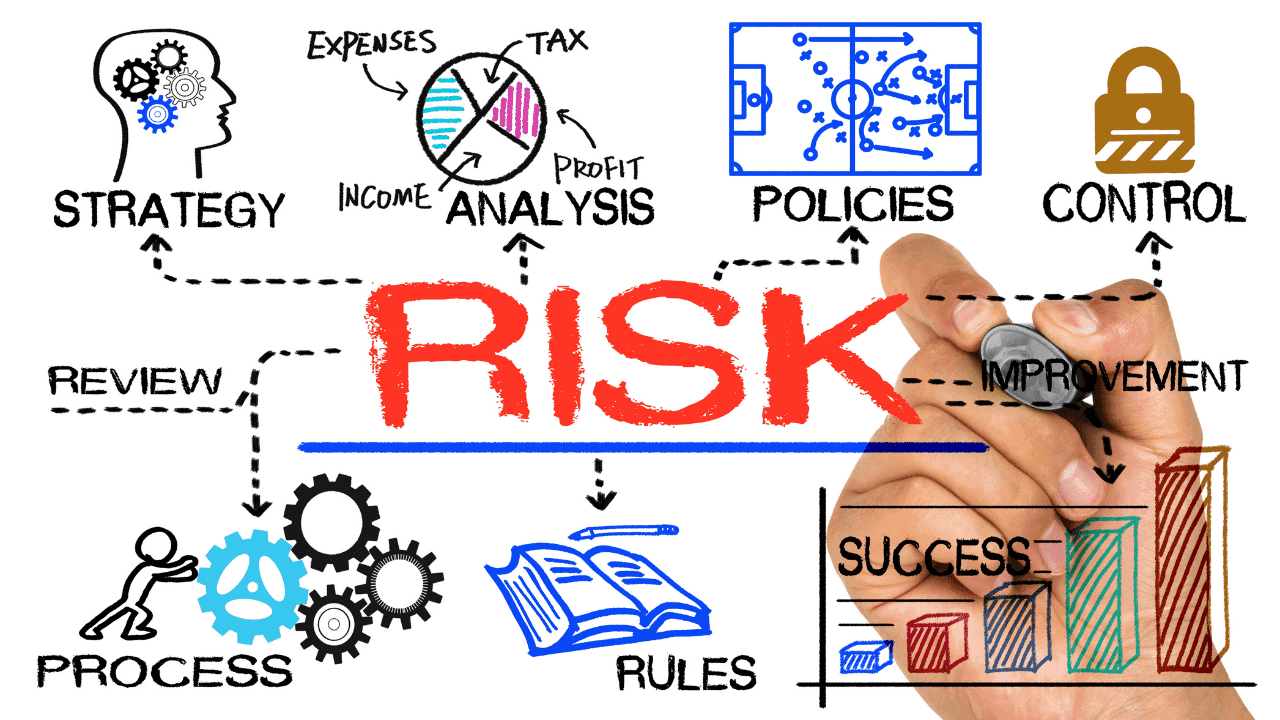
Risk Management Practices
Enhance system security
System security is one of the most important factors to help minimize the downtime of IT systems in the enterprise. A good security system not only prevents external threats, but also helps detect and handle potential errors early, ensuring that the system always operates stably and efficiently.
Perform periodic security checks
Performing periodic security audits helps ensure that IT systems are always protected from the latest threats. Decision 2692/QD-BTP 2023 on the Regulation on Assurance of Information Safety and Security requires organizations to periodically check and assess information security weaknesses for the entire system in order to detect and promptly handle vulnerabilities.
Businesses need to develop a schedule of periodic security audits and identify implementation methods, including scanning and detecting security vulnerabilities, testing the effectiveness of existing security procedures, and assessing compliance with security standards.
Enforce a strict privacy policy
Strict security policy enforcement is necessary to ensure that all employees comply with security requirements and protect systems from potential threats. A privacy policy should include clear procedures for password usage, account management, protection of sensitive data, and handling security incidents.
Businesses need to invest in training and raising awareness of employees about cybersecurity. Employees need to understand their roles and responsibilities in securing information and complying with the organization’s security policies.
Enhance system security
Use the backup system
Backup systems are one of the important measures to help minimize downtime of IT systems in businesses. The use of a redundancy system ensures that when a part of the system fails, the redundancy resources are automatically activated to keep the entire system running.
Set up an entry-in redundancy system
Businesses should build backup infrastructure systems such as backup servers, data backup software, and necessary resources to be able to restore the system quickly. Setting up an intrusion redundancy system helps ensure that critical data is always protected and can be quickly recovered in the event of an incident.
The establishment of an intrusion redundancy system helps minimize IT system downtime, protect data assets, and ensure liquidity in business operations.
Use available cloud services
Using available cloud services helps businesses optimize software deployment processes and minimize IT system downtime. Cloud services such as Amazon Web Services (AWS), Microsoft Azure, and Google Cloud provide redundancy and flexible access to resources, making it possible for businesses to recover quickly in the event of an incident.
Cloud service solutions such as IaaS (Infrastructure as a Service) allow businesses to easily scale their infrastructure without having to invest heavily in hardware. IaaS supports rapid deployment, which reduces time loss and increases application availability.
The use of available cloud services not only helps businesses improve the software deployment process, but also reduces IT system downtime through increasing availability, efficient management, and automating operational processes.
Enhance software deployment
Improving the software deployment process is one of the effective measures to help minimize the downtime of IT systems in the enterprise. Applying CI/CD (Continuous Integration/Continuous Deployment) and conducting pre-deployment testing helps businesses improve product quality and shorten development time.
Apply CI/CD
The CI/CD approach helps speed up the software development process by automating the steps from coding, testing, to deployment. This reduces deployment time and ensures that new code doesn’t break existing functionality. CI/CD is like a modern production line, where every step is automated and quality control is tight.
Perform pre-deployment testing
Pre-deployment testing is an important step to help mitigate risks and ensure that the software is stable before it is put into use. Businesses need to set up an automated testing system, including unit testing, integration testing, and system testing to comprehensively evaluate products before deployment.
By combining methods of optimizing software deployment processes and applying system performance monitoring technology, businesses can improve operational efficiency and minimize downtime.
Strengthen employee training
Training employees on cybersecurity and optimizing workflows is an important part of an IT system downtime mitigation strategy. Employees are equipped with the necessary knowledge and skills that will help detect and handle problems in a timely manner, ensuring continuous operation of the system.
Cybersecurity Training
Cybersecurity training helps increase employee awareness of security threats and procedures. Businesses need to organize regular training courses and provide clear guidance so that employees have a clear understanding of the system they are using and know how to react when there is a problem.

Cybersecurity training for employees is essential
Process Optimization Training Workflow Optimization Training
Training employees to actively participate in workflow optimization not only improves performance, but also minimizes the possibility of system disruption due to human error. Thereby, businesses can create a flexible and highly efficient working environment. Here are some methods that businesses should adopt:
- Identify and improve workflows:
- Assess the status quo: First, businesses need to make a complete plan for assessing the current status of their workflows. This includes considering how often these processes are used and how important they are to the overall performance of the organization.
- Evaluate effectiveness: Use assessment tools such as SWOT (Strengths, Weaknesses, Opportunities, Threats) or PDCA (Plan-Do-Check-Act) to identify weaknesses for improvement and opportunities to improve performance.
- Reform proposals: Encourage employees to make suggestions, thereby improving administrative and managerial processes.
- Organization of professional and soft skills training:
- Professional skills: Resume training on the latest professional tools, software, or technologies that the business is or will use. This helps employees to grasp advanced technologies in a timely manner, thereby improving work efficiency.
- Soft skills: Not only focusing on professional skills, training in communication, leadership, and time management skills is also important to ensure a productive work environment.
- Encourage employee participation:
- Create a creative environment: Organize workshops, competitions or meetups to encourage employees to contribute ideas, share knowledge, and find solutions to improve work processes together.
- Collect feedback: Regularly collect and analyze feedback from employees through surveys or seminars, thereby identifying problems that arise and improving them in a timely manner.
- Use technology and assistive tools:
- Performance monitoring technology: Apply performance management software such as Tableau, Microsoft Power BI to monitor, measure, and report on the status of processes and employees. This technology helps businesses have a clear view of downtime as well as problems that arise.
- Collaboration tools: Using online collaboration tools such as Slack and Microsoft Teams makes it easy for employees to interact, share information, and coordinate work, minimizing misunderstandings and errors when doing work.
- Benefits of workflow optimization:
By applying the steps mentioned above, businesses can not only improve the work efficiency of employees but also improve the stability and flexibility of the IT system. An optimal workflow and well-trained employees create a smooth and unified work ecosystem, thereby minimizing downtime and system disruption.
System performance monitoring and analysis
To ensure the continuous and efficient operation of IT systems, performance monitoring and analysis are indispensable. This helps businesses quickly detect and deal with any issues that may affect system performance early.
Use automated monitoring tools
Automated monitoring tools such as Zabbix, Nagios, Grafana, Prometheus not only help monitor the status and performance of the system in real-time but also provide the necessary data analytics to make improvement decisions.
- Monitoring Tools:
- Zabbix: This is an open-source tool that helps monitor every device, from servers, applications, services to even network devices. Zabbix provides real-time alerts and customized reporting capabilities, helping businesses stay on top of the system’s operational status in a timely manner.
- Nagios: Considered a “giant” in the surveillance industry, Nagios stands out for its high customizability, ease of use, and strong integration with many plugins. Nagios helps businesses monitor incidents and issue alerts for immediate action.
- Performance Analysis Software:
- Grafana: Combined with Prometheus, Grafana provides visualization of performance data on highly customizable and flexible dashboards. Grafana helps businesses create KPIs and track them in detail.
- Prometheus: This tool specializes in collecting and analyzing performance data from a variety of sources, especially good for systems that contain multiple microservices.
- Automation and Recovery Tools:
- Ansible: A tool that automates the configuration and management of servers, helping to reduce the administrative workload and increase the efficiency of deploying patches or updates.
- Docker: Use Docker to build containers for applications that make it easy to deploy and restore failed systems from quick backups.

Businesses should implement automated monitoring systems
Analyze data to improve performance
Data analysis is an important step to understand the root causes of problems and come up with measures to improve system performance.
- Deploy analytical tools:
- Tableau: Helps businesses create visual reports and charts from operational data, making it easy to analyze and share necessary information.
- Microsoft Power BI: This tool provides in-depth insights into performance data and has the ability to integrate with a variety of data sources.
- Predictive Analytics:
Through historical data analysis tools and the application of machine learning models, businesses can predict potential problems early before they occur, thereby providing effective preventive measures.
- Benefits of Performance Monitoring and Analysis:
Continuous monitoring and detailed analysis of system performance indicators not only helps businesses improve performance, reduce downtime, but also take measures to enhance and improve workflows. This contributes to creating a strong, stable IT system that is always ready to meet all requirements of business activities.
Conclusion
Satisfying the continuous and stable requirements of IT systems in enterprises is a problem that requires many diverse strategies and measures. By designing an optimal system architecture, using cloud technology, routine maintenance, risk management, enhancing security, applying redundant systems, optimizing workflows, and monitoring system performance, businesses can not only minimize downtime but also comprehensively improve operational performance and efficiency.
The optimal architectural design and application of cloud technologies such as AWS and Microsoft Azure bring flexible scalability and automation of infrastructure management. Periodic maintenance and software updates help keep the system in top operating condition.
Risk management and development of accident recovery plans ensure that businesses can quickly respond and recover from accidents, minimizing negative impacts on business activities. Enhance system security by conducting periodic security audits and enforcing strict security policies that help protect systems against threats.
Finally, combining optimizing the software implementation process and training employees on cybersecurity and work skills will help businesses build a flexible and effective work environment. Combined with automated monitoring and data analysis tools, businesses can both detect and fix problems early and improve workflows for peak performance.
Through the application of the above-mentioned strategies and measures, enterprises not only enhance the reliability and efficiency of IT systems, but also create a solid foundation for sustainable development and success in the future.
Contact Information for IT Systems Vietnam
IT SYSTEMS VIETNAM CO., LTD
IT Solutions – IT Department for Businesses
?? HOTLINE: 0283 9950 359
Email: contact@itsystems.com.vn
Website: https://itsystems.vn/
Facebook: https://www.facebook.com/ITSystems.VIETNAM
YouTube: https://www.youtube.com/@ITSYSTEMS
321/10 Phan Dinh Phung, Ward 15, Phu Nhuan District, Ho Chi Minh City.
House No. 22, Garden Villa, Vinh Hoang Urban Area, 431 Tam Trinh, Hoang Mai District, Hanoi.
Binh Duong Avenue, Phu Hoa, Thu Dau Mot, Binh Duong.
FAQ
When should a business ask IT Systems for support?
Ask for support when the issue affects users, business data, security, licensing compliance, service availability or daily operations. A short technical review often prevents repeated incidents and hidden costs.
Can IT Systems help review the current environment before proposing a solution?
Yes. IT Systems can review the current setup, identify risks, map the issue to the right service scope and recommend a practical next step for your business.
Does this topic connect to ongoing IT operations?
In most cases, yes. Problems around software, cloud, endpoint, network, backup or security should be connected to a broader IT operations plan instead of being handled as isolated incidents.
Need help applying this to your business?
IT Systems Vietnam can help assess the issue, recommend the right service path and support implementation for your team.


