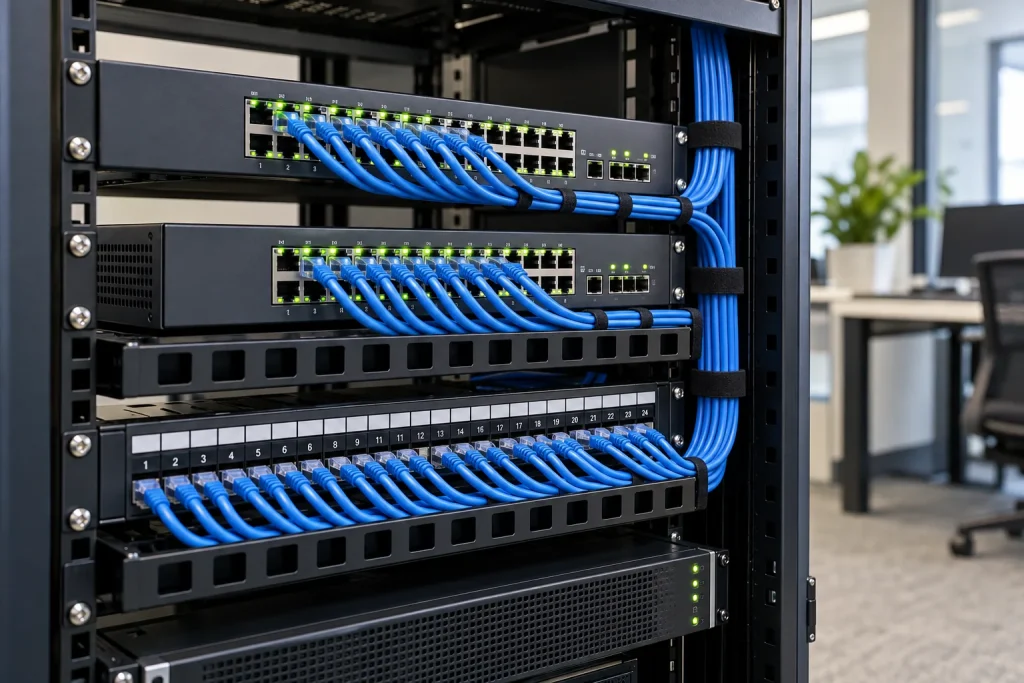
Quick answer: Business network design is the process of turning user, application, security and availability requirements into a documented LAN, Wi-Fi, remote-access and internet architecture. A sound design specifies what each network segment may reach, how capacity and failure paths will be tested, and which diagrams and configurations the business will own after handover. Buying faster equipment without a baseline or acceptance criteria is not a design.
This article explains the design method. For a scoped assessment of an existing network, see network infrastructure consulting. For a project that also covers servers, storage, identity and backup, see business IT system design and deployment.
Start with requirements, not a device brand
Count current and planned users, devices, locations and applications. Separate ordinary web browsing from voice/video meetings, file access, line-of-business applications, cameras and guest traffic. Record the sites and rooms that need coverage, the consequences of an outage, and who will maintain the network. Document constraints such as existing cabling, ISP contracts, rack space, power, licensing and budget. A small single-site office and a multi-branch company should not receive identical designs.
Write measurable acceptance criteria before selecting hardware: where Wi-Fi must work, which applications must remain accessible, which groups must be isolated, and what should happen if an internet circuit fails. Agree on how and when the tests will be performed. These criteria allow a buyer to compare proposals on outcomes rather than port counts alone.
Logical design: traffic and access
Draw the path from users and devices through switches, wireless access points, firewalls and WAN links to local and cloud services. Define the IP plan, DHCP and DNS ownership, VLANs or equivalent segments and routing between them. Typical groups might include staff, guests, printers, cameras, servers and network administration. The exact separation depends on business workflows; unnecessary segmentation can make support harder without improving risk control.
For each segment, list allowed destinations and who approves exceptions. Guest Wi-Fi should not inherit staff access. Administrative access should use named identities, appropriate authentication and logging. Remote users need a protected access method, but a VPN alone does not establish least privilege. Record the firewall rule owner and the process for reviewing stale rules.
Physical design: cabling, switches and Wi-Fi
Confirm cable routes, patch panels, PoE budget, uplink capacity, rack power, cooling and labeling. Switch capacity should consider both available ports and growth, not only the present endpoint count. For wireless, use a floor plan and a site survey to account for walls, interference, user density and roaming. A strong signal is not sufficient if airtime is saturated during meetings. Define where coverage and capacity will be measured after installation.
Document controller or cloud-management dependencies and license renewal requirements. The design should name who owns the management account and configuration backups. It should also explain any single point of failure that remains because of cost or physical constraints.
Resilience and security are design choices
If critical operations depend on internet access, evaluate a second circuit or an alternate workflow. Two links are useful only when the firewall, routing, DNS and application behavior are tested during failover and recovery. For local services, assess power protection, spare parts, configuration backups and the time needed to restore a failed device. A diagram should distinguish planned redundancy from actual tested resilience.
Keep network devices patched under change control, restrict administration, and forward relevant alerts to a responsible person. Define how incidents are recorded and escalated. No design can promise zero downtime or absolute protection; risk and response obligations should be expressed in the contract and operating procedures.
Seven steps from survey to handover
- Survey: inspect sites, users, applications, cabling and current device health; collect baseline measurements.
- Requirements: agree on availability, coverage, remote access, security boundaries, growth and acceptance criteria.
- Logical design: produce topology, addressing, VLAN/SSID plan, traffic flows and access matrix.
- Physical design: specify device locations, ports, cabling, power, uplinks and licenses with a bill of materials.
- Change planning: stage configurations, backups, maintenance window, communications and rollback steps.
- Testing: verify connectivity, application paths, guest isolation, VPN, Wi-Fi coverage and failover where included.
- Handover: transfer approved diagrams, inventory, test results, configuration copies and operating ownership.
What should be accepted at handover?
Request logical and physical diagrams, labeled device inventory, IP/VLAN/SSID plan, access-rule summary, configuration export, measured Wi-Fi results, critical application tests, failover evidence if purchased, outstanding issues and escalation contacts. Transfer administrator access by an agreed secure method. This is an illustrative deliverables list, not a report of any particular customer project or a guaranteed performance result.
Do not publish percentage savings or availability improvements without a defined baseline, comparison period and permission from the customer. Where measurements are unavailable, describe the method and expected verification instead.
How should the budget be evaluated?
Separate design labor, switches, access points, firewall, cabling, licenses, installation, testing, documentation and ongoing monitoring. Clarify whether ISP fees, power protection, spare units, after-hours cutover and support are included. Total cost of ownership matters more than the initial device quote. A responsible estimate needs the number of sites, users, floor plans, applications, existing hardware and service expectations.
Frequently asked questions
Does every business need VLANs?
Not a fixed number. Segmentation should reflect distinct trust levels and business workflows. Staff, guests and infrastructure administration are common starting points; the design must be maintainable.
Should we replace all old switches at once?
Assess support status, capacity, faults and configuration compatibility first. A phased replacement can reduce disruption, but the cutover plan must specify interim connectivity and rollback.
Can a Wi-Fi survey be skipped for a small office?
A simple office may need a lighter survey, but placement and post-installation measurement still matter. Area alone cannot predict interference or user density.
Who should own network documentation?
The business should receive and control the agreed diagrams, inventory and administrative handover. The operating team should maintain them when changes are approved.