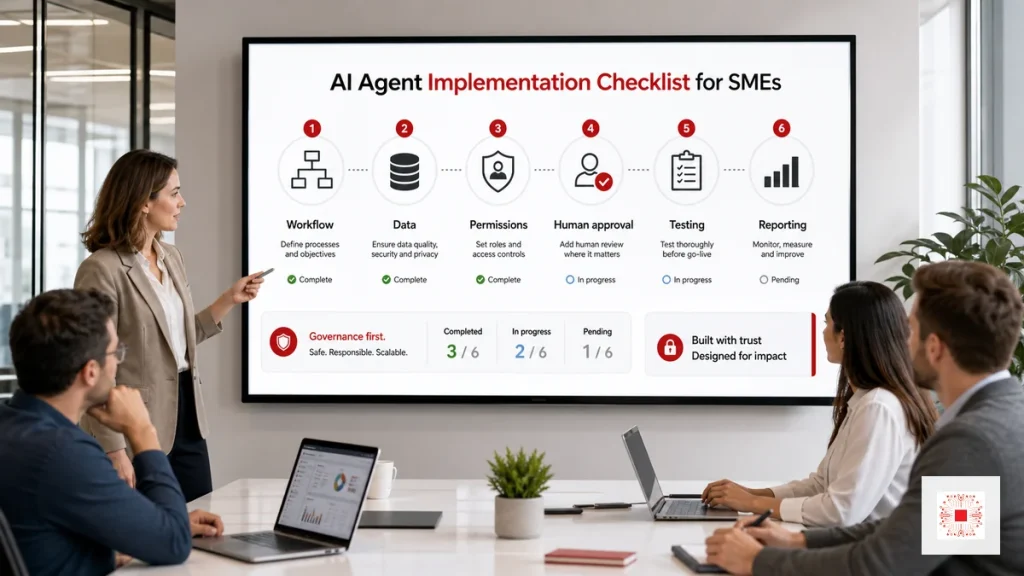
A safe AI Agent implementation checklist is a practical control framework that turns an AI idea into an accountable business workflow. The main point is not writing a clever prompt; it is selecting the right workflow, limiting data access, defining tool permissions, designing human approval, testing exceptions and monitoring performance after go-live. If the business is still clarifying what an AI Agent is and how it differs from a chatbot, it should start with the foundation article on AI Agents for business, then use this checklist to assess implementation readiness. The right checklist helps teams gain the speed of AI without losing security, data quality or decision accountability.
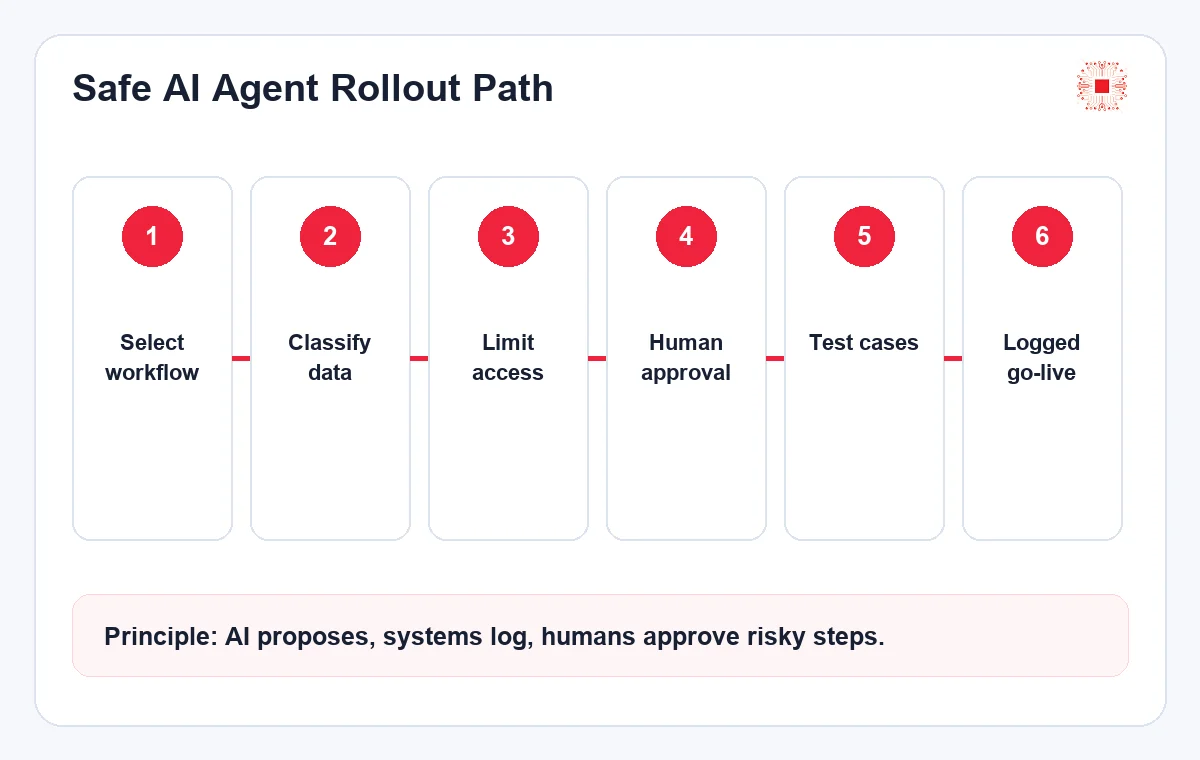
Why Businesses Need a Checklist Before Implementation
An AI Agent is different from a simple Q&A tool because it can read data, call APIs, create drafts, route tickets, summarize reports or recommend next actions. Because it can touch real operations, the project needs a checklist to avoid three common mistakes: granting excessive access, measuring success vaguely and failing to define stop conditions. A useful checklist forces the team to document input, output, risk level, approval owner, logging location and rollback criteria. For SMEs, this is the most economical way to pilot AI Agents while keeping operational discipline.
From a management perspective, the checklist also tells leadership whether the project is still an experiment, a pilot or a production workflow. Each stage needs different controls: experiments can use mock data, pilots can use real data with limited permissions, and production workflows need ownership, SLA, logs and incident handling. This distinction prevents the common situation where a demo works well but nobody is comfortable using it in daily operations.
It also creates a shared language between leadership, operations and IT. Leadership can discuss risk and ROI, operations can define exceptions and acceptance criteria, and IT can translate those decisions into permissions, logging and integration rules. Without this shared structure, AI Agent discussions often stay abstract and the project loses momentum after the initial excitement.
Step 1: Select a Workflow with Controllable Risk
The first workflow should not be the biggest or flashiest one. It should have reasonably clean data, repeated actions, measurable output and errors that can be corrected. Good starting points include IT ticket classification, SLA reminders, weekly report summaries, form-data checking, draft customer follow-up emails or order-list reconciliation. Before recommending an AI Agent service for business, IT Systems usually scores each use case by time-saving potential, data readiness, sensitivity and integration complexity. The first use case should be small enough to test quickly but real enough to prove ROI.
A good sign is that people can already perform the workflow consistently before AI is introduced. If the current team cannot agree on the process, an AI Agent will amplify that ambiguity and create more debate. Forms, statuses, approval rules and expected outputs should be standardized first. AI Agents work best when they accelerate a clear workflow, not when they are asked to guess how the business should operate.
The selected workflow should also have a visible business owner. AI Agent projects slow down when every team is interested but no one can decide what is correct. A process owner helps resolve edge cases, approves test results and decides whether the pilot is good enough to expand. This ownership is more important than model choice in the early stage.
Step 2: Classify Data and Limit Access Rights
Data governance is often the weakest part of AI Agent projects. The business should classify public, internal, sensitive, customer, financial and role-restricted data. For each data group, decide whether the Agent can read it, create a draft from it, recommend an update or write directly to a system. The safer approach is to begin with read-only access or draft recommendations, then expand write access after logs and tests are proven. If the Agent connects to Google Workspace, Microsoft 365, CRM, Odoo or a helpdesk system, access should be role-based rather than relying on a shared administrator account.
In the first phase, many businesses only need the Agent to read data and prepare report drafts. That reduces risk while still proving time savings. When write access becomes necessary, it should be split into smaller permissions: update a status, add a note, create a task, send an email or generate a quotation. Each permission should have a condition, log and off switch rather than being granted as one broad capability.
Data classification should be reviewed again whenever the Agent expands to a new team or system. A workflow that is low risk in one department can become sensitive when connected to customer contracts, finance data or HR records. Treat permissions as a living design decision, not a one-time setup task.
Step 3: Design Human Approval for Risky Actions
Human approval does not mean every output must be manually reviewed. It means the business defines where AI is not allowed to decide alone: sending external messages, changing customer records, updating costs, closing important tickets, recording commitments or taking actions with legal impact. For low-risk steps, the Agent can classify, summarize or draft automatically. For high-risk steps, it should pause, show the reason, cite the data source, present the proposed action and offer approve or reject options. This design lets teams move faster while keeping responsibility with the right person.
A good approval flow should be short and clear. The approver needs to see which data the Agent used, why it recommends the action, what happens if it is approved and what alternatives exist if it is rejected. If the approval screen only shows a vague final answer, the person has to re-check everything manually, which removes much of the automation benefit. Approval should feel like a decision record, not just a button.
Approval design should also consider workload. If too many low-value approvals are required, managers will ignore the queue or approve without reading. If too few approvals are required, the business loses control. The practical balance is to automate low-risk classification and drafting while keeping human judgment for actions that affect customers, money, compliance or system records.
Step 4: Test with Sample Data and Edge Cases
An AI Agent should only be considered ready after it has run through sample data that represents real work. The test set should include normal cases, missing data, conflicting data, vague user requests and situations where the Agent must refuse or escalate. A demo with only perfect examples is not enough. Each test case needs input, expected result, actual result, variance and an improvement decision. For workflows involving sensitive information, anonymized data should be used first. When the error rate remains high, the Agent should create recommendations rather than automatically updating production systems.
The test set should be saved and reused for future changes. Every time the prompt, model, data source or tool permission changes, the team should rerun the tests to check whether quality regressed. This is often missed in AI projects: a small change can improve one situation while damaging another. Repeatable testing helps the team catch those issues before real users experience them.
Testing should include business-language ambiguity, not just technical failures. Real users may ask for incomplete, emotional or contradictory requests. A safe Agent needs to recognize uncertainty, ask for missing information or escalate rather than forcing a confident answer. These cases reveal whether the Agent is ready for real adoption.
Step 5: Log, Monitor and Prepare Rollback
Logs are the evidence that shows what the Agent read, which tool it called, what it proposed, who approved it and what happened afterward. Without logs, it is difficult to diagnose whether an issue came from prompting, data quality, permission design, API integration or user input. In addition to logs, the team should maintain a monitoring dashboard showing run count, success rate, approval rate, error categories and average processing time. Rollback also needs to be defined upfront: when to pause the Agent, who has the authority to pause it, which data needs recovery and how teams are notified.
Rollback does not always mean restoring the entire system. In many projects, practical rollback means switching the Agent back to recommendation-only mode, disabling one write permission, limiting access to a smaller user group or reverting to a previous prompt version. These options should be prepared before go-live. If the team waits until an incident happens before deciding how to stop the Agent, response will be slower and internal trust will fall.
Step 6: Measure ROI and Improve Iteratively
AI Agent ROI should be measured through operational indicators, not excitement. Useful metrics include weekly time saved, fewer data-entry errors, faster ticket response, on-time reports, manual steps removed, internal-user satisfaction and the percentage of outputs that require correction. After the pilot, the business should review evidence: should the use case be expanded, which integration is next, where should human approval remain and which low-risk steps can become more automated. A good AI Agent is a system that improves continuously, not a static demo.
The team should measure before and after in the same way. For example, record how long a person currently takes to classify 100 tickets or prepare a weekly report, then measure the same workflow after the pilot. Track time, errors, corrections and internal-user satisfaction. General impressions are easy to bias; before-and-after evidence helps decide whether to expand, reduce or change the use case.
Adoption quality matters too. If employees bypass the Agent because it feels slow, confusing or unreliable, the measured automation rate will be misleading. User feedback should therefore be captured alongside hard metrics. The best implementation loop combines system data, user comments and manager review into a practical improvement backlog.
Safe AI Agent Implementation Checklist Table
The table below is a minimum go-live checklist. A business can use it as an internal acceptance document or share it with an implementation partner to align scope. The important detail is that every row needs concrete evidence: process documentation, permission lists, test cases, sample logs or a pilot report. If a checklist item has no evidence, it should not be marked as complete. In projects involving multiple teams, each row should also have an owner so responsibility does not disappear between departments.
The checklist should not become paperwork for its own sake. Its value is forcing the project team to state what is ready and what is still an assumption. If an item is not ready, the pilot can still proceed with clear limits: a small user group, read-only access, draft-only output or low-risk request types. Transparent limits let the project move forward without creating false confidence.
| Area | Control question | Required evidence | Owner |
|---|---|---|---|
| Workflow | Are input, output and exceptions clear? | Workflow map, acceptance criteria | Process owner |
| Data | Has data been classified by sensitivity? | Data-source list, permission groups | IT/Data owner |
| Permissions | Can the Agent read, draft or write data? | Access-right matrix | IT admin |
| Human approval | Where must AI pause for approval? | Approve/reject flow, approval logs | Team lead |
| Testing | Have normal and edge cases been tested? | Test cases, error rate, fix notes | Project owner |
| Monitoring | Are logs, dashboard and rollback ready? | Sample logs, dashboard, pause procedure | IT/Operations |
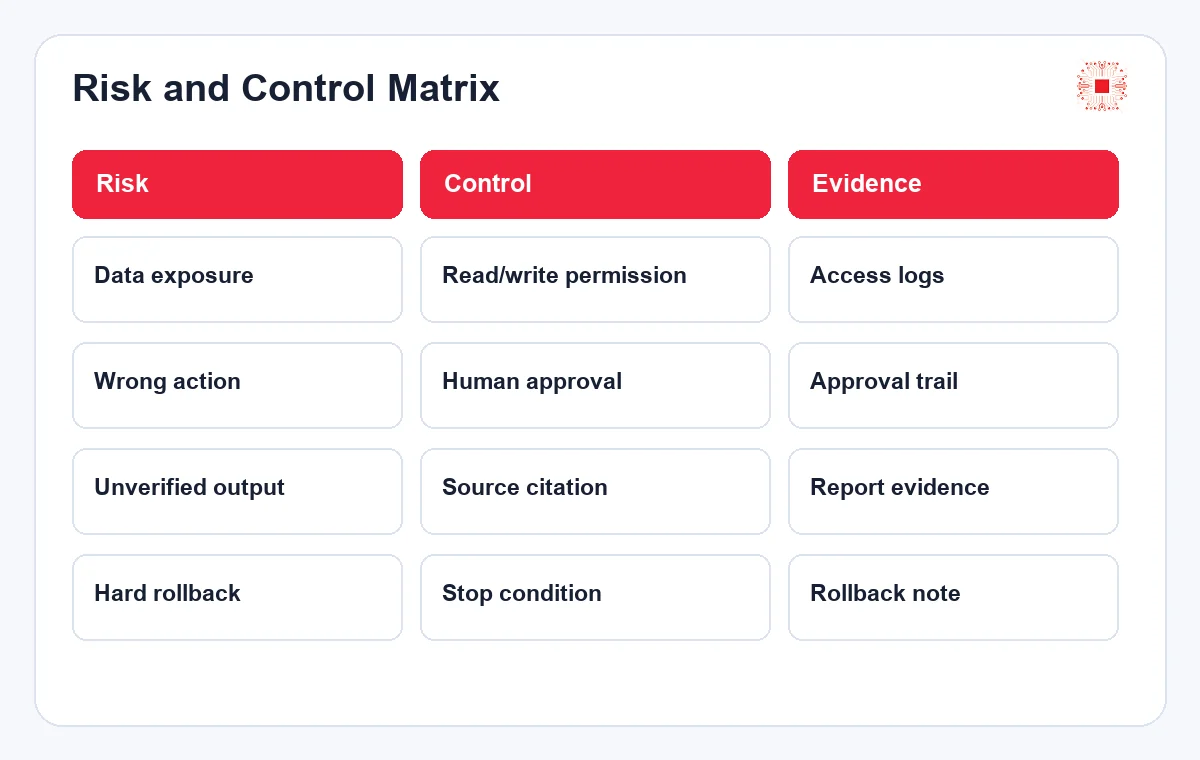
After the checklist, the business should create a risk matrix to decide which steps can be automated and which steps require approval. For write actions, external communication or customer commitments, human approval should remain in place until the Agent has a stable operating history.
| Risk | Suggested control | When human approval is needed |
|---|---|---|
| Internal data exposure | Role-based access and sensitive-data masking | When the Agent accesses customer or financial data |
| Incorrect system update | Run recommendation mode before write access | When changing tickets, orders or customer records |
| Wrong external message | Create drafts and require approval before sending | Any email, message or quotation sent to customers |
| Poor error traceability | Log input, output, tools called and approver | When the Agent performs cross-team tasks |
When Businesses Should and Should Not Implement an AI Agent
A business should implement an AI Agent when the workflow has meaningful volume, data is reasonably stable, the process owner is engaged and management accepts a phased pilot. It should wait when data is scattered, the process changes constantly, no one owns approvals or the expectation is that AI will magically repair operational problems. In those cases, the better first step may be process standardization, dashboards, data cleanup or simple automation. An AI Agent should be an upgrade on top of a clear operating model, not a decorative layer over confusion.
A quick readiness question is this: if the Agent stopped for one day, could the business continue manually? If not, the workflow may be depending on new technology too early. In the first phase, the AI Agent should support and accelerate work, not become the only point that keeps the process alive. As the team gains experience, data stabilizes and logs become reliable, automation depth can increase gradually.
How IT Systems Implements Safe AI Agents
IT Systems usually starts with a review of workflows, data, current software and operational bottlenecks. The technical team then recommends priority use cases, integration design, permission model, human approval points, test cases and acceptance criteria. For SMEs, the recommended approach is to implement a narrow pilot, measure real results, improve it and then expand to another workflow. Businesses can review the AI Agent service for business page to understand consulting, integration and handover scope. The goal is not to build a flashy Agent; it is to create a safe, measurable and scalable operational assistant.
During handover, documentation should describe not only what the Agent does but also what it must not do. These boundaries are important because operations teams need to know when to use the manual process, when to ask IT Systems for review and when expansion is reasonable. With clear boundaries, the business can build additional Agents under the same standard instead of treating every project as a one-off experiment.
Need to Review a Workflow Before Implementing an AI Agent?
IT Systems can help your team assess use cases, data, access rights, human approval, test cases and safe go-live planning. After the review, your business receives a prioritized workflow list, risk level, integration requirements and a phased implementation roadmap.
This review is useful when the business already sees potential for AI Agents but is unsure which workflow to start with, whether data is clean enough, whether write access is too risky or how approval points should be designed. The approach keeps the project grounded in a real operational problem, measurable acceptance criteria and clear safety limits before deeper investment.
It is also a practical starting point for teams that want to compare several use cases objectively. Instead of choosing the loudest idea, the review ranks opportunities by business value, implementation complexity, data sensitivity and operational readiness. That ranking helps the first pilot stay focused, measurable and easier for management to approve. It also prevents scope creep during early implementation and supports clearer internal communication.